
Most small churches don't lack risk awareness. They lack a place to put it. Safeguarding concerns live in one leader's head, the treasurer worries about the reserve balance in silence, the buildings warden knows the boiler is on borrowed time, and the pastor is quietly carrying a confidentiality obligation nobody else even knows exists. Four separate mental spreadsheets, zero coordination, and an insurer who — when something goes wrong — asks for one document you've never had.
That document is the risk register. Not the 40-page corporate kind. A compact, operational one that a board can read in ten minutes and an insurer will nod at. The problem isn't that churches don't know their risks. It's that the risks are scattered across people and never scored, owned, or reviewed on any consistent rhythm.
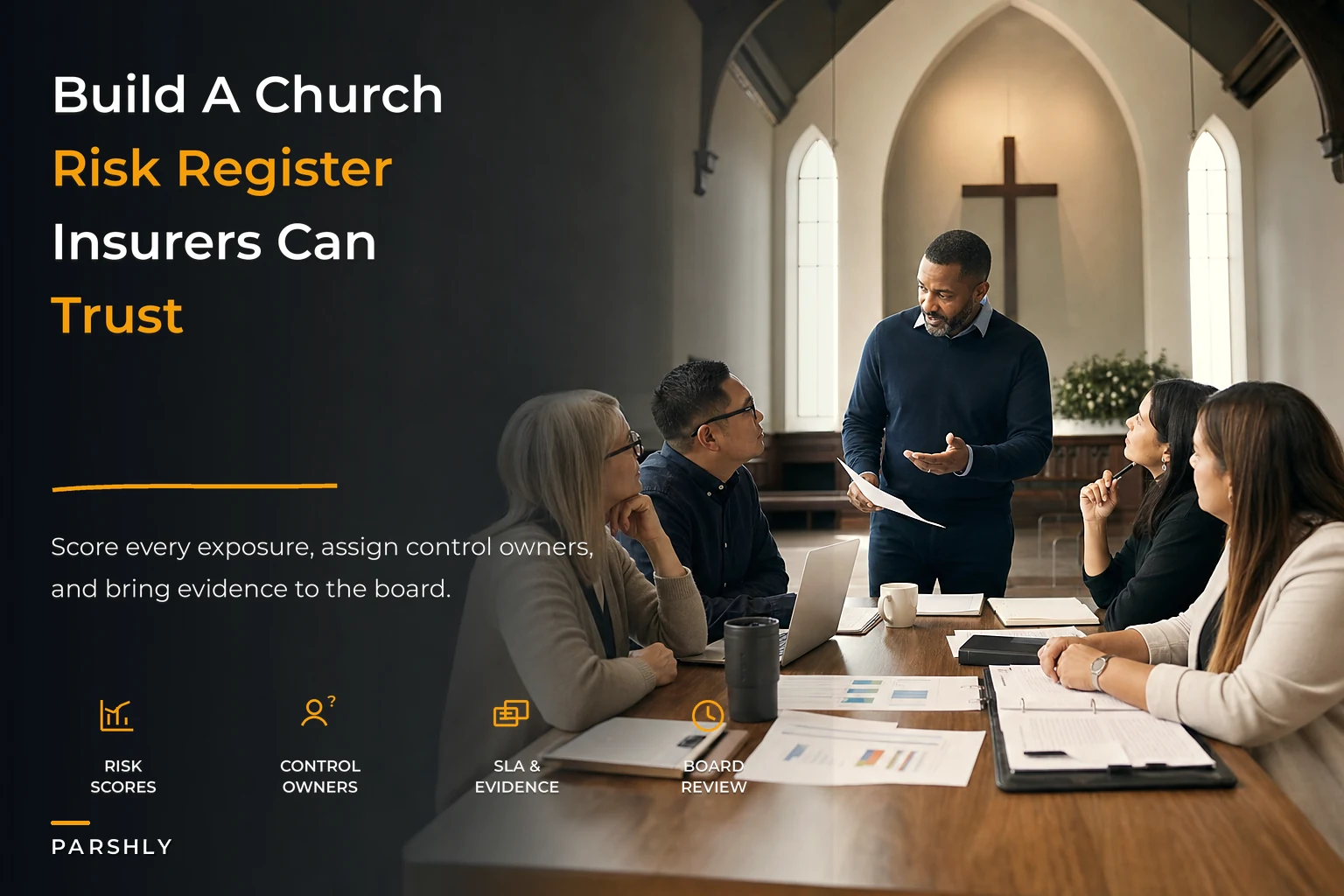
This is about building that one register — the scoring logic, the controls matrix, the incident-to-fix lifecycle, and the monthly review — in a way that fits a congregation with three staff and forty volunteers, not a diocese with a compliance department.
Why the risks stay scattered (and why that's dangerous)
The scattering happens for a structural reason, not a laziness one. Church risk sits across four domains that almost never share a table:
-
Finance — reserves, restricted funds, fraud exposure, single-signatory payments
-
Safeguarding — children's ministry, youth work, volunteer screening gaps
-
Facilities — fire safety, contractor insurance, accessibility, aging systems
-
Pastoral confidentiality — counselling notes, disclosures, data held in trust
Each domain has a different owner, a different vocabulary, and a different emotional weight. Safeguarding feels urgent and moral. Finance feels technical. Facilities feels boring until the roof leaks onto the sound desk. Pastoral confidentiality feels almost taboo to write down at all.
So they never get compared. And that's the actual danger — risk decisions are fundamentally about comparison. If you can't see the boiler risk sitting next to the safeguarding-training gap on the same page, you can't decide which one gets the next £800 or the next volunteer hour. You just react to whatever screamed loudest last.
What breaks at scale is predictable. A church of 60 can run on shared memory. At 200+, with multiple services, a midweek toddler group, a youth trip, and a building people rent out to the community, the mental-spreadsheet model quietly collapses. Nobody's tracking whether the electrical certificate expired. Nobody notices the same volunteer has been "about to" complete their screening for eight months. The gaps aren't dramatic — they're administrative — and administrative gaps are exactly what insurers and safeguarding auditors go looking for.
The one-page register structure
A register that works is boring on purpose. Every risk gets the same handful of columns, no matter which domain it comes from. That sameness is the whole point — it forces finance and facilities and safeguarding into one language.
Simplify your church’s day-to-day operations.
Parshly helps you organize events, track donations, and engage your congregation—all in one place.
- Centralized member management
- Donation tracking & reporting
- Volunteer scheduling & notifications
No credit card required
Here's the core structure:
| Column | What goes in it |
|---|---|
| Risk ID | Simple code, e.g. SG-03, FIN-01, FAC-05 |
| Domain | Finance / Safeguarding / Facilities / Pastoral |
| Risk description | Plain sentence: "What could go wrong and how" |
| Impact (1–5) | How bad if it happens |
| Likelihood (1–5) | How probable in the next 12 months |
| Score | Impact × Likelihood |
| Current controls | What's already in place |
| Owner | One named person, not "the team" |
| Review date | When it's next looked at |
The single most common mistake is writing the owner as a role or a group. "Safeguarding team." "Trustees." "Whoever's on rota." A risk owned by everyone is owned by no one. Every line needs a human name attached, and that person needs to know they're on it.
The second mistake is describing risks too vaguely. "Fire safety" isn't a risk. "Fire exit in the church hall is regularly blocked by stacked chairs during the toddler group" is a risk — specific enough to score, specific enough to fix.
[Risk Identified] → [Logged in Register with Score + Owner] → [Control Assigned with SLA + Evidence] → [Monthly Board Review] → [Incident Occurs?] → Yes: [Incident Lifecycle: Log → Triage → Contain → Root Cause → Corrective Action → Verify + Close] → [Register Updated] → [Back to Monthly Review]
The flow below shows how incidents and reviews feed back into the live register.
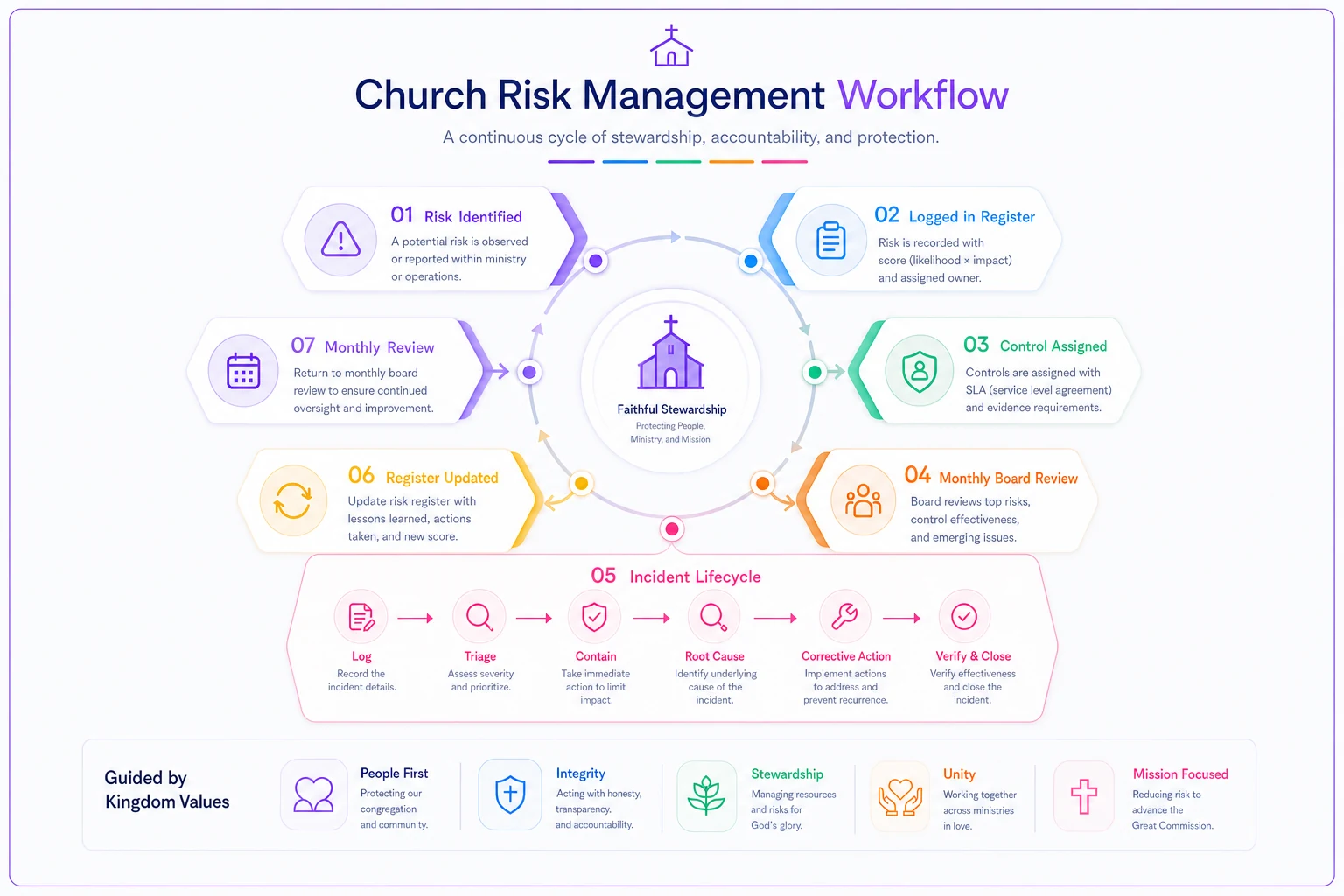
Every step feeds back into the register. The register doesn't sit static between board meetings — it should shift when incidents close, when controls get verified, and when evidence is renewed.
Scoring that fits a small church, not a hospital
Generic risk matrices are calibrated for organisations where "high impact" means multi-million-pound lawsuits. That scale is useless to a church where the reserve fund is £30k and the biggest asset is a Grade II building.
Impact (1–5):
-
Minor inconvenience, no lasting effect (a service runs late)
-
Small financial cost or minor disruption (under a few hundred pounds)
-
Notable cost, reputational bruise, or a person mildly affected
-
Serious harm to a person, significant financial loss, or a safeguarding incident
-
Catastrophic — child harmed, major fraud, building unusable, existential to the church
Likelihood (1–5):
-
Rare — hard to imagine in a normal year
-
Unlikely — possible but not expected
-
Possible — could reasonably happen this year
-
Likely — expect it more often than not
-
Almost certain — happening now or recurring regularly
Multiply the two and you get a 1–25 score. Anything scoring 15 or above (a 4 or 5 on impact combined with real likelihood) is a "do something now" risk. The 8–12 band is "plan and schedule." Below 8 is "monitor and accept."
One discipline worth building in: safeguarding and pastoral-confidentiality risks almost never get their likelihood scored down to zero. Even a low-probability child-safety failure carries a 5 on impact, which keeps it visible regardless. That's deliberate. You don't want a rare-but-catastrophic risk slipping off the page because someone rated it "unlikely." Screening gaps in particular deserve this treatment — the low-cost volunteer screening and consent workflow exists precisely because the impact side of that equation never drops.
The controls matrix: owner, SLA, evidence
Scoring tells you what matters. The controls matrix tells you what you're actually doing about it — and this is where most church registers fall apart. They list risks beautifully and then leave the "controls" column as wishful thinking: "we should get that certificate renewed."
A real controls matrix has three non-negotiable fields for every control:
-
Owner — the named person responsible
-
SLA — the timeframe or cadence it must happen by
-
Evidence — what proves it was done
That evidence column is what separates a register an insurer trusts from one they dismiss. "We do fire drills" is a claim. "Fire drill log, last completed 14 March, signed by warden" is evidence. When a claim gets made or a safeguarding audit lands, the evidence trail is the difference between "handled competently" and "negligent."
Name evidence files with the Risk ID and date so they're easy to locate during an audit.
A worked example of a few controls matrix rows:
-
Risk SG-01 (unscreened volunteer with children)
Control — all children's/youth volunteers cleared before first shift. Owner — Safeguarding Lead. SLA — no unsupervised contact until clearance confirmed. Evidence — screening register with dates and status.
-
Risk FIN-02 (single-person payment authority)
Control — dual authorisation on all payments over £250. Owner — Treasurer. SLA — every payment, no exceptions. Evidence — bank records showing two approvers.
-
Risk FAC-04 (expired electrical certification)
Control — annual inspection scheduled. Owner — Buildings Warden. SLA — renewed before expiry, tracked 60 days out. Evidence — current certificate on file.
-
Risk PAS-01 (pastoral notes accessible to unauthorised staff)
Control — counselling records access-restricted. Owner — Senior Pastor. SLA — access reviewed quarterly. Evidence — access log and review notes.
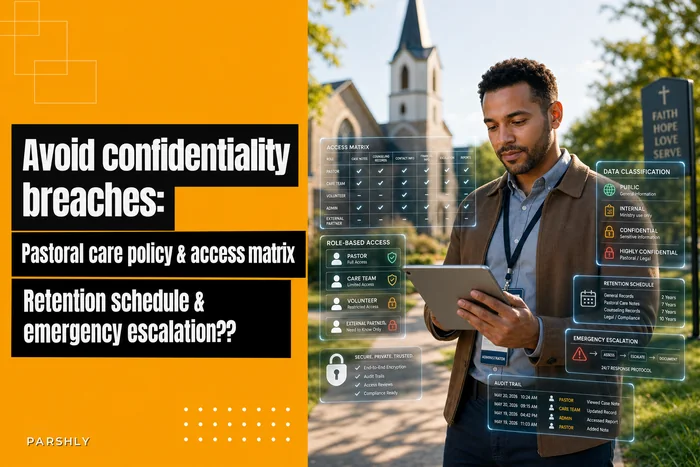
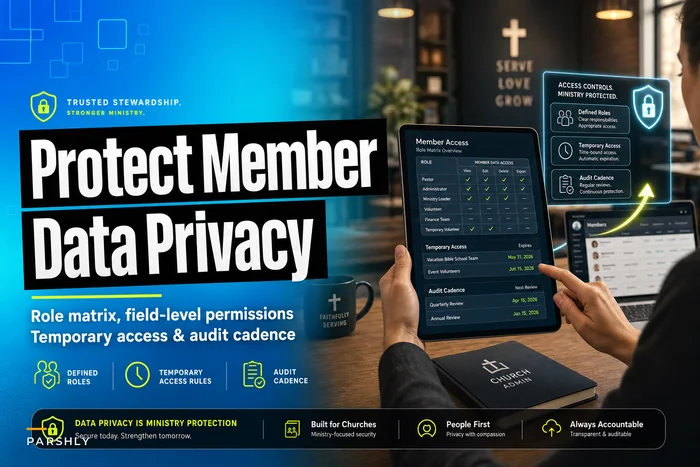
The pastoral row is the one churches skip most often, because writing down confidentiality controls feels like it undermines the confidentiality itself. It doesn't. Documenting who can access what and how records are held is exactly what protects the trust. The operational side of that sits well alongside a proper pastoral care policy with an access matrix and retention schedule. And access controls generally overlap with the broader role matrix for member data, so it's worth building them together rather than as two separate projects that never quite align.
From incident to corrective action: the lifecycle
A register that only lists risks is half a system. The other half is what happens when a risk becomes an incident — because it will. Something gets missed, a near-miss happens, a parent raises a concern.
Most churches handle incidents ad hoc. Someone deals with it, tells a couple of people, and it evaporates from institutional memory. Then the same thing happens eight months later because nothing was actually fixed at the root.
The lifecycle closes that loop. Six steps:
-
Log — the incident gets recorded the day it happens, with date, what occurred, who was involved, and immediate action taken.
-
Triage — assign severity using the same impact scale. A blocked fire exit and a data-handling slip get triaged differently.
-
Contain — stop the immediate harm. This is separate from fixing the cause.
-
Root cause — ask why it happened, not just what happened. "Volunteer wasn't screened" has a root cause: "no check on the rota before shifts were assigned."
-
Corrective action — a specific change with an owner and a deadline, designed to stop recurrence.
-
Verify and close — confirm the fix actually landed, then update the register (the risk's likelihood may drop once a real control is in place).
The template for each incident can be a single page: the six headings above, a few lines each. What matters is that steps 4 and 5 never get skipped, because that's where churches lose the plot — they contain the incident and call it done, without ever changing the process that let it happen.
A youth-trip near-miss is a classic teaching case here. An emergency contact list turns out to be a year out of date at exactly the wrong moment. Containment is easy — you phone around. But the corrective action is systemic: linking permissions, contacts, and rostering so the data can't drift, which is the whole logic behind permission-to-roster linkage and extended screening for youth trips. One near-miss should permanently change the workflow.
The monthly board-ready risk-review agenda
The register decays without a heartbeat. What keeps it alive is a short, fixed monthly slot on the leadership or trustees' meeting — 20 minutes, same structure every time.
A workable agenda:
-
New risks (5 min) — anything surfaced since last month? New activity, new tenant, new staff member, new building issue?
-
High scorers (5 min) — walk the 15+ items. Are controls on track? Any SLA breaches?
-
Open incidents (5 min) — anything logged since last meeting still in the lifecycle? Any overdue corrective actions?
-
Expiring evidence (3 min) — certificates, DBS renewals, insurance, training due in the next 60–90 days.
-
One deep-dive (2 min to assign) — rotate one domain per month for a fuller look, so all four get proper attention across the year.
The review's job isn't to admire the register — it's to catch drift. SLAs slip. Owners leave. Evidence expires. A monthly rhythm catches those things in weeks instead of discovering them during a claim or an audit. And the minutes from that review are themselves evidence — proof the board actively oversees risk, which is precisely what insurers and charity regulators want to see.
A realistic scenario
A church of around 180 across two Sunday services, a Wednesday toddler group, and a building rented to a community choir and a couple of external groups midweek. No dedicated administrator — the office runs on two part-timers and a lot of volunteer goodwill.
Before building the register: risks lived in four heads. The treasurer knew payments over a certain size sometimes went out on one signature when things were rushed. The safeguarding lead had a rough sense of who was screened but no clean list. The buildings warden thought the electrical cert was "probably fine." Nobody had a single document. When the insurer sent a renewal questionnaire asking about risk management processes, it took the better part of three weeks and several awkward conversations to answer — and the honest answer was "informally."
After: roughly 30 risks logged across the four domains, each scored, owned, and given controls with SLAs and evidence. The scoring surfaced something nobody had flagged as urgent — the midweek building lets had no confirmation that external groups carried their own liability insurance, a 4-impact risk hiding in plain sight because it didn't belong to any obvious owner. It got assigned, controls added, and closed within a month.
The following year's insurer questionnaire took an afternoon. Two of the higher-scoring items had also dropped in likelihood because real controls were finally in place — dual payment authorisation actually happening, screening tracked on one list instead of guesswork. Nothing dramatic. Just a church that could now answer, in one document, "here's what could go wrong and here's what we're doing about it."
Where a system helps — and where it doesn't
For a smaller congregation, this can absolutely start as a spreadsheet. Don't let anyone sell you a platform before you've proven you'll actually maintain the register. Discipline first, tooling second.
That said, the spreadsheet model has known failure points as you grow: nobody gets reminded when evidence expires, ownership changes don't propagate, and the incident lifecycle lives in someone's inbox. This is where church management and operations software earns its place — not by being clever, but by handling the boring, drift-prone parts. Automated reminders when a DBS or certificate approaches expiry. Owners notified when an SLA is about to breach. Incident logs that link to the risk they came from. Access controls on pastoral records that enforce themselves rather than relying on people remembering.
The parts of risk management that fail are almost always the parts that depend on a human remembering to check something on a specific date. Good operational software handles that well, and freeing your safeguarding lead from calendar-babysitting means they spend their attention on judgment calls instead of expiry dates. The children's check-in and release controls are a good example — the safest version is the one where the workflow enforces the rule, not the one where a tired volunteer remembers it at 9:45 on a Sunday.
When this level of formality is a bad idea
If you're a church plant of 25 people meeting in a school hall, a full register with SLAs and evidence trails is overkill — you'll spend more time maintaining it than the risk warrants. A single-page list of your top five real risks, reviewed quarterly, is plenty until you're running your own building or children's programmes. The formality should scale with the exposure, not with anxiety.
Bringing it together
The value of a single risk register isn't the document itself — it's the comparison it forces. When finance, safeguarding, facilities, and pastoral confidentiality sit on one page with the same scoring, the same ownership rules, and the same review rhythm, leadership can finally make risk decisions instead of reacting to whichever problem shouted loudest.
Start small. Log the risks you already know about, score them honestly, name an owner for each, and put a 20-minute review on next month's agenda. The register you build in an afternoon and actually maintain will serve you — and satisfy your insurer — far better than the elaborate one that sits untouched. What matters is that it's alive, reviewed, and owned. Everything else is detail.
The value of a single risk register isn't the document itself — it's the comparison it forces. When finance, safeguarding, facilities, and pastoral confidentiality sit on one page with the same scoring, the same ownership rules, and the same review rhythm, leadership can finally make risk decisions instead of reacting to whichever problem shouted loudest.
Start small. Log the risks you already know about, score them honestly, name an owner for each, and put a 20-minute review on next month's agenda. The register you build in an afternoon and actually maintain will serve you — and satisfy your insurer — far better than the elaborate one that sits untouched. What matters is that it's alive, reviewed, and owned. Everything else is detail.
Ready to transform your church management?
Join 500+ churches using Parshly to enhance community engagement, streamline administration, and grow their ministries.