

Most small churches don't have a data breach because someone hacked the sanctuary WiFi. They have one because a vendor they signed up for in fifteen minutes — a check-in kiosk, a giving platform, a livestream tool — quietly shipped member information somewhere nobody understood, and nobody ever read the contract that allowed it.
That's the gap this checklist is built to close. Not the dramatic stuff. The boring, everyday decisions where a volunteer or part-time administrator clicks "I agree" and unknowingly hands over names, children's photos, home addresses, or giving records to a company whose data practices nobody ever examined.
A privacy impact assessment — PIA for short — sounds intimidating. It isn't, once you break it down by vendor category. Each category has a predictable set of risks, predictable red flags in the contract, and a predictable set of evidence you'll want on file when your insurer, board, or auditor asks "what happens to our data?" This article gives you all three, organized the way a non-technical leader can actually use.
Why vendor privacy breaks down at churches specifically
The pattern is almost always the same. A church adopts tools one at a time, over years, driven by whoever was running that ministry at the moment. The worship director picked the livestream platform. A former children's director chose the check-in system. The treasurer set up the payment processor. Each decision made sense individually. Nobody mapped how they fit together.
By the time a church hits 300–400 attenders, it's common to find eight to twelve vendors each holding some slice of member data, with no single person who can tell you what any of them actually do with it. That's not negligence — it's just how organizations accumulate tools when nobody owns the whole picture.
What makes churches unique is the sensitivity of what they hold. A retail business leaks email addresses. A church can leak the fact that a specific family requested confidential prayer, that a minor attends a specific campus at a specific time, or that a member's giving dropped sharply — which often signals financial or marital distress. The data is more personal, and the people in it trust you more. That raises the stakes on every vendor relationship.
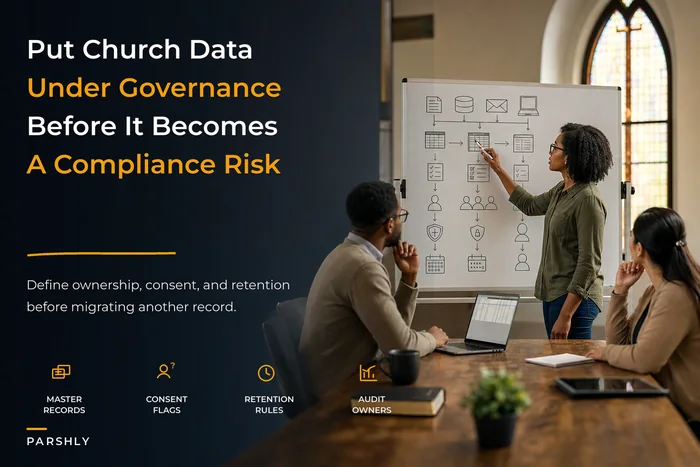
This connects directly to how you think about data ownership overall. If you haven't mapped who's responsible for which data categories, a good starting point is a broader church data governance framework — the vendor PIAs below plug into that structure rather than replacing it.
What a church-sized PIA actually needs to answer
Forget the fifty-page corporate template. For a small church, a usable PIA for any vendor answers six questions:
Simplify your church’s day-to-day operations.
Parshly helps you organize events, track donations, and engage your congregation—all in one place.
- Centralized member management
- Donation tracking & reporting
- Volunteer scheduling & notifications
No credit card required
-
What data does this vendor collect or touch? (Names, kids' info, giving, health/accessibility notes, photos, locations)
-
Where does it go? (Their servers, a sub-processor, an ad network, a third country)
-
Who can see it? (Vendor staff, other customers, integrated apps, the public)
-
How long do they keep it? (And can we delete it on request?)
-
What happens if they get breached? (Will they tell us, how fast, and who's liable)
-
What proof do we have of all the above? (The evidence you file for the annual review)
Fill in those six answers for each vendor and you have a real PIA. Everything below is just applying that framework to the categories that matter most.
The four vendor categories that carry the most risk
Not every vendor deserves the same scrutiny. A tool that stores sermon PDFs is low-risk. The four categories below touch data that can actually hurt someone — so they get the full treatment.
1. Payment processors and giving platforms
What they touch: Donor names, giving amounts and history, bank/card data, sometimes home addresses and tax identifiers.
``
Member's card/bank → Giving platform → Processor (Stripe/etc.) → Your bank
                           ↓
                  Donor record stored in platform
                           ↓
              (sometimes) syncs to your ChMS / accounting
``
Red-flag contract language to watch for:
-
"We may use aggregated or anonymized data to improve our services" — vague enough to cover a lot. Ask what "aggregated" means in practice.
-
"We may share information with marketing partners" — a hard no for donor data.
-
No mention of breach notification timelines, or language like "as required by law" with no specific window.
-
"Data may be processed in any country where we or our sub-processors operate."
-
Silence on what happens to your data if you leave the platform.
Evidence to file for the annual audit:
-
The vendor's PCI compliance attestation (SAQ or AOC)
-
Their data processing terms (the actual document, dated)
-
A screenshot of your data retention/export settings
-
Confirmation of breach notification terms in writing
2. Livestream and online worship platforms
What they touch: Faces of attenders and children (in-frame), viewer locations and IPs, chat messages, sometimes email addresses from "watch party" signups.
This one surprises people. Churches think of livestream as outbound broadcasting, but the platform is also collecting — who watched, from where, for how long, and what they typed in chat. If your platform runs ads or offers "audience insights," that viewer data is essentially the product.
``
Camera feed → Streaming platform → Public/unlisted viewers
                    ↓
         Viewer analytics (IP, location, watch time)
                    ↓
    Chat/comments (stored, sometimes publicly)
                    ↓
     (if monetized) ad network receives viewer signals
``
Red-flag contract language:
-
"By using the service, you grant us a license to use uploaded content" — read this carefully. You want it narrow.
-
Anything allowing the platform to use your stream or audience data for their advertising.
-
No way to disable public comments or moderate before they post.
-
Automatic indexing that makes "unlisted" streams discoverable.
The operational red flag that isn't in any contract: nobody controls what the camera shows. A wide shot of the children's area during a baptism, a prayer line where people share private struggles — once it's streamed and archived, it's out. Your PIA should note the physical camera policy, not just the vendor terms.
Evidence to file:
-
Screenshot of privacy settings (public vs. unlisted, comment controls)
-
Your written camera-angle and consent policy
-
The platform's terms with the content-license clause highlighted
-
Confirmation of whether streams auto-publish to public archives
3. Children's check-in systems
What they touch: Children's names, ages, allergies, photos, guardian contact info, pickup authorizations, sometimes medical notes.
This is the most sensitive category you operate, full stop. The data identifies minors and their schedules — exactly the information a bad actor would want. The check-in vendor PIA deserves the most rigor.
Red-flag contract language:
-
Any data use beyond providing the service itself. There is zero legitimate reason for a children's check-in vendor to "improve services with your data" in a way that leaves your control.
-
No clear data-deletion process for families who leave.
-
Unclear sub-processor list (where are the photos actually stored?).
-
No mention of access controls on their side — who at the vendor can view your children's records?
Evidence to file:
-
Signed data processing agreement specific to minor data
-
The vendor's access-control documentation
-
Your own retention schedule (how long do you keep check-in records after a child ages out or a family leaves?)
-
Breach notification terms, ideally 72 hours or faster
4. Background check providers
What they touch: Volunteer Social Security numbers, criminal history, addresses, DOB — the most regulated data category on this list.
Background checks carry legal weight the others don't. In the U.S., the FCRA governs how you collect consent, use results, and store them. A vendor that handles this sloppily exposes you to more than a privacy complaint. If you're still building out your screening process, the consent and record-handling mechanics are covered in detail in our guide to avoiding background-check pitfalls — the PIA below assumes you have that workflow in place and focuses specifically on vetting the vendor.
Red-flag contract language:
-
No FCRA-compliant consent and disclosure process built into their workflow.
-
Results stored indefinitely with no deletion option.
-
Vague sub-processor arrangements for the actual data pulls.
-
No audit trail of who accessed results.
Evidence to file:
-
Signed consent forms (retain per your policy, then destroy)
-
The vendor's FCRA compliance documentation
-
Access log showing only authorized staff viewed results
-
Your retention/destruction schedule for completed checks
Background checks carry legal weight the others don't. In the U.S., the FCRA governs how you collect consent, use results, and store them. A vendor that handles this sloppily exposes you to more than a privacy complaint. If you're still building out your screening process, the consent and record-handling mechanics are covered in detail in our guide to avoiding background-check pitfalls — the PIA above assumes you have that workflow in place and focuses specifically on vetting the vendor.
A side-by-side risk comparison
Here's how the four categories stack up when you're deciding where to spend your limited review time.
| Vendor category | Data sensitivity | Most common red flag | Breach impact | Review priority |
|---|---|---|---|---|
| Children's check-in | Very high | "Improve services" clause on minor data | Identifies kids + schedules | Highest |
| Background checks | Very high | No deletion / indefinite storage | SSNs + criminal records exposed | Highest |
| Payment / giving | High | Marketing-partner data sharing | Donor financial profiles | High |
| Livestream | Medium–High | Audience data used for ads | Faces/private moments public | Medium |
The table isn't meant to say livestream doesn't matter — it's meant to tell an overwhelmed administrator where to start. Check-in and background checks first, every time.
A real scenario: the sync nobody knew about
A church of roughly 350 ran three systems that each held member data: a ChMS, a giving platform, and an email marketing tool. When they'd set up the email tool two years earlier, a volunteer had enabled a "smart sync" that pulled contact data — including a custom field some staff used to note sensitive pastoral situations — into the marketing platform.
Nobody caught it until a scheduled "we miss you" campaign went out to a list that included several families in active crisis who had specifically asked not to be contacted broadly. Not a breach in the legal sense. But a real breach of trust, and the kind of thing that makes people leave quietly.
The fix cost almost nothing: they turned off the sync, limited which fields could ever leave the ChMS, and added a single line to their vendor review — "list every integration that pulls data out of this system." The annual review now catches these before they cause harm. The whole cleanup took a few hours. The damage, had it gone further, would have been measured in relationships, not dollars.
Most vendor privacy failures aren't exotic. They're a setting someone enabled and forgot, or a contract clause nobody read, compounding quietly until it surfaces at the worst moment.
The annual review workflow
You don't need to do this continuously. Once a year — ideally tied to your budget cycle — walk every high-risk vendor through the same short process:
-
Pull the current contract and terms — not the version you signed three years ago. Terms change. Download today's.
-
Re-answer the six PIA questions for each vendor. Note anything that changed.
-
Check the actual settings inside each tool. Privacy toggles reset, new features default to "on," integrations appear without warning.
-
List every integration pulling data in or out of each system. This is where the quiet leaks live.
-
File the evidence — the contract, the screenshots, the DPA, the breach terms — in one folder with the date.
-
Flag anything that got worse for the board or whoever owns vendor decisions.
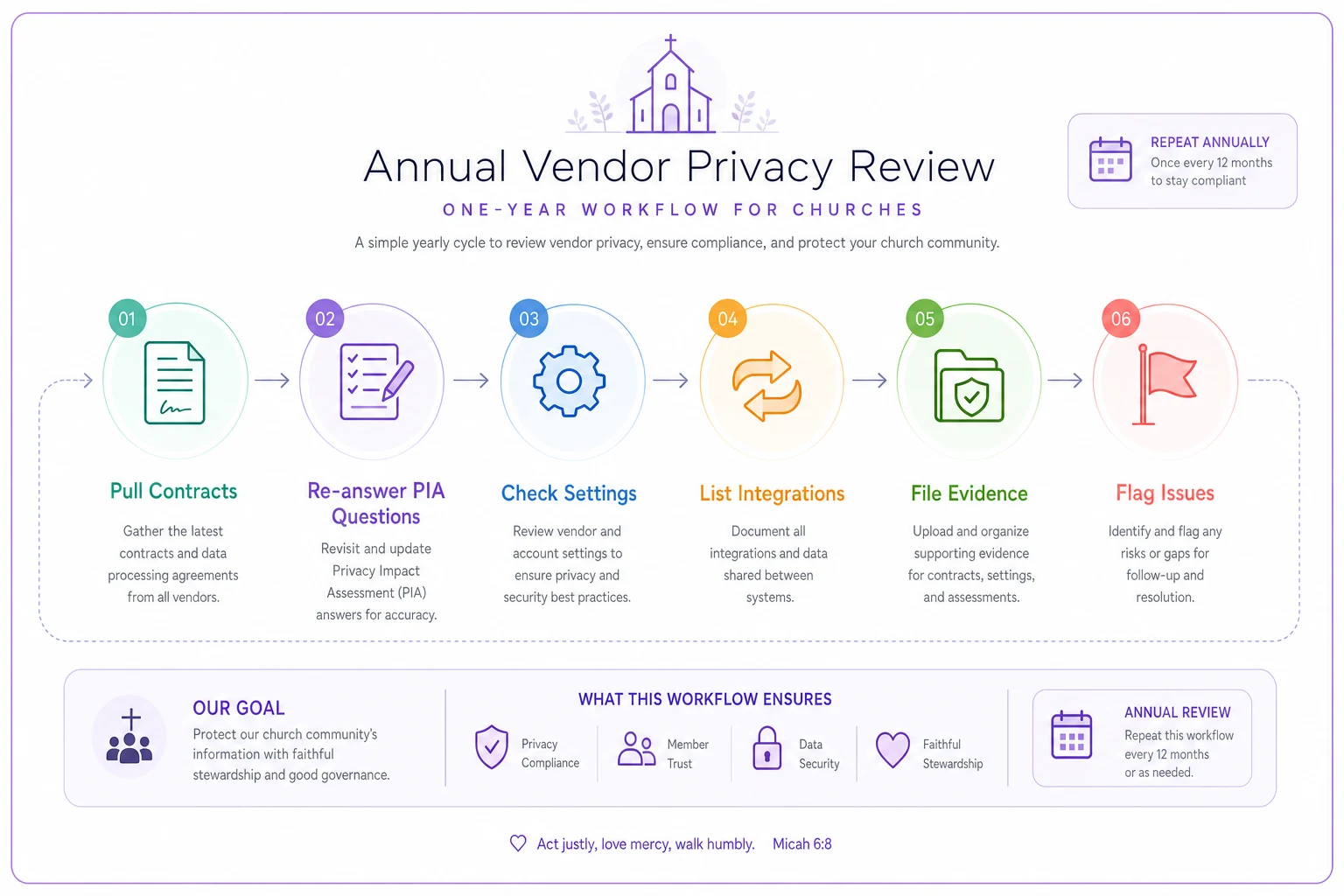
The whole thing takes an afternoon for a church with a handful of vendors. The payoff is that when your insurer or auditor asks, you have a dated folder instead of a shrug.
A quick checklist you can run today
Before your next vendor renewal, confirm you can check each box:
-
[ ] We have a current, dated copy of this vendor's terms/DPA
-
[ ] We know every data category this vendor touches
-
[ ] We've identified where that data physically goes (sub-processors, countries)
-
[ ] We know the breach notification window in writing (aim for ≤72 hours)
-
[ ] We can delete or export our data if we leave
-
[ ] We've reviewed the vendor's own access controls
-
[ ] We've listed every integration moving data in/out of this tool
-
[ ] We've checked privacy settings inside the tool itself
-
[ ] The evidence is filed in one place with today's date
-
[ ] Someone specific owns this vendor relationship by name
If you can't check "someone specific owns this," start there. Orphaned vendors are where every one of these problems begins.
When a full PIA is overkill
Not every tool needs this. A sermon-archive host, a church website builder that only stores public content, a room-booking calendar with no personal data — these don't warrant a formal assessment. Running full PIAs on low-risk tools burns the goodwill you'll need when it comes time to review the vendors that actually matter.
The dividing line is simple: does this vendor touch data that could embarrass, endanger, or financially harm a member if exposed? If yes, full PIA. If no, a quick note in your vendor list is enough. Treating every tool with equal scrutiny is how small teams burn out and stop doing the review at all.
Who should own this (and who shouldn't)
The wrong owner is "whoever set up the tool." Ministry leaders are good at picking tools and bad at reviewing them — because their job is the ministry, not the contract.
The right owner is whoever holds operational responsibility: a church administrator, operations director, or on very small teams, a trusted board member with a methodical streak. The key is one named person with a recurring calendar reminder, not a committee that assumes someone else handled it.
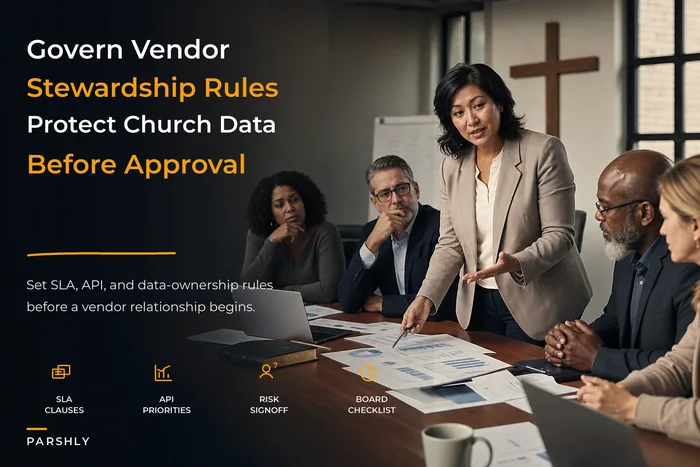
As your church grows past a few hundred people and your vendor count climbs, this stops being an afternoon task and becomes a standing responsibility. That's the point where it's worth formalizing how you evaluate, contract with, and hold vendors accountable — the SLA and stewardship side is covered in our walkthrough of church technology governance for vendor stewardship and SLA rules, which pairs naturally with the privacy reviews here.
The bigger picture
Vendor privacy at a church isn't a one-time cleanup — it's a slow drift you manage. Every new feature, every integration toggle, every updated terms-of-service nudges your data a little further from your control. The churches that stay ahead of it aren't the ones with the biggest budgets or the most technical staff. They're the ones who picked a handful of high-risk categories, asked the same six questions every year, and wrote down the answers.
Start with children's check-in and background checks, because those protect the people who trust you most. Add giving and livestream next. Keep the evidence in one dated folder. Make sure every sensitive vendor has a name attached to it — a real person who'll notice when a contract changes or a setting resets. That's the whole system. It's not complicated, but it only works if someone actually does it, on purpose, every year.
Ready to transform your church management?
Join 500+ churches using Parshly to enhance community engagement, streamline administration, and grow their ministries.