
Most churches didn't set out to run a data operation. It happened by accident. A membership directory turned into a database. A giving spreadsheet became a donor history spanning fifteen years. Someone started tracking pastoral care visits, then baptisms, then background-check statuses for children's ministry volunteers. Nobody drew a map. It just grew.
And that's the exact problem. You end up with sensitive records — health notes, custody arrangements, giving amounts, counseling history — scattered across a CRM, three Google Sheets, a shared drive, two staff members' personal laptops, and whatever the previous administrator left behind before they moved to Arizona. No single definition of what the "real" record is. No agreement on who owns it. No schedule for cleaning it up or deleting what shouldn't be kept.
Church data governance isn't about buying better software. It's about deciding, on purpose, how information enters your church, who's responsible for it, how long it lives, and how it eventually gets retired. Below is the actual framework — master-record definitions, a consent taxonomy, retention matrices, health audits, named reporting owners, and the migration artifacts that hold it together.
Start With the Master Record — or Everything Downstream Breaks
The single biggest source of church data chaos isn't bad software. It's the absence of a master record definition. When nobody has declared "this system is the source of truth for member contact info," you get five versions of the same person, each slightly different, each partially right.
A typical example: Margaret's phone number changed in 2022. The office CRM has the old number. The prayer chain spreadsheet has the new one. The women's ministry email list has a third number that was never right to begin with. When the deacons try to reach her during a family emergency, they pull from the wrong source. That's not a technology failure. That's a governance failure — nobody defined which system wins.
A master-record definition answers one question per data type: where does the authoritative version live?
| Data Type | Master System | Who Can Edit | What Feeds Off It |
|---|---|---|---|
| Member contact info | Church CRM | Office admin | Email lists, directory, texting tool |
| Giving history | Donation platform | Bookkeeper only | Statements, board reports |
| Children's check-in records | Check-in system | Kids ministry lead | Attendance, guardian matching |
| Pastoral care notes | Restricted care log | Pastoral staff only | Nothing (isolated by design) |
| Volunteer screening status | Screening tracker | Safety coordinator | Ministry scheduling |
Declare the master system for each data type before integrating downstream tools.
Notice the last column. The master record isn't just about editing — it's about what inherits from it. If your texting tool pulls from an outdated export instead of the live CRM, the master definition is broken even if it exists on paper. Downstream systems must pull from upstream sources, not from parallel copies that drift over time.
One pattern worth watching: pastoral care notes should almost always be isolated with nothing feeding off them. The moment counseling notes sync into a general contact profile that volunteers can see, you've created a confidentiality breach waiting to surface.
A Consent Taxonomy — Because "They Gave Us Their Info" Isn't Consent
This is where most congregations are quietly exposed. Someone filled out a connection card in 2019. Does that mean you can text them? Add them to the giving campaign email? Share their info with a small-group leader? Store their child's allergy information indefinitely?
Simplify your church’s day-to-day operations.
Parshly helps you organize events, track donations, and engage your congregation—all in one place.
- Centralized member management
- Donation tracking & reporting
- Volunteer scheduling & notifications
No credit card required
Consent isn't a single yes-or-no switch. It's a taxonomy — a set of specific permissions attached to specific uses. The mistake churches make is treating a single form submission as blanket permission for everything, forever.
A workable church consent taxonomy separates permissions into distinct categories:
-
Communication consent — email, SMS, phone, physical mail (tracked separately, because someone may want mail but not texts)
-
Directory consent — whether their info appears in a member-visible directory at all
-
Photo/media consent — critical for children and for anyone in vulnerable circumstances
-
Ministry data sharing — whether a small-group or ministry leader can see their contact details
-
Sensitive data consent — health notes, prayer request visibility, counseling records
-
Minor data consent — captured from the guardian, with an expiration tied to age
The operational point here: consent has to be re-capturable and timestamped. If a member asks "why am I getting these texts," you should be able to point to when and how they opted in. Verbal consent that lives in someone's memory isn't governance. It's liability.
A practical way to run this is to attach consent flags directly to the master record, updated whenever a form comes in, and reviewed during your data-health audit. When someone opts out, the change propagates from the master record outward — which only works if you fixed the master-record problem first.
Retention Matrices — Deciding What to Keep and What to Delete
Churches are hoarders by default. The instinct is to keep everything forever, just in case. But indefinite retention of sensitive data isn't caution — it's accumulating risk. Every record you keep past its usefulness is a record that can be breached, subpoenaed, or mishandled.
A retention matrix assigns a lifespan to each data type. Some records genuinely need long retention (giving records for tax and audit purposes). Others should be purged aggressively — a visitor who came once, gave no consent to ongoing contact, and never returned doesn't need a permanent profile in your system.
A realistic starting matrix:
| Data Type | Retention Period | Trigger for Deletion | Notes |
|---|---|---|---|
| Giving records | 7 years | Rolling annual purge | IRS/audit alignment |
| Active member profile | While active + 3 yrs | Inactivity + no consent | Then archive or delete |
| First-time visitor (no follow-up consent) | 90 days | No return, no opt-in | Purge cleanly |
| Children's check-in logs | 3 years | Rolling | Custody-sensitive |
| Background-check records | Per state/insurer rule | Policy-defined | Often required minimum |
| Pastoral care notes | Defined by care policy | Case closure + set period | Highly restricted |
| Former staff access | Immediate | Departure date | Revoke same day |
The number that surprises people: first-time visitors. A mid-size church running a few hundred connection cards a year can accumulate thousands of dead visitor records over five years — most with no consent to be contacted and no real relationship to the church. That's pure risk with zero ministry value. A 90-day purge rule for non-returning, non-consenting visitors clears it out.
Retention only works if it's scheduled, not manual. "We'll clean it up when we get around to it" means never. Tie deletions to a recurring calendar event with a named owner who actually runs the purge and logs it.
Scheduled Data-Health Audits — The Thing Nobody Wants to Own
Data quality degrades constantly. People move, marry, pass away, change numbers, leave the church. Without a scheduled audit, your database rots quietly until the day you need it and it fails you.
A data-health audit is a recurring check — quarterly works for most small-to-mid congregations — that looks for specific decay signals:
-
Duplicate records — same person, multiple entries
-
Bounced/invalid contact info — emails that hard-bounce, disconnected numbers
-
Missing consent flags — records being contacted without documented permission
-
Stale records past retention — flagged for review or deletion
-
Orphaned access — former volunteers or staff who still have login credentials
-
Inconsistent master-record inheritance — downstream systems out of sync with the source
The mistake is treating the audit as an IT task. It isn't. It's an operational task with real ministry consequences. When a bereavement letter goes to someone who died two years ago, that's a data-health failure that hurts a real family.
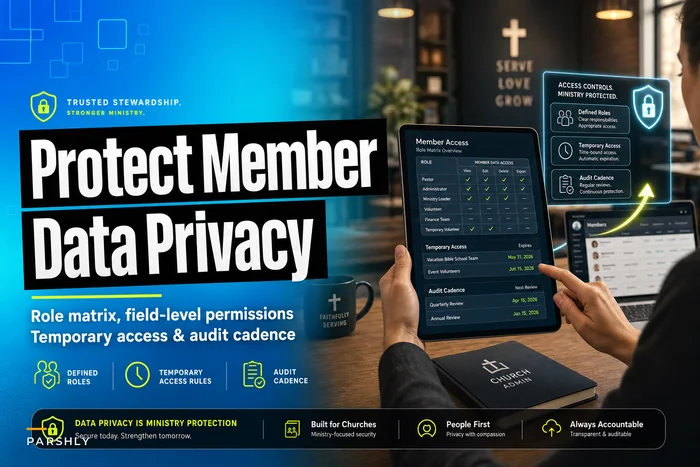
If you've already built a church role matrix with temporary access rules and an audit cadence, your data-health audit should run right alongside it — access review and data quality review are two halves of the same governance rhythm, and running them together saves everyone a meeting.
Named Reporting Owners — Governance Dies Without a Name Attached
This is the section people skip, and it's the one that determines whether any of the above survives contact with reality. Every data type needs a named owner — not a committee, not "the office," a specific human accountable for its accuracy, consent status, and retention schedule.
What tends to happen across congregations: policies get written by a well-meaning committee, filed in a shared drive, and never enforced because no single person was responsible. Ownership diffuses until it evaporates.
-
Member contact data → Office Administrator
-
Giving data → Bookkeeper / Finance Team lead
-
Children's ministry data → Kids Ministry Director
-
Volunteer screening data → Safety Coordinator
-
Pastoral care data → Lead Pastor or designated care staff
-
Communication consent → Whoever runs your email/SMS platform
-
Overall governance oversight → One board member or admin who owns the audit calendar
The owner isn't the only person who touches the data. They're the person who answers for it. When the retention purge is due, they run it. When a consent question comes up, they resolve it. When the audit finds duplicates, they clean them up.
A useful test: pick any data type at random and ask "who deletes this when it expires?" If the answer is "hmm, good question," you don't have governance yet.
Migration and Role-Mapping Artifacts — Where Governance Gets Real
Governance frameworks usually get built during a migration — when a church moves off spreadsheets, switches CRMs, or consolidates systems. This is the moment when field definitions, consent flags, and ownership either get locked in or get lost forever.
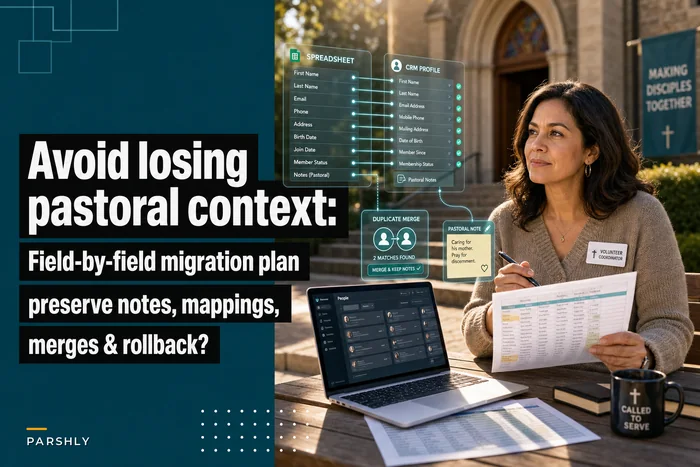
Two artifacts matter most. The first is a field-mapping document — a row-by-row record of where every old field goes in the new system, what gets merged, what gets dropped, and what consent status carries over. Skipping this is how churches lose fifteen years of pastoral context in a weekend. If you're planning a move, the field-by-field migration plan for moving member data from spreadsheets to a CRM walks through exactly how to preserve that context instead of flattening it.
The second is a role-mapping artifact — a document translating old access patterns ("everyone in the office can see everything") into defined roles in the new system. This is where you close the gaps that accumulated over years of "just give them access, it's easier."
A clean migration produces a governance foundation almost as a side effect:
-
Inventory every existing data source (yes, including the personal laptops)
-
Classify each field by sensitivity and assign a master system
-
Map old fields to new, flagging anything with no clear home
-
Attach consent status to each record — and purge records with none
-
Define roles and map each person to exactly what they need
-
Set retention rules per data type before go-live, not after
-
Assign named owners and hand them the audit calendar
Done in this order, you migrate and govern in one motion. Done backwards, you migrate the mess into a nicer-looking system and pretend it's solved.
Visualizing the migration and role-mapping workflow:
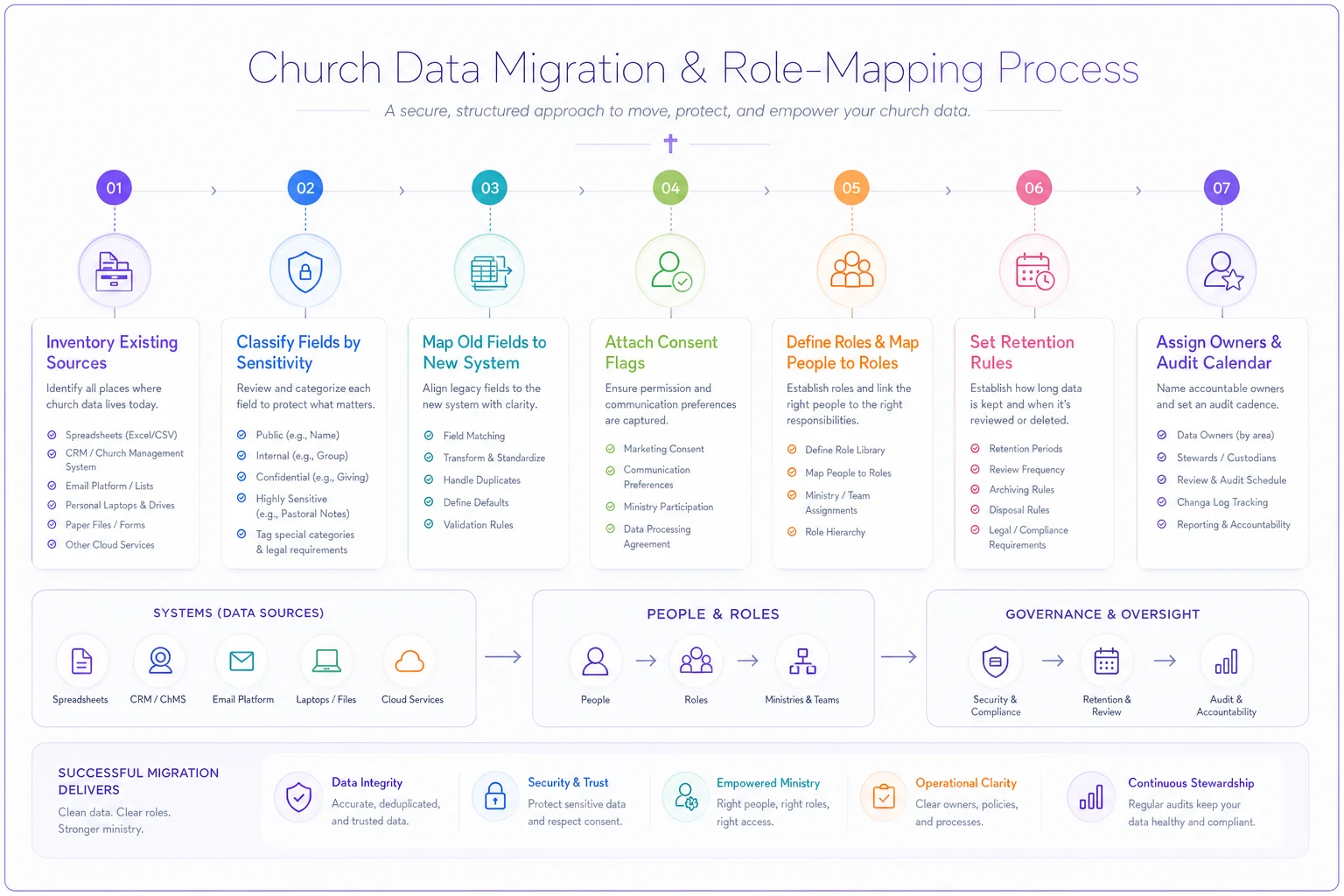
Use this workflow during any system consolidation to keep governance from being an afterthought.
Where Software Actually Helps (and Where It Doesn't)
None of this requires expensive tooling, but the right platform makes the framework enforceable instead of aspirational. Consent flags on the master record, automated retention flags that surface expired data, access controls tied to defined roles, audit logs that show who touched what — these turn a paper policy into something that actually runs.
That said, more tools often means more risk, because each new system becomes another place your data drifts out of sync. Before adding anything, it's worth thinking through the small-church technology strategy of API priorities and a realistic roadmap so your governance framework consolidates data instead of scattering it further. Automation genuinely helps with the tedious parts — flagging duplicates, surfacing records past retention, propagating opt-outs across connected systems — but it can't decide your consent taxonomy or name your owners. That part is leadership, not technology.
When This Full Framework Makes Sense — and When It's Overkill
When it makes sense: You're running a few hundred members or more, handling regular giving, storing children's data, or preparing for a CRM migration. At that scale, the informal "everyone just knows" approach has already started failing quietly.
When it's lighter: A congregation of 60 people with one email list and a giving envelope doesn't need seven retention matrices. Start with master-record definitions and named owners; add the rest as you grow.
Who should not delay this: Any church storing custody arrangements, health information, counseling notes, or background-check records. The sensitivity of that data means the risk exists whether or not you've formalized governance.
A Real Scenario
A congregation of around 650 attendees had member data spread across a CRM, four spreadsheets, and their old email platform — roughly 2,800 total contact records. After a data-health audit during a system consolidation, close to 900 turned out to be duplicates, dead visitor records with no consent, or people who'd left years earlier. Nobody had ever run a purge.
They spent about six weeks building the framework: master-record definitions, a consent taxonomy tied to their connection cards, a retention matrix, and named owners per data type. Active records dropped to around 1,900 — all with documented consent status. The first quarterly audit afterward took a couple of hours instead of the multi-day archaeology dig the initial cleanup had required. More importantly, the bereavement-letter-to-a-deceased-member problem stopped happening, because the retention and health-audit cadence caught stale records before staff did the hard way.
Bringing It Together
Church data governance isn't a compliance chore bolted onto ministry. It's the quiet infrastructure that lets you reach people accurately, protect the vulnerable, honor what members consented to, and stop carrying years of risk you never chose to accumulate. The framework — master records, consent taxonomy, retention matrices, scheduled audits, named owners, and migration artifacts — works because each piece reinforces the others. Master records make consent trackable. Retention makes audits meaningful. Named owners make all of it actually happen.
Start with two things this month: declare your master systems, and put a name next to each data type. Everything else builds from there.
Church data governance isn't a compliance chore bolted onto ministry. It's the quiet infrastructure that lets you reach people accurately, protect the vulnerable, honor what members consented to, and stop carrying years of risk you never chose to accumulate. The framework — master records, consent taxonomy, retention matrices, scheduled audits, named owners, and migration artifacts — works because each piece reinforces the others. Master records make consent trackable. Retention makes audits meaningful. Named owners make all of it actually happen.
Start with two things this month: declare your master systems, and put a name next to each data type. Everything else builds from there.
Ready to transform your church management?
Join 500+ churches using Parshly to enhance community engagement, streamline administration, and grow their ministries.