

A subpoena or records request rarely arrives at a convenient time. It lands on a Thursday afternoon, the pastor is at a funeral, the person who actually knows where the member records live is a part-time volunteer, and the document has a deadline that's closer than anyone expected. The clock starts the moment someone opens that envelope — not the moment the right people finally read it.
The real failure mode isn't the legal response itself. Lawyers handle that part. The failure is operational: the gap between "we received something" and "we've preserved everything and notified the right people." That gap is where evidence gets deleted, where volunteers forward sensitive emails to the wrong people, where backups overwrite the exact data being requested, and where a church ends up explaining to a court why records that existed last Tuesday don't exist anymore.
This runbook is built for that gap. It assumes you already know a subpoena is serious. What it gives you is the sequence — who to notify, what to freeze, and copy-ready language to hand volunteers so nobody improvises during the one week you can't afford improvisation.
Why the first 48 hours break so many churches
Most churches are structurally unprepared for a legal hold, and it has nothing to do with wrongdoing. Church data lives in too many places, owned by too many people, with no single person who can say "freeze everything" and have it actually happen.
Think about where member and operational data actually sits in a typical congregation:
-
The ChMS (member records, giving history, notes)
-
Email accounts — often personal Gmail addresses used by staff and volunteers
-
A shared Google Drive or Dropbox with years of accumulated files
-
Text message threads on personal phones
-
Children's check-in logs
-
Security camera footage that auto-deletes on a 14- or 30-day cycle
-
The treasurer's personal laptop
-
Paper files in three different offices
When a request comes in asking for "all records relating to" a person, event, or time period, no one person controls all of that. And the destructive part happens automatically. Camera footage rolls off. Backup systems overwrite old copies. A volunteer "cleans up" a shared folder. An email auto-archive policy deletes threads older than 90 days. None of this is malicious — it's normal operations continuing while the legal situation demands that normal operations stop for specific data.
What tends to happen in small organizations is that the damage is done before leadership even understands what was requested. The envelope sits unopened for a day. Then it goes to the wrong person. Then someone "handles" it by replying directly or looping in a board member who asks three other people about it over text. By the time an attorney is involved, the preservation window is already compromised.
That's the whole reason this needs to be a runbook and not a policy document nobody reads. Speed and sequence matter more than legal sophistication in the first two days.
The notification sequence: who hears what, and when
The biggest early mistake is treating notification like a broadcast — telling everyone, or telling the wrong people, or telling people who then start discussing it in channels that themselves become discoverable. You want a tight, deliberate sequence with defined roles.
Simplify your church’s day-to-day operations.
Parshly helps you organize events, track donations, and engage your congregation—all in one place.
- Centralized member management
- Donation tracking & reporting
- Volunteer scheduling & notifications
No credit card required
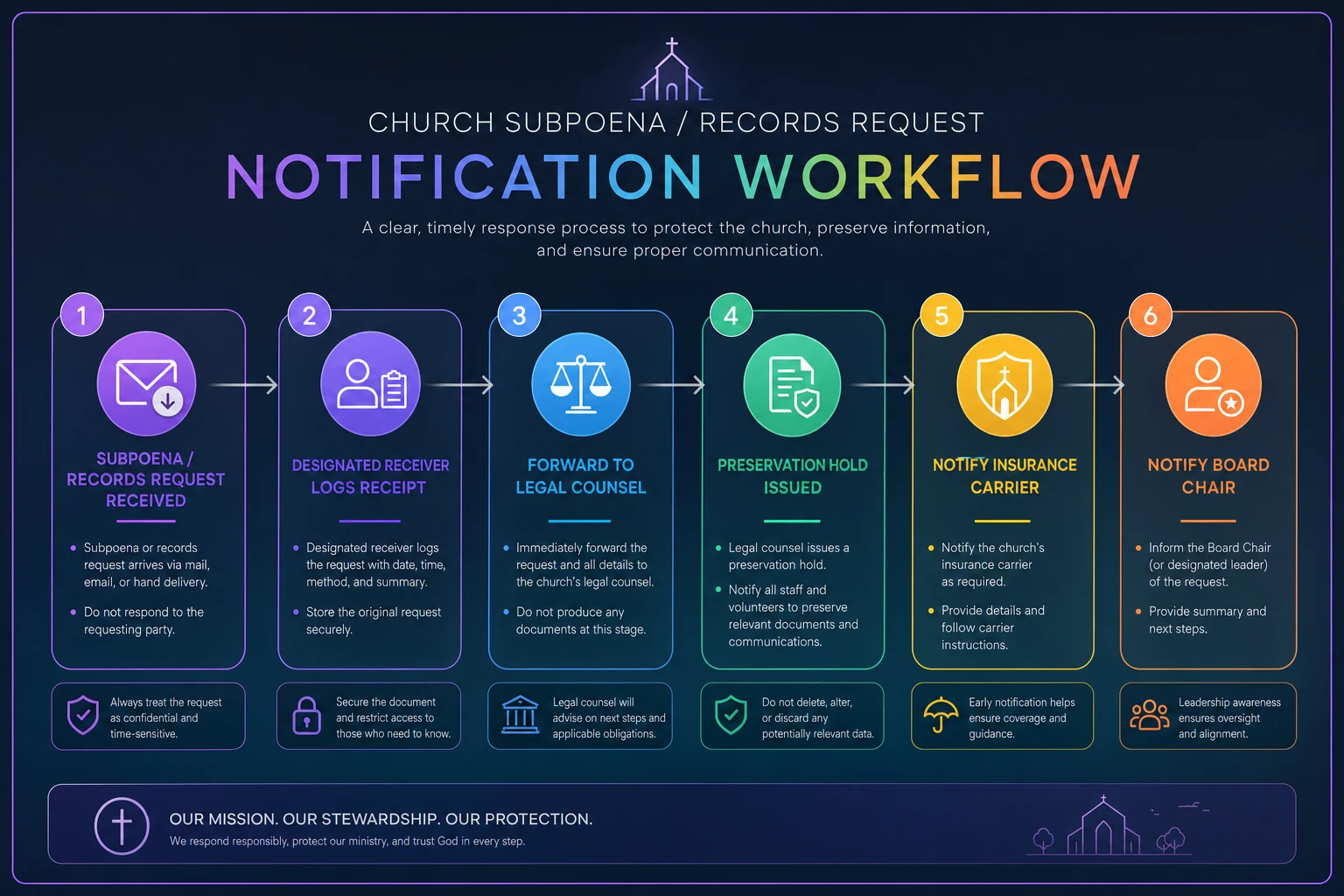
Here's the order that actually works, and why:
-
Designated receiver logs it (immediately). One named person — usually the church administrator or executive pastor — records the date and time received, the method of delivery, and who delivered it. Then they stop. They do not respond, call the issuing party, or forward the document widely.
-
Legal counsel is notified (within hours, not days). This is the single most time-sensitive step. Even a 20-minute call with an attorney tells you whether you're dealing with a valid subpoena, a records request you can push back on, or something that requires immediate court action. Many churches don't have counsel on retainer — which is exactly why you identify one before you need one.
-
The preservation hold goes out (same day). This is the internal instruction to stop deleting anything related to the matter. More on the exact language below.
-
Insurance carrier is notified (per your policy SLA). Many liability and D&O policies require notification within a specific window, and missing it can affect coverage. This connects directly to how you've structured your insurer-friendly risk register and controls matrix — if you already track carrier notification requirements there, this step is fast.
-
The board chair is notified (within the board SLA you've pre-agreed). Not the whole board. The chair, who decides what the board needs to know and when — usually with counsel's input on what's privileged.
The graphic below summarizes the sequence and key roles.
The subtle point in this sequence: the fewer people who discuss the substance in writing, the better. Every text thread, email debate, and group chat about the matter can potentially become part of the record. The notification sequence is designed to route information through the smallest number of people who actually need to act.
Board-notification SLAs worth setting now
Board-notification SLAs worth setting now
Boards create their own problems when there's no pre-agreed expectation for how fast and through what channel they get notified. A reasonable default:
| Event | Who gets notified | SLA | Channel |
|---|---|---|---|
| Subpoena or court order received | Board chair | Within 4 hours | Phone call, then documented |
| Records request (non-court) | Board chair | Within 24 hours | Email summary |
| Preservation hold issued | Affected staff/volunteers | Same day | Written, acknowledged |
| Full board briefing | All board members | As counsel advises | Scheduled, minuted |
The reason to decide this in advance is that you don't want to be negotiating notification norms while the clock runs. A board that agreed six months ago "chair first, phone, four hours" moves fast. A board that never discussed it ends up with seven people cc'd on a thread that shouldn't exist.
What to preserve — and what quietly destroys evidence
Preservation is broader than most people assume. The request might name a person or an incident, but a legal hold typically covers anything potentially relevant, in any format, wherever it lives.
The preservation checklist to run through on day one:
-
Suspend auto-deletion everywhere you can. Email retention rules, trash auto-empty, "delete messages after 30 days" settings, and ChMS archival routines.
-
Freeze security camera footage covering the relevant dates before it rolls off. This is the most commonly lost evidence because the deletion is automatic and fast.
-
Preserve backups. Don't let scheduled backups overwrite the versions that contain the requested data. If anything, make an extra copy and set it aside untouched.
-
Capture communications on personal devices. If staff or volunteers used personal phones or personal email for church business, those are potentially in scope. You need to tell those people to preserve, not delete.
-
Lock down the ChMS records for the named individuals or time period — notes, giving, attendance, check-in logs, and any audit trail of who accessed what.
-
Collect paper. Physical files, printed forms, signed consent documents, handwritten notes.
-
Document your preservation steps. Keep a short log of what you froze, when, and who did it. If anything was already lost to automatic deletion before the hold, note that honestly too.
The pattern that gets churches in trouble: someone decides to be "helpful" and starts curating. They delete what looks irrelevant, consolidate files, or clean up messy records right as the hold takes effect. The instruction has to be blunt — preserve everything, change nothing, delete nothing, organize nothing. Over-preservation is recoverable. Deletion is not.
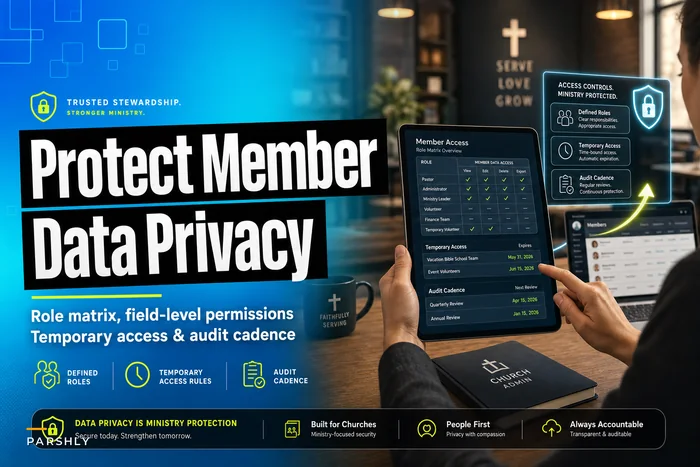
Your ability to do all of this quickly depends on knowing who has access to what before the crisis arrives. Churches that have already built a member data role matrix with defined access and audit cadence can identify custodians in minutes instead of spending a day figuring out who even has keys to which system. Same goes for churches with a mature information security posture and audit cadence — when you already know your data map, preservation is mechanical rather than a scavenger hunt.
Vendor preservation language you can send today
> Subject: Urgent — Legal Preservation Request (do not delete data) > > We have received a legal demand requiring us to preserve records. Our account is [account name / ID]. Effective immediately, please preserve and do not delete, overwrite, or purge any data associated with our account, including deleted items, backups, access logs, and audit trails, for the period [date range]. This includes any data normally subject to automatic deletion or retention limits. > > Please confirm in writing that this preservation is in place and advise whether you require a formal legal hold notice or have a specific process for litigation holds. Please also let us know your data-retention and recovery capabilities for the period in question. > > This is time-sensitive. Please escalate to the appropriate team.
Two things make this work. First, it tells the vendor exactly what not to do (delete, overwrite, purge). Second, it asks them to confirm in writing — which gives you a record that preservation was requested and when.
The vendors most likely to have time-sensitive deletion cycles: email hosts (deleted-item purge windows), camera and security platforms (short retention), and any system with log rotation. Send to those first. If you already maintain vendor SLA and stewardship records, you'll have the right account contacts handy instead of hunting through old invoices for a support email.
When volunteers are involved — the hardest coordination problem
Churches run on volunteers, and that's exactly what makes legal preservation harder than it is in a typical business. The people who hold relevant data — a small-group leader's text thread, a children's ministry coordinator's check-in notes, a hospitality volunteer's email — aren't employees you can simply instruct. They're well-meaning people who will often react by trying to help in ways that make things worse.
> Hi [Name] — the church has received a legal request, and we're required to preserve certain records. You may have information related to this (texts, emails, notes, photos, documents). > > Please do three things: > 1. Do not delete anything — including texts, emails, voicemails, photos, or files — even things that seem unimportant or old. > 2. Do not discuss this with other volunteers, members, or anyone outside leadership. This protects the church and everyone involved. > 3. Reply to confirm you've read this and will preserve what you have. > > If you have questions, contact [name] directly — please don't raise them in any group chat or thread. Thank you for handling this carefully.
The confirmation step matters more than it looks. You want documented acknowledgment that each custodian received the hold, because "we told everyone" is much weaker than "here are eleven signed acknowledgments."
A realistic scenario
A mid-sized congregation — around 600 attenders, two full-time staff, the rest volunteers — received a records request related to a youth program incident. The request named a date range covering roughly three months.
The envelope sat in the office two days before anyone recognized what it was. By then, the security footage for the relevant dates had already auto-deleted on a 21-day cycle. A volunteer, hearing something was "going on," had cleaned out an old group text thread. The treasurer's email had a 90-day auto-archive that had already pushed several relevant messages into a harder-to-recover state.
None of this was bad faith. It was normal operations grinding forward while nobody hit the brakes. When counsel finally got involved, a significant portion of the potentially relevant material had already been compromised, and the church spent weeks and real legal expense reconstructing what it could and explaining what it couldn't.
Compare that to a similar-sized church that had a one-page runbook taped inside the office supply cabinet. Document received Tuesday morning, logged by the administrator by 10am, attorney on the phone by noon, preservation hold and vendor letters out that afternoon, camera footage frozen the same day, volunteer notices acknowledged within 24 hours. The difference wasn't legal sophistication. It was that someone knew the sequence and ran it before anything auto-deleted.
The gap between those two outcomes is almost entirely operational preparation — and it's cheap to build.
Who should NOT try to handle this alone
A quick reality check on scope, because the runbook is about speed and preservation, not replacing legal judgment.
-
Don't let one staff member make substantive decisions about what's relevant or what to hand over. That's counsel's call. The runbook's job is to freeze and notify, not to interpret.
-
Don't respond directly to the issuing party without legal input, even to ask for an extension. A well-meaning phone call can waive rights or create problems.
-
Don't skip counsel because the request "seems simple." A records request and a subpoena are different animals, and even a simple-looking one can have teeth. The cost of a short consultation is trivial next to the cost of mishandling.
The runbook makes you fast and disciplined in the first 48 hours. It does not make you your own lawyer.
Building the runbook before you need it
The whole point is that this document exists — printed and findable — before any request ever arrives. A few things to lock down now:
-
Name the designated receiver and a backup. Everyone who opens mail should know to route legal-looking documents to that person untouched.
-
Identify counsel in advance. Even a relationship where you know who to call counts. You don't want to be searching "church attorney" on day one.
-
Build your data map. Know where member records, email, files, footage, and backups live, and who the custodian is for each. This is the single biggest time-saver.
-
Pre-write the templates. The vendor letter, the volunteer notice, the preservation hold — fill in the blanks when the moment comes, don't draft from scratch.
-
Agree the board SLA. Chair-first, defined channel, defined window.
-
Check your auto-deletion settings now. Know your camera retention cycle, email archive rules, and backup overwrite schedule, so you know exactly what's racing against the clock.
Most of this is a half-day of work done once, reviewed annually. The payoff is that when something does arrive — and for churches handling sensitive pastoral, financial, and youth data, the odds aren't zero — you're running a known sequence instead of making it up under pressure.
A legal hold is one of the few church operations where the first two days genuinely determine the outcome. Everything after that is slower, more deliberate, and in counsel's hands. The envelope on the desk is a clock. Having the runbook ready is how you make sure the right people are moving before it runs out.
Ready to transform your church management?
Join 500+ churches using Parshly to enhance community engagement, streamline administration, and grow their ministries.