
Most small churches don't have a technology problem. They have a connection problem. Somewhere along the way they bought a giving platform, a church management system, an email tool, a check‑in app, and a scheduling tool — each one solving a real headache at the time. Now the administrator spends part of every Monday copying numbers from one system into another, and nobody can quite explain where the "real" member list lives.
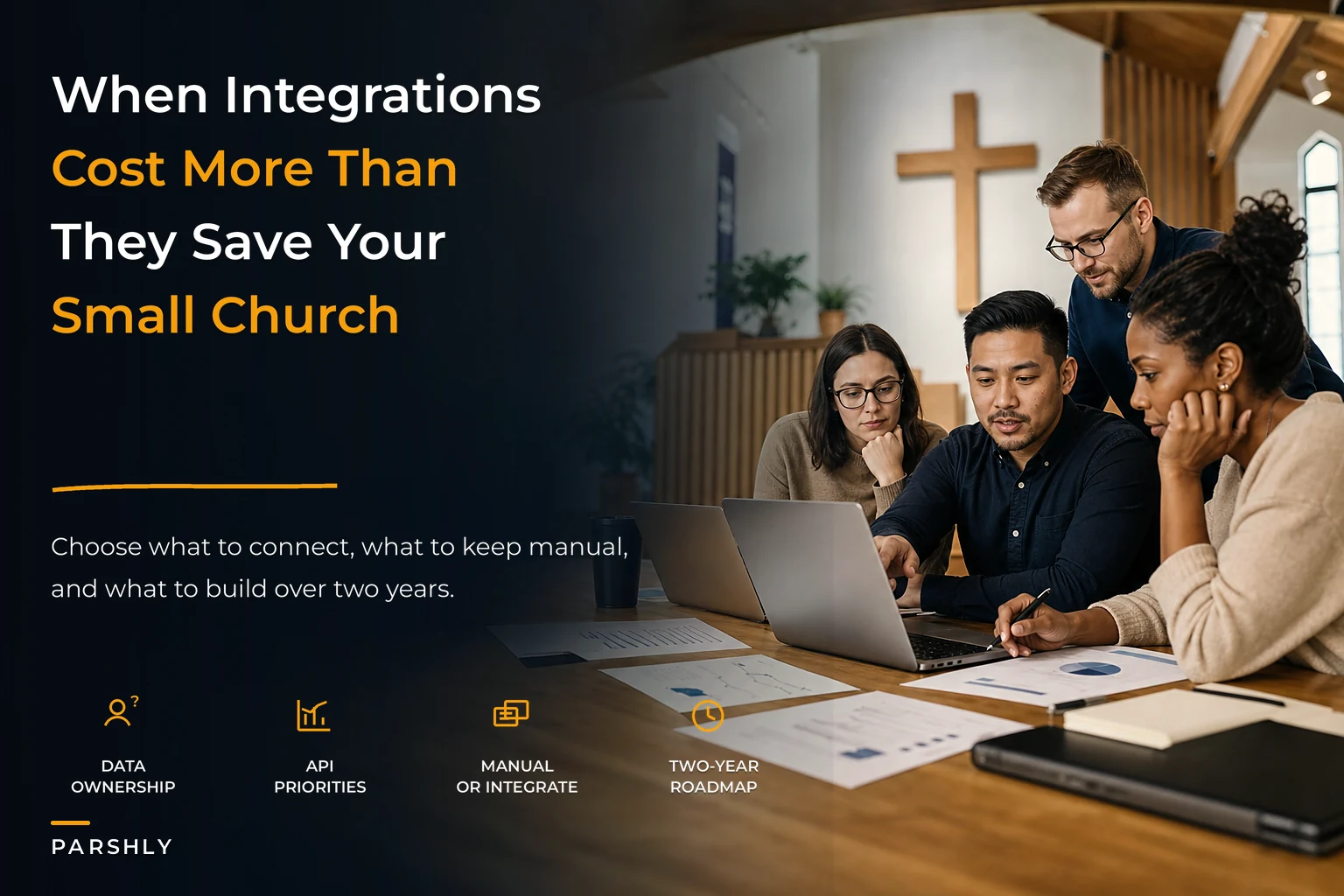
The instinct is to fix it with integrations. Zapier this to that. Buy the premium tier that syncs contacts. Hire someone to write a script. Sometimes that's the right call. But a surprising amount of the time, the integration costs more — in money, in fragility, and in staff attention — than the manual process it replaced. A solid church technology strategy isn't about connecting everything. It's about deciding, deliberately, what actually deserves to be connected and what's fine left alone.
This is the article I wish more church boards read before signing the next contract.
The real cost of an integration isn't the subscription line
When leaders evaluate whether to connect two systems, they look at the monthly cost of the connector. That's the smallest part of the bill.
The bigger costs are hidden and recurring:
-
Maintenance debt. Every integration is a relationship between two vendors who update their software on their own schedule. When the giving platform changes a field name, your sync quietly breaks. Nobody notices until reconciliation is off by three weeks.
-
Ownership ambiguity. Once data flows automatically between two systems, it becomes unclear which one is authoritative. Someone edits a phone number in the CRM, someone else edits it in the email tool, and the sync overwrites the correct one with the stale one.
-
Debugging time. A broken automation nobody understands eats hours. In a staff‑light church, those hours come out of ministry, not IT.
A typical example: a church with roughly 220 attenders wires their donation platform to their accounting software through a third‑party connector at about $30/month. Sounds cheap. But twice a year the sync duplicates transactions, and each cleanup takes the bookkeeper the better part of a day. That's a couple of unpaid Saturdays plus the anxiety of not trusting the year‑end numbers. The $30 was never the real price.
The pattern worth remembering: an integration is a permanent liability, not a one‑time purchase. Manual work is a known, visible cost. A broken integration is invisible until it surfaces at the worst possible moment.
Vendor selection: the rules that actually matter
Before you connect anything, you have to buy the right things. Most bad integration situations trace back to a vendor choice made two years earlier — usually a tool picked because it was cheap or because a volunteer liked it, without anyone asking whether it would still fit at twice the size.
Simplify your church’s day-to-day operations.
Parshly helps you organize events, track donations, and engage your congregation—all in one place.
- Centralized member management
- Donation tracking & reporting
- Volunteer scheduling & notifications
No credit card required
Here are the selection rules that hold up over time.
1. Data export must be free and complete. If a vendor makes it hard to get your own data out — members, giving history, attendance — walk away. You're not evaluating a feature; you're evaluating your ability to leave. A church that can't export cleanly is a church that will be stuck when the product declines.
2. Prefer fewer systems that do more over many that do one thing. Every additional vendor is another login, another billing relationship, another sync to worry about. A single church management platform that handles membership, giving, and check‑in reasonably well usually beats three "best‑in‑class" tools stitched together — unless you have dedicated staff to maintain the stitching.
3. Ask who owns the data in the contract, not the sales call. Read the terms. Some platforms claim broad rights to aggregate or use member information. For a church holding sensitive pastoral and giving records, that's not acceptable. Data ownership belongs to the church, full stop.
4. Judge support by response time, not features. When something breaks the Sunday before Christmas, a slick feature set won't help you. A vendor that answers within hours will.
5. Match the tool to your real size, not your aspirational size. The enterprise platform built for a 4,000‑member megachurch will drown a congregation of 180. Complexity you don't need is complexity that goes unused and unpatched.
Prefer vendors that make full exports trivial — it's the clearest insurance policy against being locked in.
The mistake that keeps coming up: churches choose the tool with the longest feature list. Feature lists don't run your operations. Workflows do. A tool with fewer features that your volunteers actually use beats a powerful one nobody logs into.
The integrate‑vs‑manual decision matrix
Not every process should be automated, and not every process should stay manual. The deciding factors are frequency, volume, error cost, and how often the data changes. Here's a way to think through it.
| Process | Frequency | Volume | Cost of an error | Verdict |
|---|---|---|---|---|
| Giving → accounting | Weekly | High | High (tax, trust) | Integrate — but reconcile monthly |
| New visitor → follow‑up list | Weekly | Low–medium | Medium | Integrate if reliable, else templated manual |
| Event signups → attendance count | Seasonal | Medium | Low | Manual — a spreadsheet is fine |
| Member address change → email tool | Rare | Low | Low | Manual — not worth the sync fragility |
| Payroll → accounting | Biweekly | Low | High | Integrate if same vendor; otherwise careful manual |
| Check‑in → membership records | Weekly | High | Medium | Integrate within one platform, not across two |
The principle underneath the table: integrate high‑frequency, high‑volume, high‑error‑cost flows — and only when both systems are stable. Everything else is usually cheaper and safer as a clean manual routine that a person actually understands.
-
Does this happen often enough that manual work is genuinely painful?
-
Is the volume high enough that a person would realistically make mistakes?
-
Would an undetected error here cause real damage?
-
Are both systems stable and well‑supported?
If you can't answer yes to at least three, leave it manual. The giving‑to‑accounting flow is worth the effort precisely because a mistake there erodes donor trust and complicates year‑end. We've written before about building a dependable end‑to‑end secure donation workflow — that's the one flow where the integration investment almost always pays off, as long as you still reconcile by hand each month.
An API priority matrix: what to connect first
When you do decide to connect systems, do it in order of value — not in order of what's easiest to set up. Churches tend to automate the fun, visible things first (a signup form that posts to social media) and leave the high‑value connections (giving and membership) tangled together by hand.
-
Financial integrity flows first. Giving, deposits, and accounting. This is where errors cost trust and where manual copying eats the most time. Highest priority, always.
-
The single source of truth for people. Your membership/CRM data should feed the systems that need names and contact info — not the other way around. Decide which system is authoritative before you connect anything to it.
-
Communication triggers. New‑visitor follow‑up, giving receipts, event confirmations. High value, but only once your people data is clean and authoritative.
-
Scheduling and volunteer coordination. Useful, but rarely urgent enough to justify a fragile cross‑vendor sync.
-
Nice‑to‑haves last. Social posting, website widgets, analytics dashboards. These are the ones people want to build first and should build last.
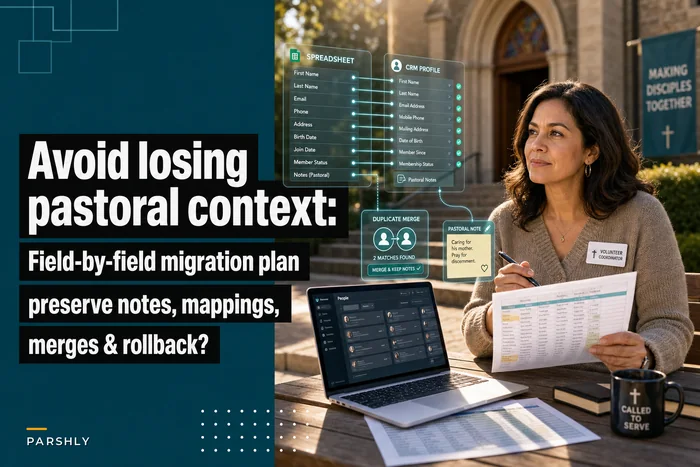
The thing most churches miss: you can't safely automate communications or scheduling until your people data has a single, clear owner. If three systems each think they have the "master" list, every automation you build on top just spreads the errors faster. Fixing that ownership question is exactly why a deliberate move off spreadsheets matters — the field‑by‑field migration plan for moving member data into a CRM exists precisely to establish that source of truth before anything gets wired to it.
Data ownership rules you set once and enforce forever
Technology strategy falls apart without governance around the data itself. These rules should be written down and owned by a named person — not left to habit.
-
One system is the master for each data type. People data lives in the CRM. Giving lives in the giving platform. Write down which system wins when they disagree.
-
Data flows one direction wherever possible. Two‑way syncs are where the ugliest conflicts happen. If the CRM is the master, let it push to email — don't let email push back.
-
Every member has a right to be forgotten. You need a defined process to fully remove someone's data on request, across every connected system. If you can't do that, you have too many disconnected copies.
-
Export a full backup on a schedule. Monthly or quarterly, pull a complete export of members and giving into a format you control. If a vendor disappears or a sync corrupts records, this is your safety net.
-
Access follows role, not tenure. The volunteer who set up the tool three years ago should not still have admin access nobody remembers granting.
The failure pattern here is subtle. A church connects five tools over four years, each with its own copy of the member list, and never decides which one is authoritative. Then someone asks a simple question — "how many active givers do we have?" — and gets three different answers. That's not a data problem. It's an ownership problem that was never decided.
A staged two‑year roadmap
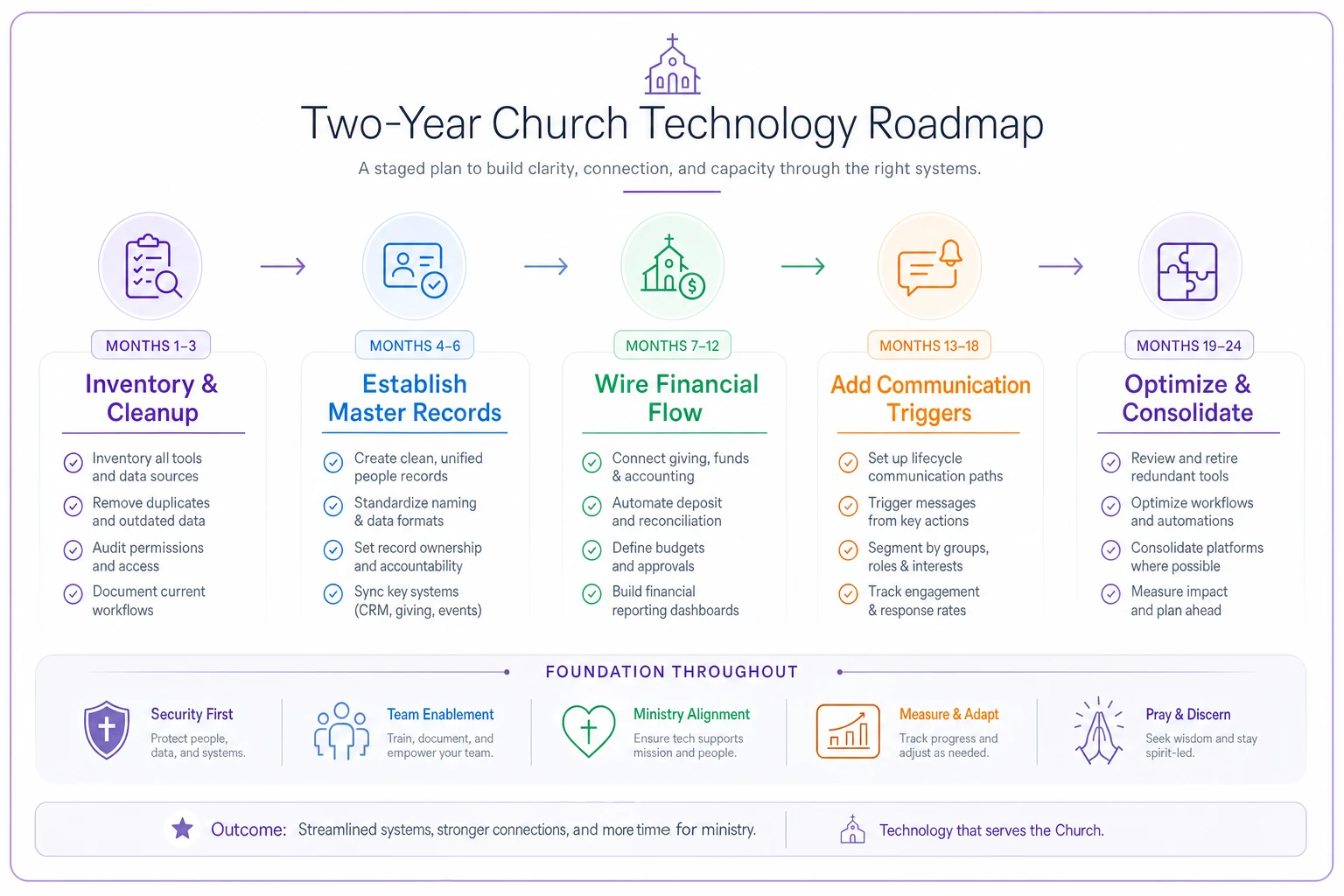
ROADMAP OVERVIEW [Months 1–3] [Months 4–6] [Months 7–12] [Months 13–18] [Months 19–24] Inventory Establish Wire Financial Add Comms Optimize & & Cleanup → Master Records → Flow → Triggers → Consolidate
You can't fix all of this at once, and you shouldn't try. Rushing every integration simultaneously is how churches end up with the tangled mess in the first place. Here's a realistic pace for a small church with limited staff.
Months 1–3: Inventory and cleanup. List every system you pay for, what data lives in it, who owns it, and what it connects to. You'll almost certainly find a subscription nobody uses and two systems holding the same member list. Cancel the dead weight. Decide your source of truth for people and for giving.
Months 4–6: Establish the master records. Clean the authoritative CRM. Reconcile the giving data. Don't connect anything yet — just make sure the core records are correct and owned. Set up your scheduled backup routine here.
Months 7–12: Wire the financial flow. Connect giving to accounting, ideally within one platform or with a well‑supported connector. Keep the monthly manual reconciliation. Run it for a full quarter before you trust it unattended.
Months 13–18: Add communication triggers. Now that people data is clean and authoritative, layer in new‑visitor follow‑up and automated receipts. Test with a small group before turning it on for everyone.
Months 19–24: Optimize and consolidate. Review what's actually being used. Kill integrations that break more than they help. Consider whether consolidating onto fewer platforms would reduce the sync burden. Reassess vendor contracts and data‑ownership terms.
The reason for the slow pace: each stage depends on the one before it working. Automating communications before the people data is clean just automates the mess. Wiring finances before you've picked a master system means reconciling against a moving target.
Use the stages as gates: don't start the next until you've validated the previous one works well in practice.
A real scenario
A congregation of around 260, two part‑time staff, had accumulated six tools over roughly five years — a CRM, a giving platform, a separate email service, a check‑in app, an events tool, and a spreadsheet nobody would let die. The administrator spent somewhere between five and six hours a week moving data between them and still couldn't produce a giving report the treasurer trusted.
They didn't buy anything new. Over about eight months they inventoried everything, dropped two tools they were paying for but barely using (saving somewhere in the $60–80/month range), designated the CRM as the single people‑source, and connected only giving‑to‑accounting with a monthly manual reconciliation on top.
The weekly data‑shuffling dropped to under two hours. Year‑end took days instead of weeks, and the treasurer stopped double‑checking every number by hand. Nothing dramatic happened — no new platform, no big spend. They just decided, on purpose, what to connect and what to leave alone.
Where AI‑assisted platforms genuinely help — and where they don't
Once your data has a clear owner and your core financial flow is stable, an AI‑enhanced church management platform can quietly remove a lot of the remaining manual work — flagging duplicate member records before they spread, surfacing giving anomalies during reconciliation, drafting the routine follow‑up messages a volunteer would otherwise write from scratch. The value shows up in reduced copying, fewer overlooked errors, and better coordination across the people who touch the same records.
Sequencing still matters more than the software, though. Automation applied on top of messy, un‑owned data just produces mistakes faster. These tools help most after you've done the unglamorous work — deciding the source of truth, cleaning the records, setting ownership rules. A platform can reduce the manual burden. It can't decide your strategy for you.
When this whole approach is a bad idea
Worth saying directly: some churches shouldn't invest heavily in integrations at all.
Under roughly 100 people with simple giving and one part‑time administrator, a clean set of spreadsheets and one solid church management tool may be all you need for years. The overhead of building and maintaining connections could easily exceed the time it saves. Manual isn't a failure — for small, stable operations it's often the smarter, cheaper, more resilient choice.
Likewise, if nobody is willing to own the technology decisions — to say "this system is the master, this is how we back up, this is who has access" — don't add integrations. You'll just build a more complicated version of the mess you already have.
The takeaway for church leaders
A good church technology strategy is mostly a series of no's. No to the tool that won't let you export your data. No to the integration that saves ten minutes and creates a permanent maintenance liability. No to automating a process before you've decided who owns the underlying records.
Connect the flows where frequency, volume, and error‑cost all run high — finances first, people data second. Leave the rest to a clean manual routine that a real person understands and can fix. Write down who owns each data type and back it up on a schedule. Move at the pace of one dependency at a time.
Do that, and technology stops being the thing that eats your Mondays and starts being the thing that quietly gives them back.
Ready to transform your church management?
Join 500+ churches using Parshly to enhance community engagement, streamline administration, and grow their ministries.