

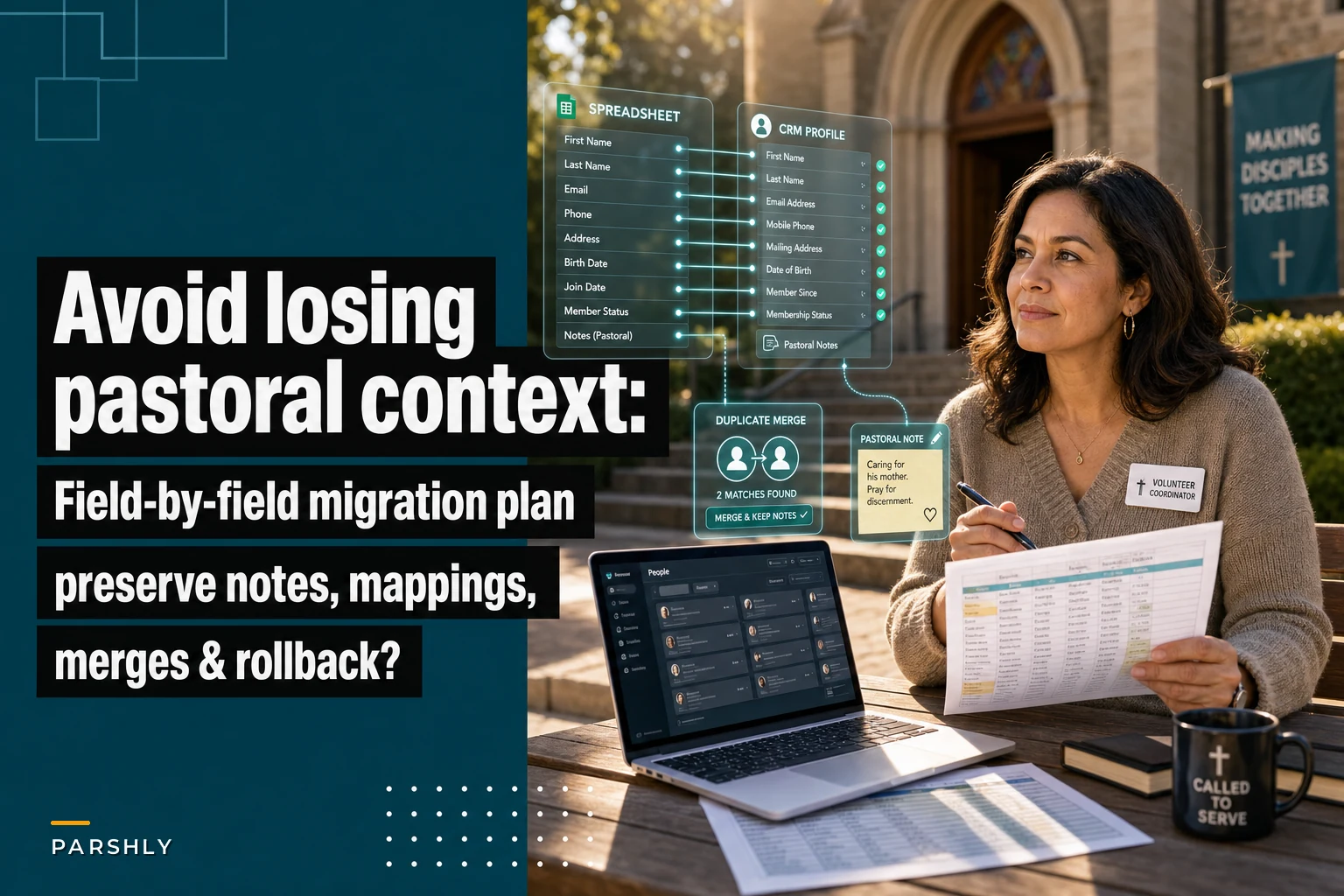

Churches run on relationships, not rows and columns. But when you're staring at twelve different spreadsheets containing member data from the past decade and a half, that distinction gets blurry fast.
The average mid-sized church maintains somewhere between 8 and 20 different spreadsheets tracking everything from attendance patterns to pastoral care notes. Some of those Excel files date back to Windows XP, with formulas nobody remembers writing and color-coding systems that only Martha from the office understood. She retired three years ago.
Moving all of this into a CRM sounds manageable until you realize cell B47 contains a note about the Johnson family's custody situation from 2018, written in shorthand that made sense to whoever typed it. Or that the "Notes" column mixes birthday reminders with mental health concerns with volunteer preferences—all in the same free-text field.
The real challenge isn't technical. It's preserving the human context that makes church data different from customer data.
Why church data migrations fail where corporate ones succeed
Corporate CRM migrations have established playbooks. Customer names go here, purchase history goes there, support tickets get their own module. Churches face a fundamentally different problem because their data reflects pastoral relationships, not transactions.
A typical church spreadsheet might have a column labeled "Family Status" with entries like "Married," "M (2nd)," "Separated - see pastoral notes," "It's complicated - talk to Pastor Jim," or just "W2019." Each entry is someone's attempt to capture a complex human situation inside a database field. The person who typed "W2019" knew it meant widowed in 2019, and that timing matters for grief support and ongoing pastoral care. Whether that context survives the migration is a different question entirely.
The free-text fields are where real operational knowledge lives. Comments like "prefers early service due to work schedule" or "daughter struggling with anxiety - check in monthly" represent years of accumulated pastoral awareness. You can't standardize them away without losing something real.
Churches also carry unique compliance considerations. Unlike businesses that archive old customer data after a few years, churches hold historical records for theological and community reasons. Baptism dates from 1987 still matter. Marriage records from the 1990s affect current family structures. Confirmation classes from 2005 influence volunteer eligibility today.
The pastoral note preservation problem
What typically happens: a church decides to migrate their member data from spreadsheets to a CRM, exports everything to CSV files, and starts mapping fields. Simple enough for structured data—names, addresses, phone numbers all have obvious homes.
Simplify your church’s day-to-day operations.
Parshly helps you organize events, track donations, and engage your congregation—all in one place.
- Centralized member management
- Donation tracking & reporting
- Volunteer scheduling & notifications
No credit card required
Then you hit the notes.
One church had a main membership spreadsheet with over 14,000 free-text notes accumulated across 12 years. These weren't random comments. They included medical conditions affecting participation, family dynamics requiring sensitivity, past conflicts that needed awareness, spiritual journey milestones, volunteer preferences and restrictions, giving patterns and financial hardships, and counseling history with ongoing needs.
Standard field mapping would have destroyed this context entirely. A note reading "Jim - recovering alcoholic, 3 years sober as of Jan 2021, sponsors youth group kids informally" doesn't fit neatly into a predetermined CRM field. Losing that information could damage both pastoral care and child safety protocols.
The migration team initially tried creating specific fields for each note category they encountered. After identifying 47 different categories in just the first thousand records, they realized that approach would produce an unusable system.
Building your field mapping matrix
Start with a field inventory, not a field map. Document every single column across all your spreadsheets before deciding where anything goes. A medium-sized church typically uncovers somewhere between 125 and 180 unique fields across various spreadsheets—usually more than anyone expected.
Create a classification system using these groupings:
Core Identity Fields
-
Legal name
-
Preferred name
-
Previous names
-
Family relationships
-
Birth date
-
Member since date
Contact Mechanics
-
Physical address
-
Mailing address
-
Email addresses (primary, secondary)
-
Phone numbers (home, mobile, work)
-
Preferred contact method
-
Do not contact flags
Participation Patterns
-
Attendance tracking
-
Service preferences
-
Volunteer history
-
Small group involvement
-
Event participation
-
Giving history
Pastoral Context
-
Baptism/confirmation data
-
Marriage/divorce dates
-
Health concerns
-
Family situations
-
Spiritual milestones
-
Pastoral care notes
When in doubt, keep the original column and flag it for review rather than guessing a mapping.
For each field, document the source spreadsheet and column, data format (text, date, number), percentage of records that actually have data, a quality assessment (consistent, mixed, chaotic), sensitivity level (public, staff-only, pastoral-only), and historical importance (archive, active, critical).
Pay close attention to fields that look similar but contain different things. Three spreadsheets might each have a "Status" column—one tracks membership status, another tracks volunteer status, and the third tracks small group participation. Mapping all three to the same CRM field is a common mistake that's painful to undo later.
Cleaning rules that preserve context
Data cleaning for churches requires a different mindset than standard deduplication and standardization. You're not just fixing formatting—you're preserving institutional memory.
Take phone number formatting. A business might standardize everything to (555) 555-5555. But when a church spreadsheet shows entries like "555-555-5555," "555.555.5555 (Janet's cell)," "555-5555 ext 240 (work - only emergencies)," or "Please call husband's phone," that variation contains information. The informal notes indicate preferences and boundaries that matter for pastoral care. Stripping them out in the name of clean data is a loss, not a gain.
Develop cleaning rules that preserve intent:
For names:
-
Keep nicknames and preferred names separate from legal names
-
Preserve maiden names and previous married names
-
Maintain family relationship indicators
-
Don't auto-correct unusual spellings without verification
For dates:
-
Standardize format but preserve precision level
-
"Summer 2019" stays approximate—don't assign a fake specific date
-
Keep relative dates like "3rd Sunday each month"
-
Preserve anniversary dates even after death or divorce
For addresses:
-
Validate against USPS but keep apartment numbers and unit descriptions exactly as entered
-
Preserve "care of" information
-
Keep seasonal address patterns
-
Maintain privacy flags like "do not publish"
For financial data:
-
Convert pledge amounts to consistent periods but keep original commitment language
-
Preserve giving pattern notes
-
Maintain hardship indicators
-
Keep memorial and designated fund information intact
Sensitive data cleaning choices should be documented and reviewed with ministry leaders before applying broadly.
The duplicate merge decision tree
Churches face a particular challenge with duplicate records because what looks like redundancy often isn't. The Smith family might have six records that seem like duplicates but actually represent John Smith (father), Jane Smith (mother), The Smith Family as a giving unit, Johnny Smith as an adult son living separately, Jane Smith-Johnson as a recently married daughter, and a Memorial Fund for Robert Smith, a deceased grandfather.
Before merging anything, establish clear rules.
-
Merge when it's the same person with slight name variations, when updated contact information exists for the same individual, or when multiple imports created true duplicates.
-
Never merge parent and child with the same name (Jr., Sr., III), divorced individuals who still attend, remarried individuals with children from previous marriages, or memorial funds and living family members.
-
Review carefully when similar names appear with different ages, when the same address has different last names, when previous and current married names are involved, or when household and individual records overlap.
A household linking strategy works better than aggressive merging. Modern CRMs can maintain relationships between individual records while keeping distinct information for each person.
The rollback insurance policy
Assume something will go wrong. Church data contains edge cases nobody anticipated, and that's not pessimism—it's just how this goes.
Build your rollback plan before you start migrating anything.
-
Pre-migration backup Export every spreadsheet to CSV with today's date. Create PDF prints of complex spreadsheets with formulas visible. Screenshot any color-coding or formatting that carries meaning. Document every macro, formula, and automation. Archive the entire current system to cold storage.
-
Staged migration Start with historical, read-only data. Test with 100 records across all complexity levels. Validate with staff who actually use the data daily. Fix issues before moving forward.
-
Parallel run period Keep the old system accessible for at least 90 days. Log every data access in the old system. Document questions and confusion points. Update migration rules based on real usage patterns.
-
Progressive cutover Migrate by function, not all at once. Start with low-risk areas like event registration. Move financial data last. Keep pastoral notes in both systems temporarily.
Define specific rollback triggers in advance. If more than 10% of records show errors, if any financial reconciliation fails, if pastoral staff can't locate critical information, if volunteer scheduling breaks, or if giving statements show discrepancies—stop and roll back.
QA checklists for sensitive fields
Sensitive data requires different validation than regular contact information. You can't exactly email everyone asking "Is your divorce date correct in our system?"
Layer your QA processes across three levels.
Automated validation covers date logic (baptism before birth, marriage before age 15), family relationship consistency, address standardization, phone number format, and email address validity.
Staff review should cover all pastoral care notes, health and medical information, family status changes, financial hardship indicators, and conflict or discipline records.
Pastoral review is required for counseling and recovery information, sensitive family situations, past conflict resolutions, confidential prayer requests, and mental health concerns.
For each sensitive field category, document who can view it during QA, how to handle uncertain data, when to consult original sources, how to record decisions, and where to escalate questions.
Sample QA checklist for pastoral notes:
-
- [ ] Original note preserved exactly in archive field
-
- [ ] Searchable summary created if needed
-
- [ ] Sensitivity level assigned (general, staff, pastoral)
-
- [ ] Date context preserved or added
-
- [ ] Author identified if possible
-
- [ ] Related records linked (family members, related events)
-
- [ ] Review flag set for unclear entries
-
- [ ] Access permissions configured correctly
-
- [ ] Audit trail enabled for future changes
Sensitive data QA is slower than it looks on paper. Budget more time than you think you need.
Migration workflow reality check
A realistic timeline for a mid-sized church (500–1,500 members) looks roughly like this:
| Phase | Weeks | Focus |
|---|---|---|
| Discovery and inventory | 1–2 | Catalog all spreadsheets, databases, and paper records |
| Field mapping and rules | 3–4 | Build field inventory, define cleaning rules, document edge cases |
| Test environment setup | 5–6 | Configure CRM, import 100 test records, find what breaks |
| Cleaning and preparation | 7–8 | Apply cleaning rules, fix errors, flag questionable records |
| Initial migration | 9–10 | Import historical and non-critical data first, validate thoroughly |
| Core data migration | 11–12 | Move current member records, attendance, and giving history |
| Validation and adjustment | 13–16 | Test every workflow, verify every report, train staff |
| Cutover and monitoring | 17–20 | Progressive shutdown of old systems, continuous validation |
During the discovery phase, you'll find more than you expected. The youth ministry has their own Google Sheets. The missions committee uses an Access database from 2003. The prayer team keeps index cards in a recipe box.
This simple visual represents the phased workflow above.
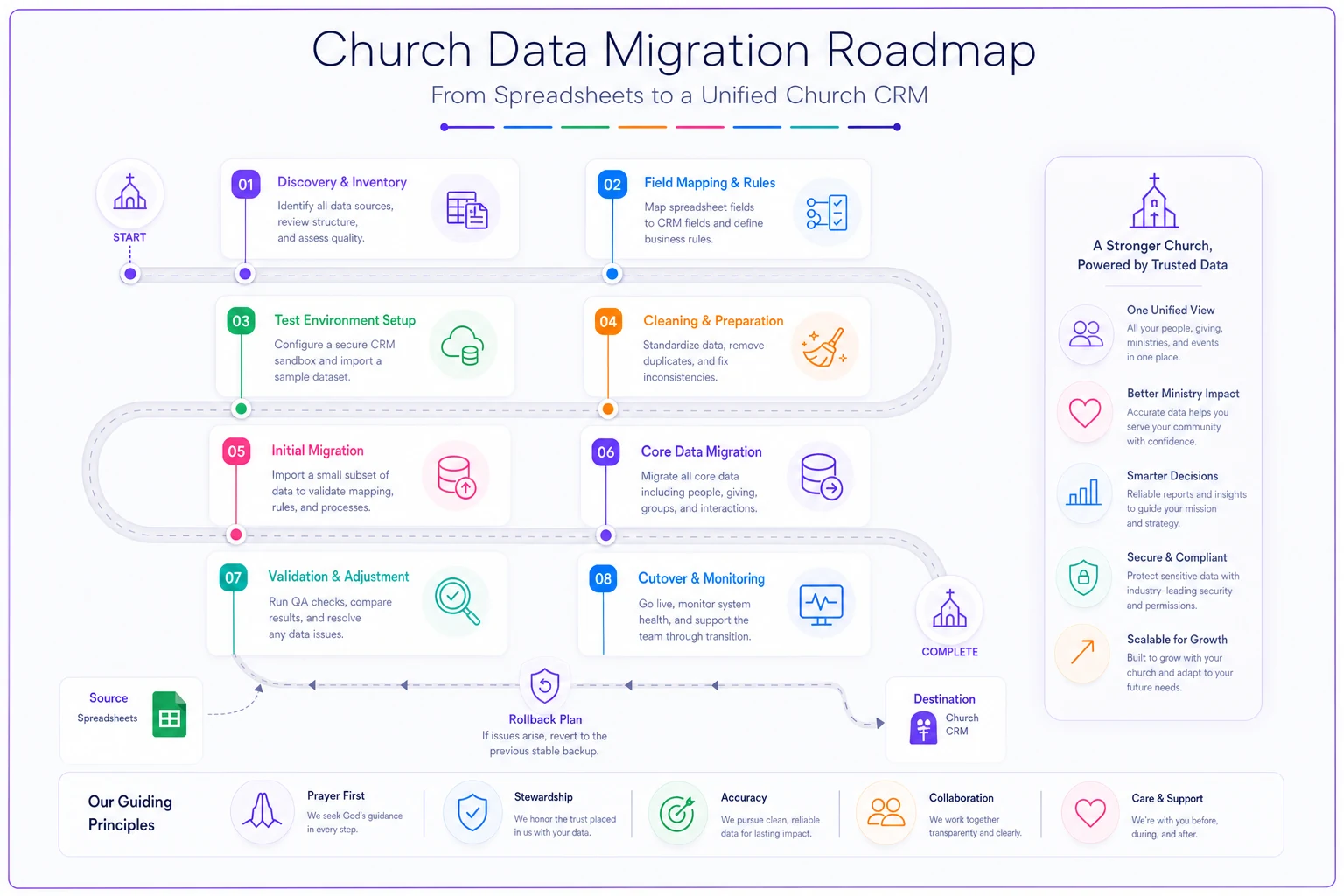
This timeline assumes dedicated effort and no major surprises. Most churches should add a 50% time buffer—something always comes up.
When to keep certain data in spreadsheets
Not everything belongs in a CRM. Some churches make the mistake of trying to force every piece of data into the new system, creating complexity that defeats the whole point of migrating.
Keep spreadsheets for annual budget planning with complex formulas, one-time event registration that won't repeat, historical archives that are rarely accessed, temporary campaigns or short-term projects, complex financial modeling, and facilities scheduling with resource conflicts.
The goal is intentional separation, not accidental fragmentation. Your CRM becomes the single source of truth for member data, while spreadsheets handle specialized calculations and temporary needs.
Beyond migration: the operational foundation
Once the data is successfully migrated, you've built the foundation for things that simply weren't possible with scattered spreadsheets.
Platforms with AI-powered automation can detect patterns in pastoral notes, flagging when someone might need extra care based on attendance changes or significant life events. They can coordinate communications across ministries so the youth pastor knows when a student's parent is dealing with health issues. Volunteer hours can be tracked automatically, with milestones recognized without anyone having to remember to check.
But none of that matters if the migration loses the human context that makes church data meaningful in the first place. A pastoral note about someone's recovery journey, preserved and properly tagged during migration, enables the kind of thoughtful, coordinated care that builds community over years. The automation only works because the underlying data was handled carefully.
The migration process itself often surfaces operational improvements too. Churches discover they've been tracking the same information in three different places, or that critical pastoral knowledge lives only in one person's memory. The discipline of mapping and cleaning data forces real conversations about what information matters and how it should be protected going forward.
The technical and the pastoral
Successfully migrating church data from spreadsheets to a CRM requires balancing technical precision with pastoral sensitivity. Every field mapping decision, every cleaning rule, every merge choice affects real people in your congregation.
The churches that navigate this well treat migration as a pastoral initiative with technical components—not an IT project. They involve ministry leaders in defining data quality. They prioritize preserving relationship context over achieving database perfection. They plan for the unexpected because they know their data contains years of human complexity that no migration checklist fully covers.
Build your rollback plans and QA checklists not because you expect to fail, but because the stakes are too high to be careless. When done right, this migration creates an operational foundation that serves your ministry for the next decade. When done carelessly, it erases institutional knowledge that took years to accumulate.
The goal isn't just moving church data from spreadsheets to a CRM. It's preserving and strengthening your church's ability to care for people through better information management. Every technical decision should serve that pastoral purpose.
Ready to transform your church management?
Join 500+ churches using Parshly to enhance community engagement, streamline administration, and grow their ministries.