
Most churches discover their incident response plan is actually just a phone number for a tech-savvy congregation member. That works fine until a staff laptop gets encrypted by ransomware, the online giving platform starts throwing authentication errors, or someone notices three months of exported member data sitting in a stranger's Google Drive.
The gap nobody plans for isn't the technical cleanup. It's the paperwork trail your insurer expects — and the timing they expect it on. Cyber liability and crime-coverage policies have gotten much stricter in recent years. Carriers now bake notification windows, evidence-preservation clauses, and containment expectations directly into the policy language. Miss those, and a claim that should have been covered gets reduced or denied — not because the loss wasn't real, but because the response didn't match what you signed.
This is a systems problem, not a single-incident problem. The way your congregation handles the first 72 hours determines whether insurance actually helps you or becomes another source of stress.
Two clocks running at once, and you're only watching one
When an incident hits, there are two timelines. The first is the technical one — contain the threat, figure out what happened, restore operations. That's the one everyone instinctively focuses on.
The second is the insurer's timeline. Most cyber policies require notification "as soon as practicable," which sounds forgiving until you read the fine print. Carriers interpret that as 48 to 72 hours from discovery. Some policies attach a hard outer limit — often 30 or 60 days — after which coverage is simply void. And the part that trips up volunteer teams most consistently: the clock starts at discovery, not at the moment you confirm there's actually a real problem.
A typical scenario looks like this. A church bookkeeper notices Friday afternoon that the accounting software is behaving oddly. She assumes it's a glitch, mentions it to nobody, and plans to look again Monday. By the time someone realizes it's a compromised login harvesting banking credentials, four days have passed. If the policy required notice within 72 hours of discovery, there's a legitimate argument that "discovery" was Friday — and the church is already outside the window before anyone picks up the phone.
The breakdown isn't negligence. It's that nobody defined what "discovery" means operationally, who it gets reported to, or what deadline is attached to it. Volunteer teams rotate. Knowledge lives in one person's head. The clock keeps running while everyone waits for someone else to make the call.
Why this keeps happening in small congregations
Churches are structurally set up to fail at incident response, and it's worth naming why so you can actually design around it.
Simplify your church’s day-to-day operations.
Parshly helps you organize events, track donations, and engage your congregation—all in one place.
- Centralized member management
- Donation tracking & reporting
- Volunteer scheduling & notifications
No credit card required
-
Diffuse ownership. Finance, facilities, and tech decisions often sit with different volunteers who don't talk daily. An incident touches all three.
-
No single source of truth. Passwords, vendor contacts, and policy documents are scattered across personal email, shared drives, and a binder somewhere in the office.
-
Insurance documents nobody has read. The cyber endorsement was added at renewal, filed, and forgotten. The notification clause has never been summarized for the people who'd actually trigger it.
-
A culture of handling things quietly. The instinct to avoid alarming the congregation leads to delay, which is exactly what kills claims and lets threats spread.
The thread running through all of this is that incident response gets treated as a technical skill rather than a coordinated workflow. It isn't. The technical part is maybe a third of it. The rest is communication, documentation, and timing — the operational muscles small churches tend to be weakest on.
If you've already worked through your church information security posture with prioritized controls and audit cadence, you've done the prevention half. Incident response is the other half — what happens when prevention fails anyway, which eventually it will.
The lifecycle, stage by stage
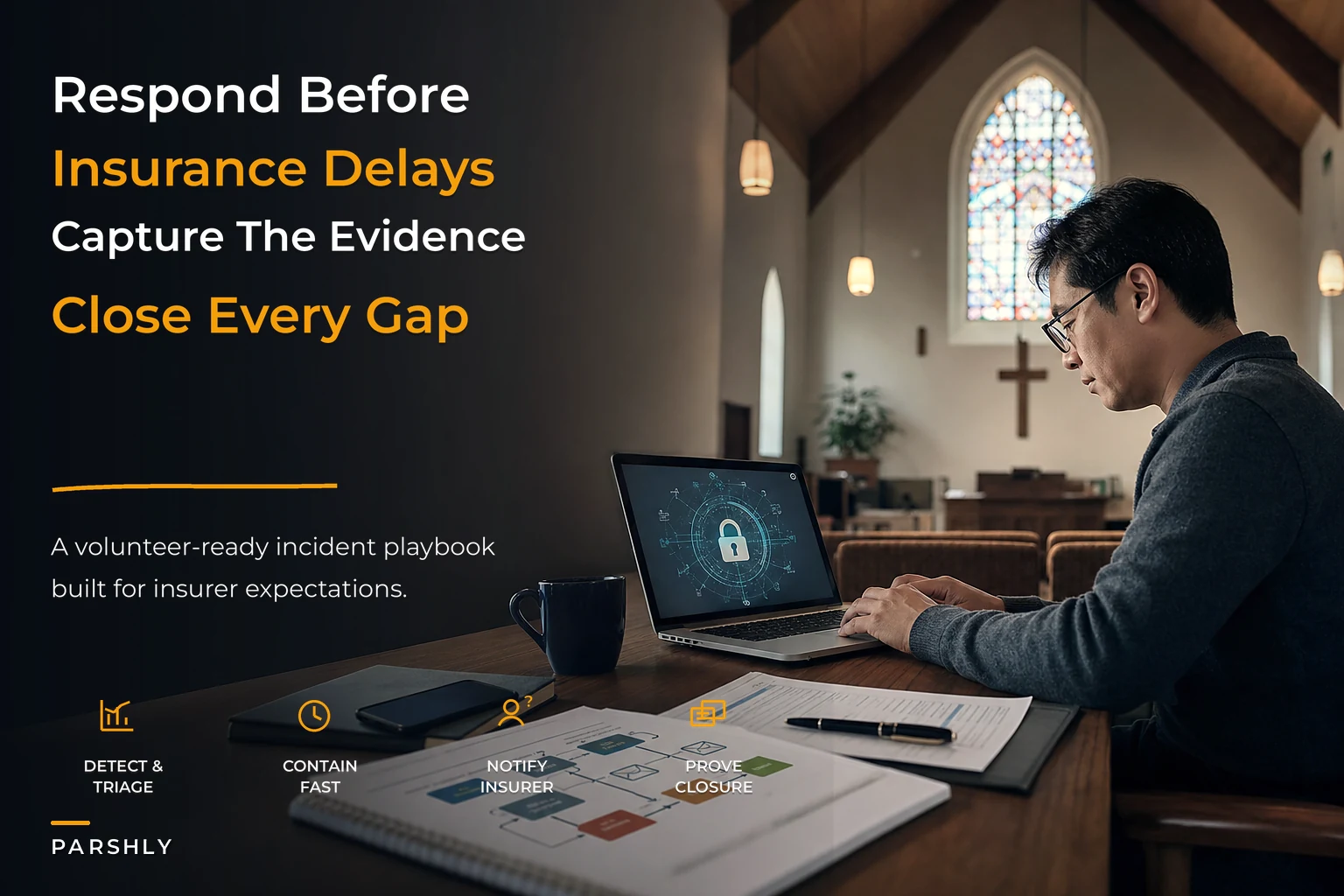
Think of an incident as moving through five stages. Each stage has an owner, a deliverable, and a time band. The time bands matter because they're what you'll point to later when the insurer asks what you did and when.
Here's a simple visual of that workflow.
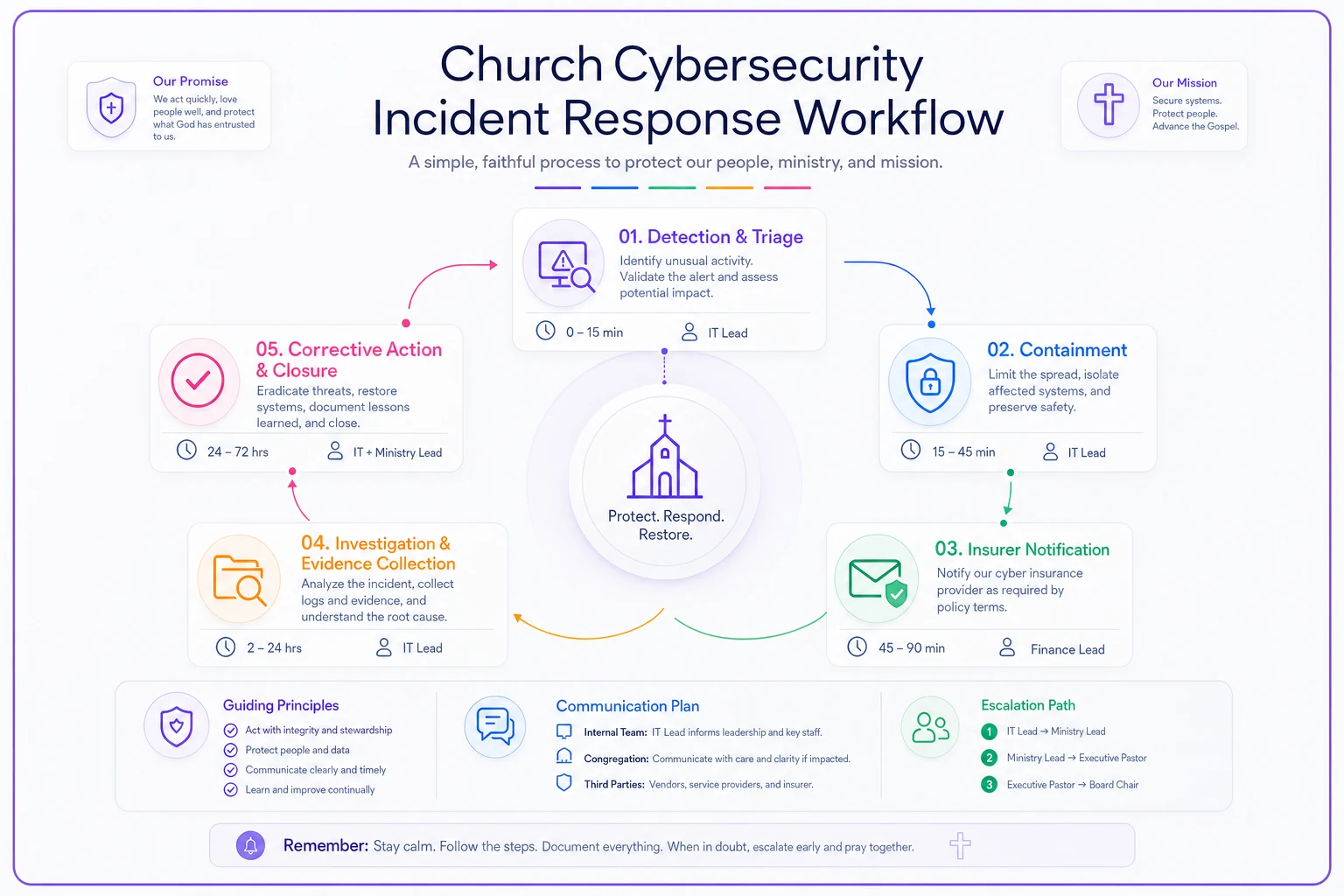
1. Detection and triage (first few hours)
Someone notices something. The job here isn't to diagnose — it's to classify severity fast and start the clock officially.
A workable triage question is simple: Could this involve member data, money, or system access we can't account for? If the answer is yes or "maybe," it's an incident, not a glitch. That distinction should be made by a named person, not debated by committee.
The deliverable at this stage is a timestamped first entry: what was noticed, by whom, when. That single timestamp becomes your anchor for every insurer deadline downstream.
Keep a shared, timestamped evidence log so discovery times are indisputable.
2. Containment (same day)
Containment is about stopping the bleeding without destroying evidence — and those two goals fight each other constantly. The mistake small teams make is reacting too aggressively: wiping the infected laptop, deleting the suspicious account, reinstalling everything. That feels like action. It also obliterates the forensic trail your insurer and their claims investigator will want.
-
Disconnect the affected device from the network, but don't power it down or wipe it.
-
Disable (don't delete) compromised accounts.
-
Rotate passwords on adjacent systems that share credentials.
-
Preserve screenshots and logs before touching anything else.
Most cyber policies have a clause requiring "reasonable steps to mitigate." Containment is how you satisfy that. But many also have an evidence-preservation clause. Satisfying one by violating the other is a common and expensive own-goal.
3. Insurer notification (within the policy window)
This is the stage churches skip or delay, and it's non-negotiable. Notification is not an admission that you're filing a claim. It's preserving your right to file one later.
-
The notification deadline (in hours or days from discovery).
-
The exact contact method the policy specifies — often a dedicated breach hotline or email, not your regular agent.
-
What information they require in the first notice.
Many carriers provide an incident-response panel: pre-approved forensic firms, legal counsel, and PR support. Using panel vendors is sometimes required for costs to be covered. If you call your own IT person first and rack up $4,000 in cleanup before notifying the insurer, that spend may not be reimbursable.
4. Investigation and evidence collection (days 1–14)
This is where documentation discipline earns its keep. Your evidence packet should be built as you go, not reconstructed from memory afterward.
A basic evidence template captures, for each incident:
-
Discovery timestamp and discoverer
-
Systems and data categories affected
-
Actions taken, with times
-
People notified, internal and external, with times
-
Vendor and insurer communications
-
Logs, screenshots, and relevant exports
The pattern that comes up repeatedly with small organizations is that the church did respond competently but can't prove it. The investigator asks for a timeline and gets a jumble of texts and half-remembered sequences. A clean, timestamped log turns a shaky claim into a straightforward one.
5. Corrective action and closure (weeks 2–6)
The incident isn't closed when systems are back up. It's closed when you've fixed whatever allowed it to happen and documented that fix. Insurers increasingly ask at renewal what changed after a prior incident. "Nothing" is the wrong answer and raises your premium.
Corrective actions become tickets with owners and due dates: enforce MFA, remove dormant accounts, tighten vendor access, retrain whoever clicked the link. This also feeds back into your broader controls — the same ones tracked in an insurer-friendly church risk register and controls matrix. An incident should move items on that register, or the whole exercise was theater.
SLA bands that actually fit a volunteer team
Corporate incident SLAs assume a staffed security team. Churches don't have that. The fix isn't to abandon time targets — it's to set bands realistic for people with day jobs and Sunday responsibilities, while still protecting the insurer deadlines that don't flex.
| Severity | Example | First response target | Containment target | Insurer notification |
|---|---|---|---|---|
| Critical | Ransomware, active data exfiltration, banking fraud | Within 1 hour | Same day | Within policy window — treat as 24–48 hrs |
| High | Compromised staff account, suspected member-data exposure | Within 4 hours | Within 24 hours | Within 72 hours of discovery |
| Medium | Phishing with no confirmed access, single lost device (encrypted) | Same day | Within 2–3 days | Assess, document, likely notify |
| Low | Spam surge, blocked intrusion attempt | Within 2 days | As able | Log only; no notice needed |
The key design choice: notification timing is driven by the policy, not your staffing. The response and containment bands flex for volunteer reality; the insurer column does not. If your policy says 72 hours and your volunteer can't get to it until Monday, your plan has to name a backup who can — because the carrier won't accept "our IT person was traveling" as an excuse.
A short real scenario
A congregation of around 400, with one part-time administrator and a volunteer handling tech, had a staff email account phished. The attacker sat quietly for a couple of weeks, studied the giving cycle, then sent the bookkeeper a convincing request to redirect a vendor payment — roughly $9,000.
They caught it before the second transfer. But nobody realized the email account itself had been compromised two weeks earlier, so "discovery" was genuinely ambiguous. With no evidence log, they couldn't cleanly establish when discovery occurred. The insurer initially pushed back on notification timing.
What saved the claim was mundane: the administrator had kept a dated folder of every suspicious email staff had forwarded that month. That folder let them establish a credible discovery date and a clean action timeline. The claim was paid, minus the deductible. Afterward they built corrective-action tickets — MFA on all accounts, a two-person rule for any payment change over $1,000, and a standing evidence folder. Their next renewal premium ticked up modestly instead of spiking, and the carrier specifically noted the documented remediation.
The lesson wasn't "buy better software." It was that a boring habit — keep dated records — was worth $9,000.
Where coordination and tooling actually help
You can run this entire lifecycle on a shared document and a calendar, and for a small enough church, that's probably where you should start. But two things tend to break as you grow: coordination and proof.
Coordination breaks because incidents don't respect org charts. The person who detects it, the person who contains it, and the person who notifies the insurer are often three different volunteers who aren't in the same room. When handoffs live in someone's memory, the clock wins.
Proof breaks because reconstructing a timeline after the fact is unreliable, and insurers lean heavily on your timeline. If your records are scattered across text threads and email, you're negotiating from weakness.
This is where a workflow and operations platform earns its place — not as a cybersecurity product, but as the connective tissue. Incident tickets with timestamps, assigned owners, and escalation when an SLA band is about to breach. A central evidence log that captures entries as they happen rather than after. Reminders that fire before the insurer's notification window closes. The point isn't automation for its own sake — it's that the timing and documentation requirements your coverage depends on get enforced by the system rather than relying on a stressed volunteer remembering them at 9pm on a Friday.
When a formal response plan makes sense — and when it's overkill
Worth building fully if: you process online giving, store member or donor data digitally, carry a cyber or crime endorsement, or manage multiple staff and volunteer logins. The notification clauses in your policy already obligate you; the only question is whether you're ready to meet them.
Can stay lightweight if: you're a very small congregation with no online financial systems, minimal digital records, and no cyber coverage. A one-page contact list and a basic evidence habit may genuinely be enough.
Slow down before over-engineering this if: you don't yet have the basics in place — MFA, access controls, a current list of who has credentials to what. An elaborate incident plan on top of weak controls is backwards. Harden the front door first, then plan for the day someone gets through it anyway. The same logic applies to your people: tight volunteer screening and consent workflows reduce the insider-risk incidents you'd otherwise have to respond to.
Pulling it together
The churches that come through a cyber incident in decent shape aren't the ones with the best technology. They're the ones that treated response as a coordinated workflow with clear owners, realistic time bands, and a documentation habit that made the insurer's job easy. The technical cleanup matters, but it's the quieter discipline — knowing when the clock started, who notifies whom, where the evidence lives — that decides whether a bad week becomes a paid claim or an uncovered loss.
Read your cyber endorsement this month, not after something breaks. Summarize the notification clause onto one page. Name the people who own each stage, and name their backups. Then run a tabletop walkthrough of a fake incident over coffee one evening. It's an hour of slightly awkward pretending that will feel very cheap the day it stops being pretend.
Read your cyber endorsement this month, not after something breaks. Summarize the notification clause onto one page. Name the people who own each stage, and name their backups. Then run a tabletop walkthrough of a fake incident over coffee one evening. It's an hour of slightly awkward pretending that will feel very cheap the day it stops being pretend.
Ready to transform your church management?
Join 500+ churches using Parshly to enhance community engagement, streamline administration, and grow their ministries.