

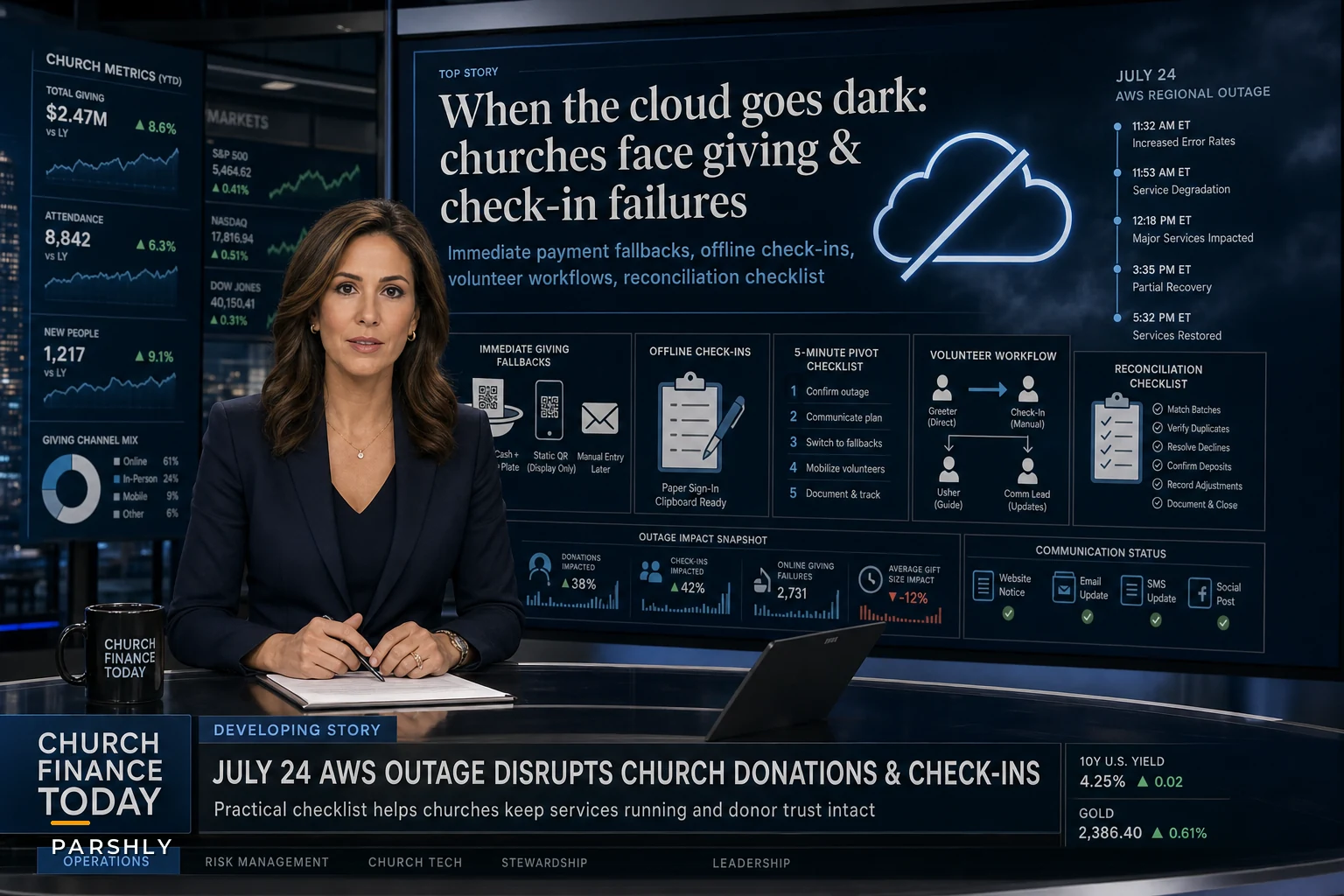

Last Thursday morning, churches across the western United States discovered their online giving platforms frozen. For about 80 minutes, AWS's US-West-2 region experienced connectivity failures that knocked out Apple Pay, Reddit, and dozens of payment processors that churches rely on for digital donations. The timing couldn't have been worse—many churches were processing mid-week recurring gifts and preparing weekend service systems.
The real damage wasn't just the 80-minute window. Churches that depend on cloud-based check-in systems couldn't access their security protocols for children's ministry. Volunteer coordinators lost access to scheduling platforms right when they needed to confirm Sunday positions. And some churches didn't even know their systems were down until congregants started texting about failed donation attempts.
This outage exposed something most church administrators don't think about until disaster strikes: nearly every critical church operation now runs through cloud services that can fail without warning. Your church outage checklist for donations, check-in, and other contingency plans might be the difference between a minor hiccup and a pastoral crisis.
Why churches get caught flat-footed when systems fail
Most churches operate on tight budgets with minimal IT support. They pick platforms based on features and price, not redundancy planning. A typical 400-member church might run six to eight different cloud services—online giving, check-in kiosks, volunteer scheduling, mass texting, livestreaming, and member database systems. Each one is a potential failure point.
The operational reality gets messy fast. Your children's ministry director shows up Sunday morning to find the check-in tablets showing error messages. Parents are lining up with increasingly anxious kids. Meanwhile, your volunteer coordinator can't access the schedule to see who's supposed to be manning those check-in stations. The finance team won't discover until Monday that Sunday's online giving failed to process—but duplicate charges went through when the system came back online.
What makes churches particularly vulnerable is how concentrated their activity is around service times. Unlike a retail business that can absorb payment failures throughout the day, churches face massive operational spikes in narrow windows. A system failure at 9:45 AM Sunday affects hundreds of families all at once.
The interconnected nature of modern church systems makes this worse. Your giving platform integrates with your accounting software, which syncs with your member database, which feeds your communication platform. One failure cascades through everything, creating reconciliation headaches that can take weeks to sort out.
Building your church outage checklist: donations first
Detection protocols that actually work
Simplify your church’s day-to-day operations.
Parshly helps you organize events, track donations, and engage your congregation—all in one place.
- Centralized member management
- Donation tracking & reporting
- Volunteer scheduling & notifications
No credit card required
Most churches discover outages when someone complains. By that point, you've already lost donation opportunities and frustrated members who expected a smooth experience.
Set up these detection mechanisms:
Active monitoring schedule:
-
Test online giving platform at 7 AM Sunday morning
-
Run a $1 test transaction through your primary processor
-
Check text-to-give response time
-
Verify recurring gift processing status Saturday evening
Backup communication channels: Create a simple text chain with key staff that bypasses your main communication platform. Include your executive pastor, finance lead, IT volunteer, and facilities manager. Test it monthly by sending a code word that requires acknowledgment.
Visual confirmation system: Place a small tablet at the welcome desk that displays your giving platform's status page. Train greeters to glance at it periodically and flag any red indicators.
Immediate response procedures
When systems fail, every minute matters. Here's what actually works:
The 5-minute pivot:
-
Finance volunteer switches to manual envelope distribution
-
Greeters announce cash/check options without causing alarm
-
IT volunteer documents exact failure time and symptoms
-
Admin team activates backup check-in process
-
Communications lead drafts post-service giving recovery message
Physical backup supplies: Keep these items in a labeled "System Failure Kit" at the welcome desk:
-
200 giving envelopes with member numbers pre-printed
-
Manual check-in roster (updated monthly)
-
Battery-powered card reader with offline mode
-
Paper volunteer schedule for current month
-
"We're experiencing technical difficulties" signs
Decision tree for service modifications:
-
If online giving fails
Continue service normally, extend offering time by 90 seconds for physical gifts
-
If check-in system fails
Deploy two-person manual teams at each entrance
-
If both fail
Implement "grace period" protocols—simplified security, extended transition times
Here's a concise workflow to follow during donation outages.
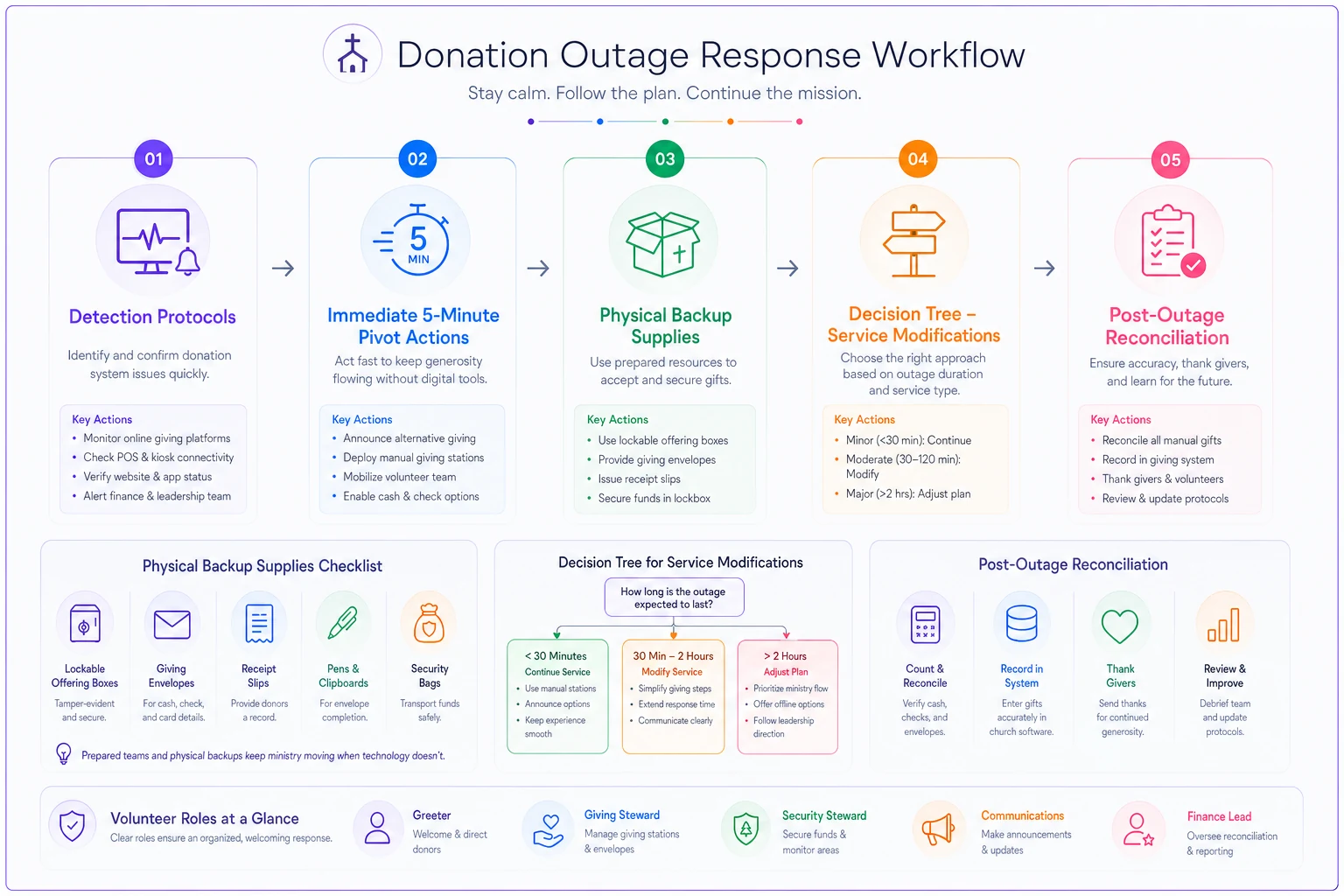
Use this workflow as a quick reference during services.
A solid church outage checklist for donations needs three things: detection protocols, immediate response procedures, and post-outage reconciliation.
Check-in contingency: protecting children when databases disappear
Children's ministry check-in is your highest-liability failure point. Without proper verification systems, you're exposed to custody disputes, unauthorized pickups, and real security risks.
The manual fallback needs to be airtight. Each check-in station needs a physical binder with:
-
Alphabetical family roster with authorized pickup names
-
Allergy and medical alert list (highlighted in yellow)
-
Photo directory of regular attendees (quarterly update)
-
Numbered wristbands with duplicate stubs
-
Incident report forms
Train your children's ministry team on the "Two-Touch Rule"—every manual check-in requires two volunteers to verify identity and record the transaction. One person checks the roster and assigns a wristband number. The second records the wristband number on both the sign-in sheet and the parent's receipt stub.
During manual operations, tighten your security:
-
No classroom transitions without director approval
-
Parents must show photo ID for any pickup
-
Unknown families require pastoral verification
-
All manual check-ins get entered into the system within 24 hours
Assign one volunteer each week to enter manual check-ins within 24 hours to keep records current.
All manual check-ins get entered into the system within 24 hours
Communication workflows when channels collapse
Modern churches lean heavily on mass communication platforms. When the recent AWS outage hit, payment systems weren't the only casualties—communication channels went down at the same time.
Primary channel failures and alternatives:
| If This Fails | Use This Instead | Key Consideration |
|---|---|---|
| Mass texting platform | Phone tree with zone leaders | Limit to critical messages only |
| Email system | Social media posts | Include hashtag for responses |
| Mobile app notifications | Website banner | Update manually via FTP if needed |
| Livestream chat | Dedicated phone line | Staff with volunteer monitor |
Zone leaders become critical during communication outages. Divide your congregation into geographical zones of 20-30 families. Each zone leader keeps a physical contact list and calling tree, and they're responsible for cascading urgent messages when digital channels fail.
The Monday morning reconciliation nightmare
Post-outage cleanup often takes longer than the outage itself. Payment processors might show successful transactions that never completed. Duplicate charges happen when systems retry failed attempts. Member records fall out of sync when manual check-ins don't match database entries.
Build a reconciliation checklist around these timelines:
Financial reconciliation (complete within 48 hours):
-
Export all transaction attempts during outage window
-
Match against bank deposits
-
Flag duplicate charges for reversal
-
Contact members with failed recurring gifts
-
Document lost donation estimates for budget adjustment
Data reconciliation (complete within 5 days):
-
Enter all manual check-ins into primary system
-
Verify attendance counts against physical headcounts
-
Update member contact preferences based on outage responses
-
Cross-reference volunteer no-shows with system access failures
-
Document security incidents during manual operations
Member communication (send within 72 hours):
-
Acknowledgment of technical difficulties
-
Instructions for completing failed donations
-
Assurance about data security and child safety protocols
Give members a direct contact—not a general inbox—for reporting issues. Include specific instructions for verifying their recurring gifts processed correctly.
When to accept the risk vs. build redundancy
Not every church needs comprehensive redundancy. Smaller congregations might reasonably accept occasional outages rather than maintain complex backup systems.
Accept the risk if:
-
Your weekly attendance is under 200
-
Cash/check donations exceed 60% of giving
-
You have strong personal relationships with most members
-
Your community is generally understanding of technical issues
-
Budget constraints prevent investing in backup systems
Build redundancy if:
-
Online giving exceeds 70% of donations
-
You run multiple services with tight transitions
-
Your children's ministry serves 100+ kids per service
-
You're in a competitive church market
-
You've experienced two or more significant outages in the past year
Not every church needs comprehensive redundancy.
The hybrid solution that actually works
The sweet spot for most churches is selective redundancy—protecting your most critical operations while accepting controlled risk elsewhere.
Focus your church outage checklist on three core areas:
-
Donation processing
Maintain a backup payment processor that runs on different infrastructure. Even if the fees are higher, you only activate it during primary system failures.
-
Child security
Never compromise on check-in contingencies. The liability risk far exceeds any cost savings.
-
Leadership communication
Make sure pastoral staff can always reach key volunteers and vice versa, even if congregation-wide messaging fails.
For everything else—volunteer scheduling, event registration, member directory access—printed backups updated monthly are usually sufficient.
Turning chaos into operational improvement
Every outage has lessons in it if you're willing to document them honestly. Build an incident review process that captures:
-
Exact failure timeline and systems affected
-
Which contingency plans worked and which didn't
-
Member complaints and suggestions
-
Financial impact (lost donations, refunds issued, extra labor costs)
-
Process improvements identified
One church turned their worst outage into their best operational upgrade. After losing online giving during Easter service, they found their manual backup process actually improved member engagement—volunteers had more face-to-face interactions during the extended offering time. They kept the manual option available even after systems came back online and saw roughly a 15% increase in total giving.
The automation advantage during recovery
Manual backups are essential. But the recovery phase is where AI-powered operational software earns its keep.
Instead of manually entering hundreds of paper check-in records, modern church management platforms can process manual logs in batch operations, flag discrepancies automatically, and update member records without staff spending two days on data entry. The same platforms can identify duplicate donation attempts, process refunds, and generate personalized follow-up messages to affected donors.
Pattern recognition over time is where this gets genuinely useful. Good operational software can analyze how your outage response played out, pinpoint the bottlenecks in your contingency plans, and surface improvements based on how your congregation actually behaved during the disruption—not based on some theoretical playbook.
We've covered the full spectrum of donation protection and reconciliation in our guide to preventing giving errors and reconciliation headaches with an end-to-end secure donation workflow.
Making your checklist stick
A church outage checklist only works if people actually use it under pressure. The biggest failure point isn't technology—it's human behavior during a crisis.
Schedule quarterly drills simulating different failure scenarios. Rotate which systems "fail" and which staff members are "unavailable." Time how long it takes to detect the failure, activate contingencies, and communicate with affected ministries.
Keep your contingency supplies current. Those pre-printed giving envelopes need updated member numbers. The manual check-in rosters need current family information. Emergency contact lists need working phone numbers. Set monthly calendar reminders, or hand this off to a detail-oriented volunteer who genuinely enjoys that kind of work.
Train beyond your core team. Your backup systems are useless if only one person knows how to activate them. Every ministry area needs at least three people who can execute contingency plans. That includes teaching your 70-year-old usher volunteer how to run the backup card reader. It's worth the effort when your tech-savvy staff member is out sick during a critical failure.
Testing your readiness
Can you maintain operations for 4 hours without any cloud services?
If not, identify which systems would cause complete operational failure and prioritize their contingencies first.
Would a Sunday morning outage cost you more than $10,000 in lost donations?
Calculate your average Sunday online giving, add staff time for reconciliation, and factor in member frustration. If you're over that threshold, redundancy investment is financially justified.
Could you confidently manage 500 parents wanting their children back simultaneously during a system failure?
This is your worst-case scenario—a fire alarm during children's ministry, for example. If your manual processes can't handle that surge, you need stronger contingency plans.
Churches that can answer "yes" to all three have moved past hoping nothing goes wrong. They know they can handle whatever comes. That confidence frees you to focus on ministry instead of dreading the next AWS outage, payment processor glitch, or database failure.
The next regional cloud outage isn't a question of if—it's when. With the right preparation, it becomes an operational inconvenience rather than a ministry crisis. Your congregation might not even notice the transition to backup systems, and that's exactly the point.
Ready to transform your church management?
Join 500+ churches using Parshly to enhance community engagement, streamline administration, and grow their ministries.