

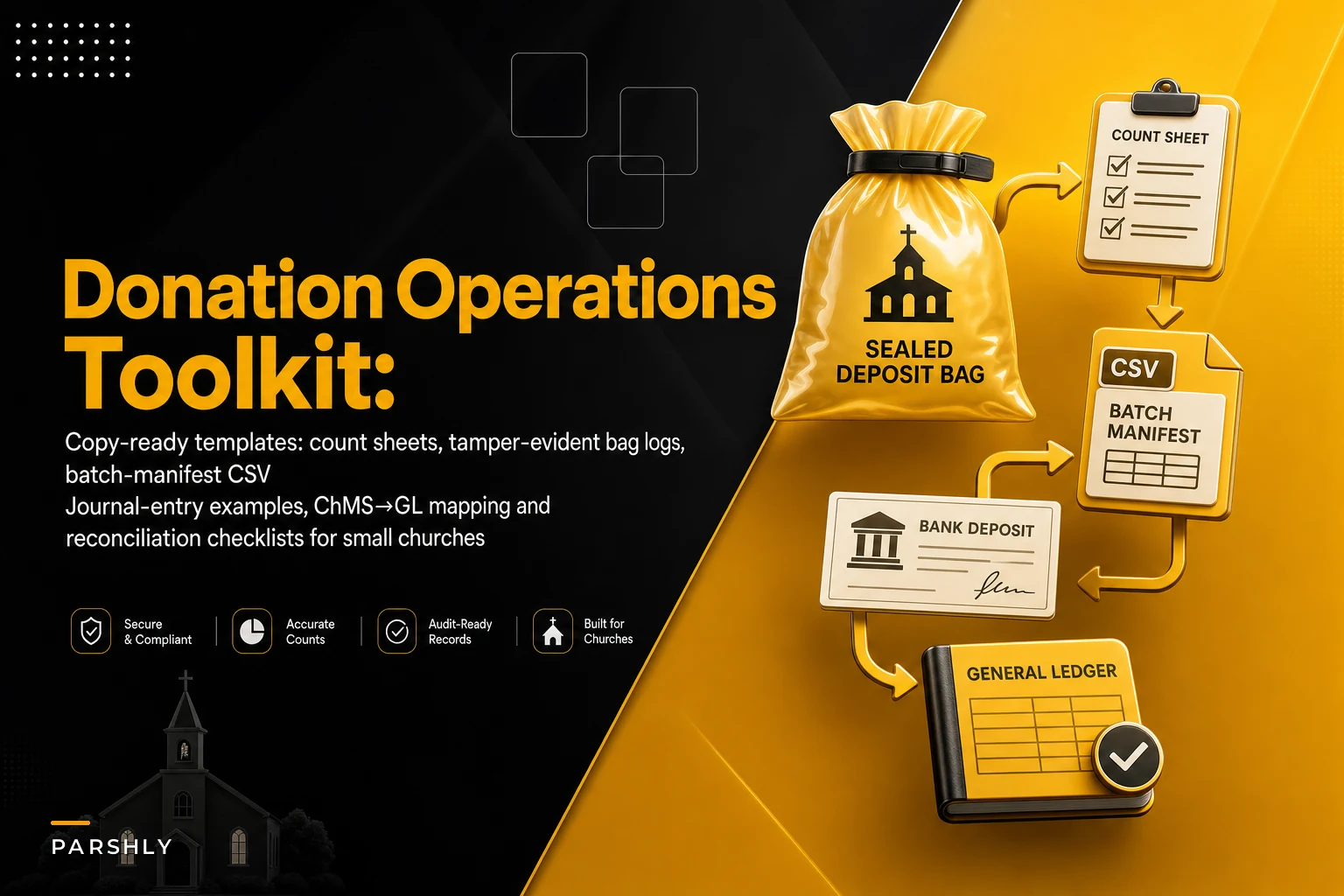

Most churches don't have a reconciliation problem because people don't care. They have one because every piece of the process lives in someone's head. The counter knows how they bag cash. The bookkeeper knows how they enter it. The pastor knows which fund that $500 "for the roof" check was supposed to hit. None of it is written down in a way another person could pick up tomorrow.
This post is a toolkit. Not a philosophy piece. Below you'll find the actual artifacts — the count sheets, journal entries with real numbers, the batch manifest layout, ChMS-to-GL mapping fields, and the close checklist — that you can copy, adapt, and start using this week. If you want the broader "why" behind a secure giving process, we covered that in the end-to-end secure donation workflow. This one is about the paperwork and ledger entries that make it real.
I'll flag where things break in practice, because the templates only help if you understand what they're protecting you from.
Start with the artifact that gets skipped: consent and authorization language
Everyone focuses on the count sheet and forgets the paper trail that authorizes the money in the first place. The weakest link in small-church giving usually isn't theft — it's recurring ACH gifts set up over the phone with no written authorization, then disputed six months later when the donor forgets they signed up.
You need two short pieces of copy-ready language: one for recurring ACH/card authorization, one for online consent with a timestamp field.
Recurring authorization (paper or PDF): > I, , authorize [Church Name] to electronically debit my account at the financial institution named below for the amount and frequency I have selected. This authorization remains in effect until I notify the church in writing at least 3 business days before the next scheduled debit. I understand I may revoke this authorization at any time. > Account type: ☐ Checking ☐ Savings > Amount: $ Frequency: ☐ Weekly ☐ Monthly ☐ Other: > Signature: Date:
-
Consent checkbox label
"I authorize this recurring gift and agree to the terms above."
-
consent_timestamp(UTC) -
consentipaddress -
consenttextversion(so you know which wording they agreed to) -
donor_id
That consenttextversion field is the one people miss. If you change your authorization wording next year, you need to prove what this donor actually agreed to. A versioned record settles disputes in thirty seconds instead of a frantic email thread.
The count sheet and tamper-evident bag log
Two counters, one sheet, two signatures. That's the whole control. It works because it forces agreement at the moment of counting, when memory is fresh, instead of reconstructing things days later.
Simplify your church’s day-to-day operations.
Parshly helps you organize events, track donations, and engage your congregation—all in one place.
- Centralized member management
- Donation tracking & reporting
- Volunteer scheduling & notifications
No credit card required
| Field | Example |
|---|---|
| Service date | 2024-11-10 |
| Service / source | 9:00 AM Worship |
| Bag seal number | TE-004821 |
| Loose cash counted | $412.00 |
| Checks counted (#) | 23 checks |
| Checks total | $3,180.00 |
| Designated/restricted noted | $500 (Building Fund, check #1142) |
| Counter 1 signature | __ |
| Counter 2 signature | __ |
| Time count completed | 10:42 AM |
The tamper-evident bag log is separate and simple — it tracks the physical chain of custody of the sealed bag, not the money inside:
-
Bag seal number
-
Date/time bag sealed
-
Who sealed it (two initials)
-
Date/time bag opened for count
-
Who opened it
-
Seal intact at opening? Y/N
Always verify the bag seal number on the bag log against the count sheet before sealing or opening the bag.
The single most common failure here: the bag log and the count sheet never get cross-checked. Someone seals bag TE-004821 but the count sheet references TE-004812. A transposed digit. If your seal numbers on both documents don't match during reconciliation, you've caught a gap before it becomes an accusation.
Journal entries for every common giving flow (with real numbers)
This is the section most church bookkeepers actually need and can almost never find written out plainly. Here are entries for the flows you'll hit weekly. Account names are generic — map them to your own chart of accounts.
1. Plain cash and check offering (unrestricted), $3,592 deposited: Dr Cash/Bank 3,592.00 Cr Contribution Income — General 3,592.00
2. Restricted gift mixed in with general — $500 of that was Building Fund: Split it at entry. Don't dump it into General and "fix it later," because later never comes cleanly. Dr Cash/Bank 3,592.00 Cr Contribution Income — General 3,092.00 Cr Contribution Income — Building 500.00
3. Online gift through a processor, with a fee. Donor gave $200, processor took $6.20, you received $193.80: Record the gross gift and the fee as an expense. This matters for donor acknowledgment — the donor's deductible gift is $200, not $193.80. Dr Cash/Bank 193.80 Dr Processing Fee Expense 6.20 Cr Contribution Income — Online 200.00
4. Donor covers the fee (they chose "add 3% to cover costs"). Gift $200, fee-cover $6, total charge $206, net received $199.80: Dr Cash/Bank 199.80 Dr Processing Fee Expense 6.20 Cr Contribution Income — Online 206.00 The full $206 is contribution income here, and the donor's acknowledgment reflects $206.
5. Stock gift — 10 shares received, fair market value $1,840 on date of receipt, sold immediately, brokerage fee $15: Dr Investment — Stock Received 1,840.00 Cr Contribution Income — Stock 1,840.00 Dr Cash/Bank 1,825.00 Dr Brokerage Fee Expense 15.00 Cr Investment — Stock Received 1,840.00
6. In-kind (non-cash) gift — you record it but do NOT issue a dollar-value receipt for the donor's deduction: Dr Supplies/Asset (as appropriate) 300.00 Cr In-Kind Contribution Income 300.00 Acknowledge the item and date in your letter; let the donor determine value.
The recurring mistake across all six: netting fees against income so the books understate total giving. A church that processed somewhere around $180k in online gifts and netted every fee can quietly understate contribution income by $5k–$6k in a year. That throws off annual giving reports and donor statements.
Donor acknowledgment letter (keep it compliant and short)
A written acknowledgment for any single gift of $250 or more needs three things: the amount (or description for non-cash), the date, and a statement about goods or services. Most church letters are missing the third line.
> Dear [Name], > Thank you for your generous gift of $[amount] received on [date] to [Church Name]. > No goods or services were provided in exchange for this contribution. > [Church Name] is a tax-exempt organization under section 501(c)(3). Please retain this letter for your tax records.
For gifts where the donor received something — say a $75 banquet ticket included in a $100 gift — you state the value of what they received so they can subtract it. Leaving that line off is the quiet error that surfaces during a donor's audit, not yours. And it reflects on the church either way.
Batch Manifest / Deposit Support CSV layout
When your deposit hits the bank as one lump sum but your ChMS recorded 40 individual gifts, the batch manifest is the bridge. One deposit = one batch = one manifest. Standardize these columns and reconciliation stops being archaeology.
| Column | Example |
|---|---|
batch_id | 2024-11-10-AM |
service_date | 2024-11-10 |
deposit_date | 2024-11-11 |
gift_count | 41 |
cash_total | 412.00 |
check_total | 3180.00 |
online_total | 0.00 |
batch_total | 3592.00 |
bagsealnumber | TE-004821 |
counter_1 | initials |
counter_2 | initials |
depositslipref | DEP-88213 |
entered_by | initials |
gl_posted | Y/N |
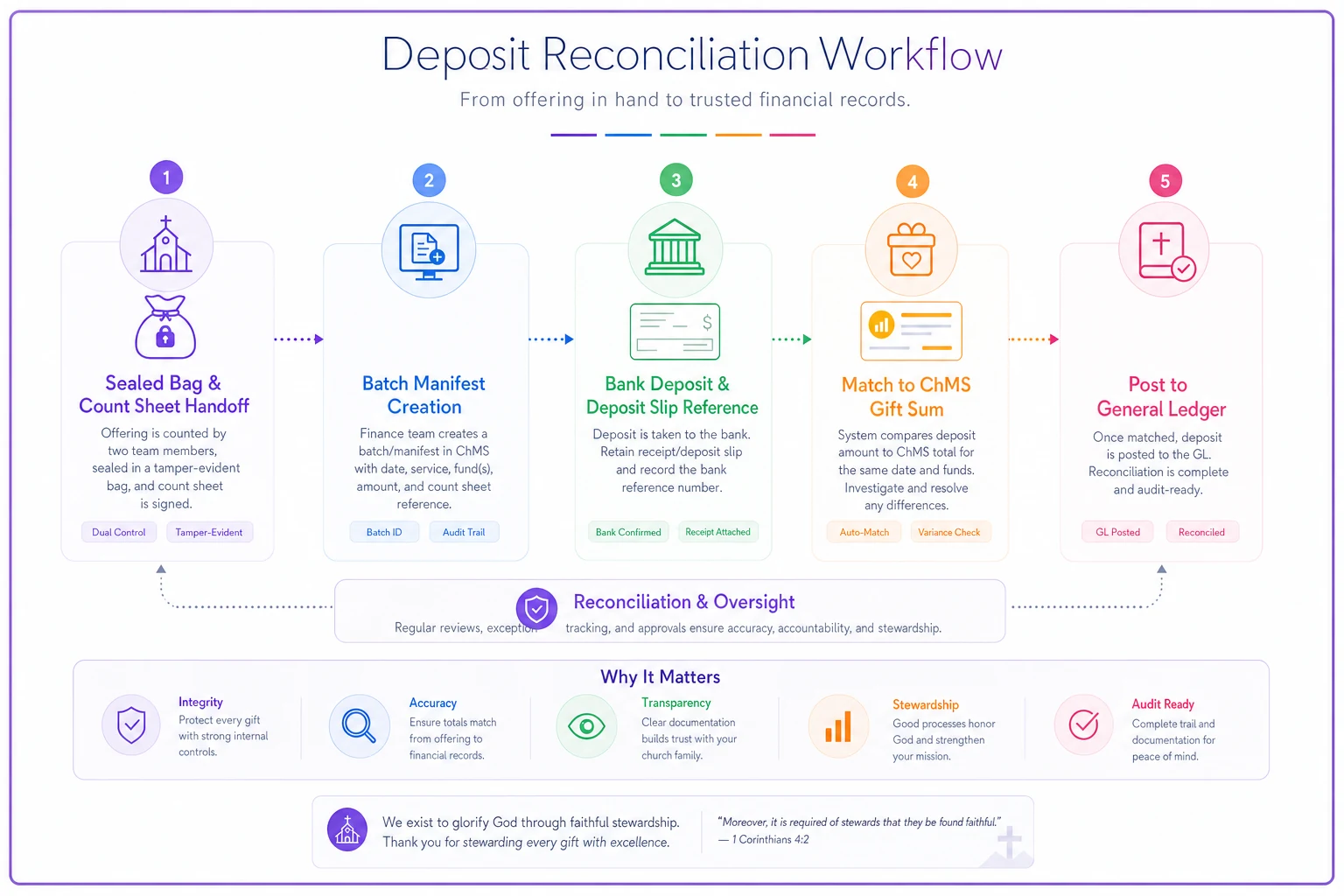
The batchtotal must equal the depositslip_ref amount at the bank and the sum of individual gifts in the ChMS. Three numbers, one match. When they don't agree, the manifest tells you immediately which of the three sources is off.
ChMS → GL mapping (QuickBooks / Xero field names)
The migration from your church management system export into accounting software is where categories silently get mangled. A gift tagged "Missions" in the ChMS lands in "General" in QuickBooks because nobody built a mapping table. Build it once.
| ChMS Fund/Category | QuickBooks Field | Xero Field | GL Account |
|---|---|---|---|
| General | Account | Account Code | 4000 Contribution — General |
| Building | Account | Account Code | 4010 Contribution — Building |
| Missions | Account | Account Code | 4020 Contribution — Missions |
| Benevolence | Account | Account Code | 4030 Contribution — Benevolence |
| Date | Date | *Date | — |
| Batch ID | Memo/Ref | Reference | — |
| Gross amount | Amount | *UnitAmount | — |
For a QuickBooks CSV import, the three fields that must be clean are Date, Account, Amount. For Xero, the required columns (with the asterisk) are ContactName, InvoiceNumber, InvoiceDate, Description, Quantity, UnitAmount, *AccountCode. Match your export headers to these exactly — a header named "Fund" instead of "AccountCode" either fails the import or, worse, imports to the wrong column.
Reconciliation checklist with SLAs and signoffs
Reconciliation falls apart when there's no deadline and no name attached. Attach both.
Daily / per-deposit (within 1 business day):
-
Count sheet signed by two counters
-
Bag seal number matches count sheet and manifest
-
Batch total = deposit slip = ChMS gift sum
-
Deposit taken to bank, slip reference recorded
-
Owner
Counter team lead
Weekly (by end of first business day after the week):
-
All batches for the week posted to GL (
gl_posted = Y) -
Online processor payouts matched to gift records
-
Any exceptions logged (see below)
-
Owner
Bookkeeper
Monthly (by the 10th of the following month):
-
Bank statement reconciled to GL cash balance
-
Processor fee totals reconciled to Fee Expense account
-
Restricted fund balances reviewed for correct allocation
-
Giving summary cross-checked against deposits
-
Owner
Treasurer, reviewed by one non-preparer
That last phrase — reviewed by one non-preparer — is the whole point of the next section.
Segregation of duties when you only have three people
The textbook answer is "separate the person who counts, the person who deposits, and the person who records." Small churches read that, laugh, and go back to having one volunteer do all three. So here's the realistic threshold matrix that actually works with a tiny team.
| Function | Who does it | Who must NOT also do it |
|---|---|---|
| Counting cash | Two counters (rotate monthly) | The bookkeeper |
| Entering gifts in ChMS | Bookkeeper | A counter from that same batch |
| Posting to GL | Bookkeeper | — |
| Bank reconciliation | Treasurer | The bookkeeper |
| Reviewing monthly summary | Pastor or board member | Anyone who touched the cash |
Threshold triggers — above these amounts, add a second signature or second review:
-
Single cash gift over $500
note on count sheet, flagged to treasurer
-
Any refund or reversal
requires treasurer approval regardless of amount
-
Vendor payment over $1,000
two signatures
The real win isn't perfect separation — it's that at least one person who didn't handle the money looks at the result. A rotating two-counter pair plus a monthly review by someone uninvolved closes most of the control gap. You don't need ten people. You need two steps that aren't done by the same hand.
Fee allocation methods, with an example
Processing fees across multiple funds trip people up. Say a $1,000 online batch covered three funds and the processor took $29. Two defensible methods:
Method A — single fee account (simplest): Post all $29 to one Processing Fee Expense account. Clean, but no individual fund sees its own cost.
Method B — proportional allocation: Split the fee by each fund's share.
-
General received $600 → 60% → $17.40 fee
-
Missions received $300 → 30% → $8.70 fee
-
Building received $100 → 10% → $2.90 fee
Most small churches should use Method A and move on. Use Method B only if a restricted fund's donors expect to see net amounts, or a grant requires it. Over-engineering fee allocation for a $29 charge wastes more time than it saves.
Exception handling and the templates for it
Exceptions are normal. An unsigned check, a gift that doesn't match any member, an online payout that's $3 off. The failure isn't the exception itself — it's that it sits in someone's inbox for three weeks with no process.
Exception flow:
-
Log it on the batch manifest (
exception_notefield) the moment it's spotted. -
Assign an owner and a due date (default
5 business days).
-
If it's a donor question (wrong amount, missing designation), send the donor template below.
-
If unresolved by due date, escalate to treasurer.
-
Record resolution and close.
Donor communication template (mismatch):
> Hi [Name], we're reconciling recent gifts and want to make sure yours is recorded correctly. Our records show a gift of $[amount] on [date] — could you confirm the fund you intended (General, Building, Missions)? We want your giving statement to be exactly right. Thank you!
It never accuses, never assumes error on the donor's side. It's a confirmation, not an interrogation.
Month-end close checklist and KPIs
Close checklist (target: complete by the 10th):
-
All deposits for the month entered and posted
-
Bank reconciled, zero unexplained variance
-
Processor fees matched
-
Restricted funds reconciled to designations
-
Donor statements queued for any quarterly send
-
Giving summary reviewed by non-preparer
-
Close date and reviewer initials recorded
KPIs with targets:
| Metric | Target |
|---|---|
| Days to close after month-end | ≤ 10 days |
| Deposit-to-GL match rate | 100% |
| Unreconciled items at close | 0 |
| Avg. exception resolution time | ≤ 5 business days |
| Fee expense as % of online giving | tracked, flag if > 3% |
That last one catches a surprising problem: a church that quietly drifted to a 3.5% effective processing rate was losing somewhere around $1,500–$2,000 more per year than it needed to, simply because nobody was watching the fee percentage as a tracked number.
A short real scenario
A congregation of around 220 attendees was closing their books somewhere between the 20th and 25th of each month — sometimes later. Two volunteers counted, but the same bookkeeper also handled the bank reconciliation, so no independent eye ever landed on the numbers. Restricted gifts were getting swept into General and manually corrected weeks later, which meant the Building Fund balance was wrong almost every month.
They didn't buy new software. They adopted three of the artifacts above: the two-signature count sheet tied to a bag seal number, the batch manifest with the three-number match, and a monthly review by a board member who hadn't touched the cash. Close time dropped to within the first ten days. Restricted fund corrections went from a monthly scramble to rare. The bookkeeper later said the batch manifest alone saved a couple hours a week of hunting for why a deposit didn't match.
Nothing here was clever. It was written down, assigned to a name, and given a deadline.
When this toolkit is overkill — and when it's not enough
If your church takes a handful of checks a week and one person you fully trust handles everything transparently to the board, you don't need the full fee-allocation and manifest machinery. Use the count sheet and the acknowledgment letter and skip the rest. Forcing a six-step control matrix onto a three-person operation just creates paperwork nobody maintains.
On the other end: if you're running multiple services, online giving, restricted campaigns, and stock gifts, these artifacts are the floor, not the ceiling. At that volume, the mapping templates and SLA-backed checklists are what keep a growing operation from quietly losing track of which fund owns which dollar.
The point of writing all of this down isn't bureaucracy. It's that donation reconciliation stops depending on one person remembering how they've always done it — and becomes something any new volunteer or treasurer can pick up, follow, and trust. Start with the count sheet and the journal entries this week. Add the manifest and the mapping table next. The rest follows once the first two are habit.
Ready to transform your church management?
Join 500+ churches using Parshly to enhance community engagement, streamline administration, and grow their ministries.