

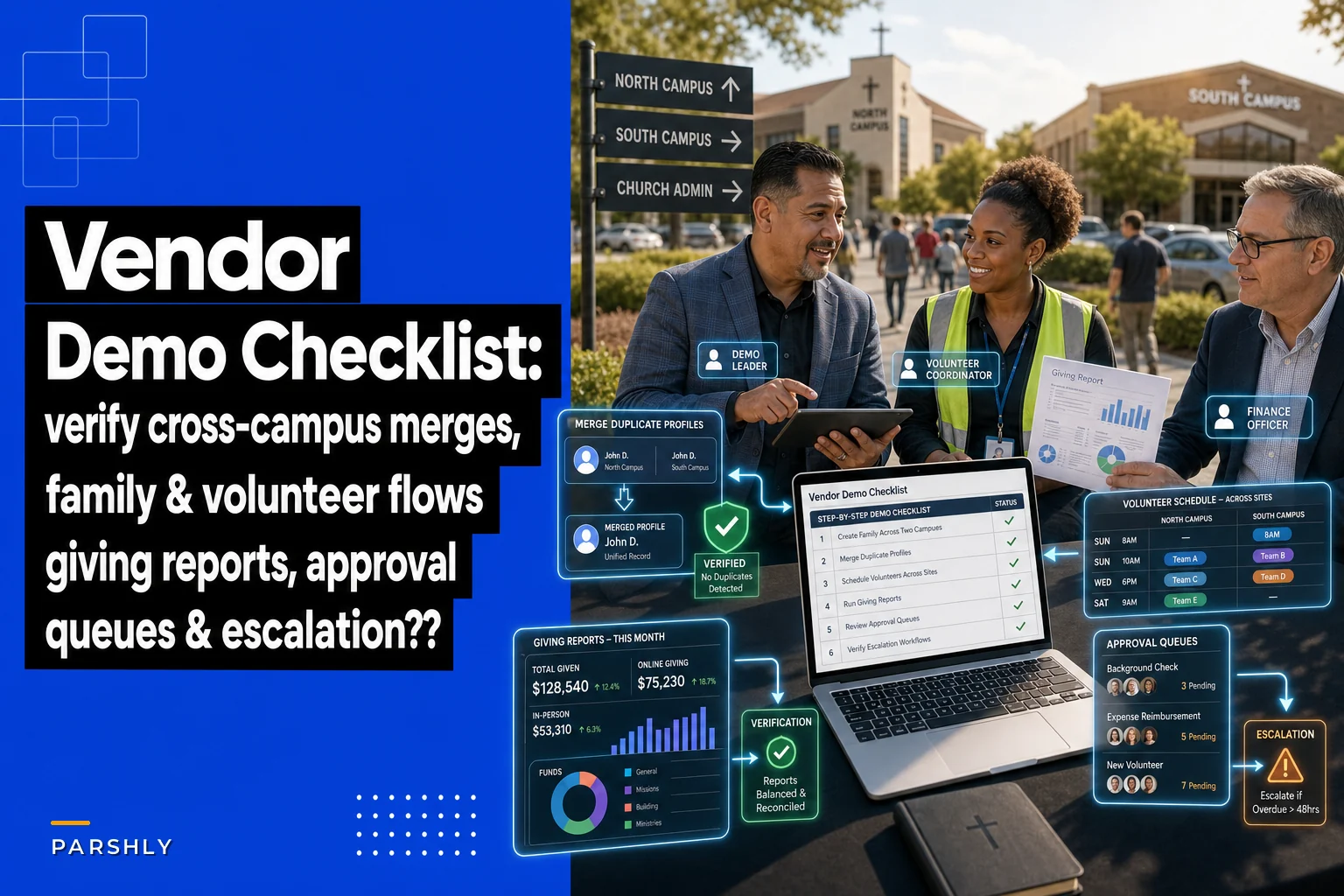

Picking a ChMS for a single-site church is annoying but manageable. Picking one for three or four campuses with combined attendance somewhere between 500 and 1,200 is where most churches get burned — usually six months after the contract is signed, when someone discovers that "multi-campus support" meant one shared database with no real way to control who sees what.
This isn't a generic roundup. The five systems below are the ones that actually hold up when you have overlapping volunteer pools, a central finance office, and campus pastors who all want their own dashboards without being able to read each other's giving records. For each, you get a one-line suitability call, one real strength, and one concrete limitation — judged against the five things that actually matter at this size: centralized member records, cross-campus event coordination, volunteer scheduling, giving reporting, and role-based access.
After the shortlist, there are three things most buying guides skip entirely: a demo checklist you can run live with a vendor, a sample SLA for inter-campus borrowing and event approvals, and a permission matrix you can hand straight to your procurement team.
How these five were vetted
The 500–1,200 band has a specific operational reality. You're too big to run everything through one administrator's head, but usually too small to have a dedicated IT director. That means the software has to enforce structure that staff won't enforce manually — because they're already stretched.
What breaks at this size, consistently:
-
Member records fragment by campus. The same family attends the main campus in winter and a plant across town in summer, and you end up with two profiles and two giving histories.
-
Volunteer double-booking across sites. A worship leader who serves at two campuses gets scheduled for both 9 a.m. services and nobody catches it until Saturday night.
-
Giving reports that can't cleanly separate campus-designated funds from the general fund without an export-and-spreadsheet ritual every month.
-
Permission models that are all-or-nothing — either a campus admin sees everything, including other campuses' pastoral notes, or they see almost nothing useful.
During the demo, test profile merges and check that giving history follows the merged profile.
Every system below was judged against those failure points, not a generic feature checklist.
The shortlist
1. Planning Center
Simplify your church’s day-to-day operations.
Parshly helps you organize events, track donations, and engage your congregation—all in one place.
- Centralized member management
- Donation tracking & reporting
- Volunteer scheduling & notifications
No credit card required
Suitability: Best for churches where volunteer scheduling and service planning are the daily pain, and finance can stay slightly separate.
Strength: Volunteer and team scheduling is the strongest in this category. The Services module handles recurring rotations, blockout dates, and conflict detection across teams well enough that a worship director covering two campuses can actually see overlaps before they become Saturday-night phone calls. The modular pricing also means you only pay for what each campus actually uses.
Limitation: Multi-campus is handled through folders, tags, and permission scoping rather than a native "campus" object. It works, but it requires discipline in setup. If your central office wants a single giving report broken out by campus-designated fund without manual tagging hygiene, you'll feel that friction. Get your folder-and-tag structure right on day one or you'll be untangling it for a year.
2. Rock RMS
Suitability: Best for churches with — or willing to hire — technical capacity who want to own and shape the system completely.
Strength: It's open-source and genuinely free to license, with a data model built around campuses as a first-class concept. Role-based access is granular in a way most commercial systems don't touch. You can scope who reads what by campus, by group, by data category. For a multi-site that cares about keeping pastoral notes away from general staff, that flexibility is rare.
Limitation: Nothing here is free in practice. Rock expects hosting, configuration, and ongoing technical ownership. Churches that adopt it without a developer-minded staff member or a trusted implementation partner tend to end up with a powerful system nobody fully understands. Budget for the human, not the license.
3. Breeze ChMS
Suitability: Best for the lower end of this range (roughly 500–700) that wants simplicity and fast adoption over deep configuration.
Strength: Adoption speed. Staff and volunteer leaders actually use it because the interface doesn't require training sessions. Centralized member records are clean and searchable, and flat pricing is predictable no matter how many people you add.
Limitation: Breeze is intentionally lightweight, and that shows at multi-campus scale. Role-based access is simpler than what a four-campus church usually needs, and cross-campus giving reporting leans on tags rather than true campus segmentation. A single 500-person site loves it. Four campuses pushing 1,100 will outgrow the permission model.
4. Ministry Platform
Suitability: Best for the 900–1,200 end where central operations, complex reporting, and tight role control matter more than ease of use.
Strength: Reporting and data control. Ministry Platform treats your church like the operational organization it has become — campus-level giving reports, cross-campus event coordination, and role-based access that a procurement team can audit line by line. Finance offices that reconcile campus-designated funds monthly tend to breathe easier here.
Limitation: It's not a buy-it-and-go product. Implementation is partner-led, the learning curve is real, and smaller staffs can feel overwhelmed by the configuration surface. The depth is exactly why it's heavy.
5. Tithe.ly ChMS
Suitability: Best for churches that want giving and ChMS tightly integrated under one roof without stitching two vendors together.
Strength: The giving-to-records connection is native, so donation reporting and member profiles stay linked without a nightly sync you have to babysit. For a multi-campus church tired of reconciling a separate giving platform against a separate ChMS, that integration removes a whole class of recurring errors.
Limitation: The broader operational modules — volunteer scheduling especially — aren't as mature as Planning Center or as configurable as Rock. If volunteer coordination across campuses is your sharpest pain, this won't be your strongest fit.
Side-by-side on the five priorities
This is the comparison to print out and bring into vendor conversations. No system wins every column, and if a salesperson tells you otherwise, that's a flag.
| System | Centralized records | Cross-campus events | Volunteer scheduling | Giving reporting | Role-based access |
|---|---|---|---|---|---|
| Planning Center | Strong | Good (tag-based) | Excellent | Good | Good |
| Rock RMS | Strong | Excellent | Good | Strong | Excellent |
| Breeze | Strong/simple | Fair | Fair | Fair | Fair |
| Ministry Platform | Strong | Strong | Good | Excellent | Excellent |
| Tithe.ly | Good | Good | Fair | Excellent | Good |
The honest read: Planning Center for volunteer-heavy churches, Ministry Platform or Rock for control-heavy operations, Breeze for the smaller and simpler end, Tithe.ly when giving integration is genuinely the deciding factor.
The one-page vendor demo checklist
Vendors demo the happy path. Your job in a live demo is to force the edge cases that actually break multi-campus setups. Hand the salesperson this list and make them do it on screen — not describe it, do it.
Use this workflow during live demos: run the checklist step-by-step and capture screenshots or recordings as proof.
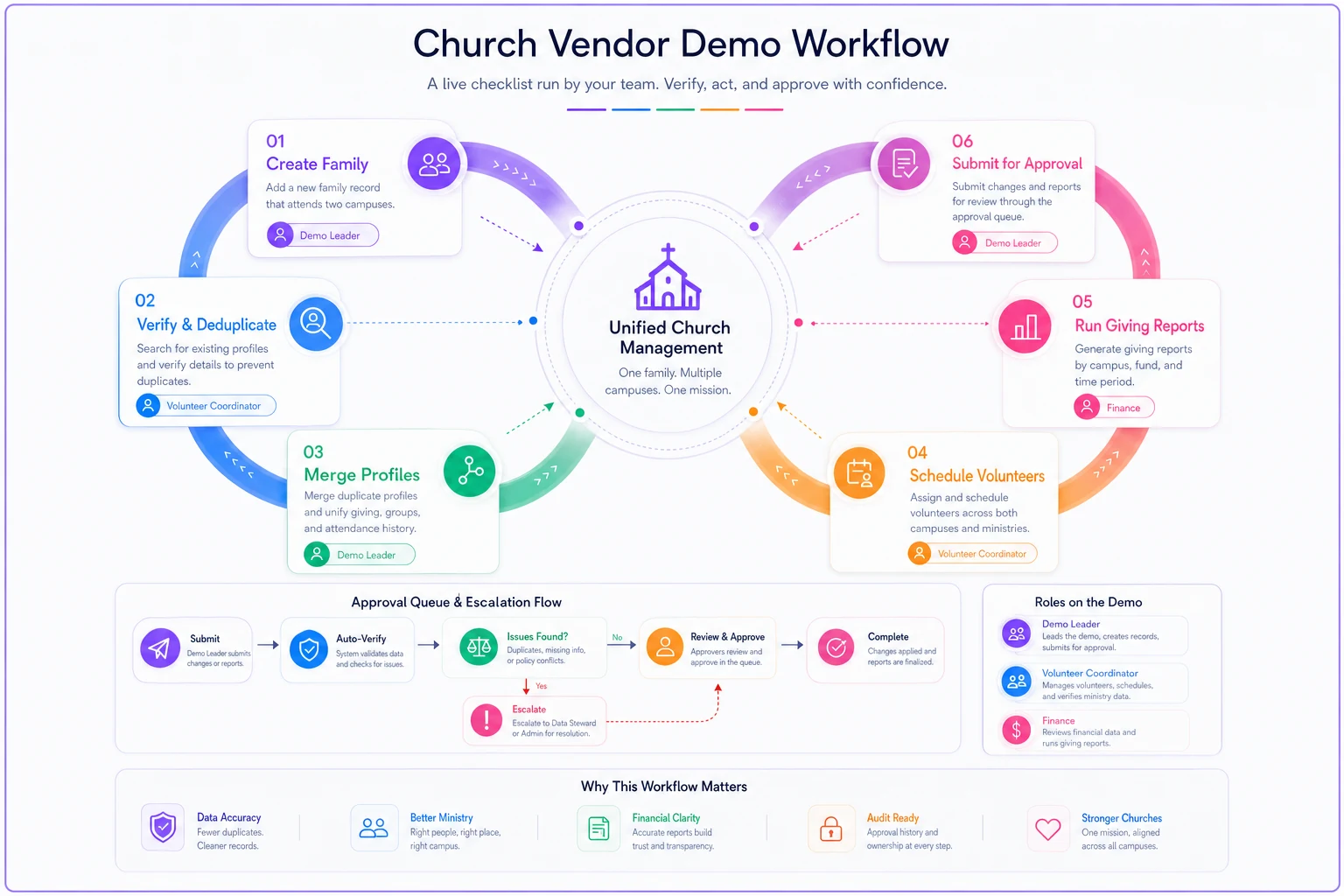
Most sales reps are good at walking you through features that work cleanly. The questions below are designed to find the ones that don't.
People / records
-
Create one family that attends two campuses. Show a single unified profile, not two.
-
Merge two duplicate profiles and show what happens to giving history and group membership.
-
Show a campus pastor's view that includes their members but excludes another campus's pastoral notes.
Calendar / events
-
Book a shared resource (van, sound gear) for an event at Campus A and show the conflict warning when Campus B requests it the same weekend.
-
Create a church-wide event visible to all campuses, then a campus-only event visible to one.
-
Route an event request through an approval step and show the approver's queue.
Volunteers
-
Schedule a volunteer who serves at two campuses and show the system catching a same-time conflict.
-
Send a schedule request and show the accept/decline flow from the volunteer's side.
-
Pull a report of unfilled roles across all campuses for next Sunday.
Giving
-
Run a giving report filtered to one campus's designated fund.
-
Show a combined all-campus report that still breaks out by campus.
-
Export a batch and show how it maps to your chart of accounts.
Access / admin
-
Create a "campus admin" role live and show exactly what it can and can't see.
-
Create a temporary volunteer-leader role and show how access is revoked.
-
Show the audit log for who viewed or edited a specific member record.
If a vendor says "that's on the roadmap" for more than two of these, treat it as a no for your size.
Sample SLA: inter-campus borrowing and event approvals
Software enforces whatever rules you hand it — so the rules have to exist first. Below is a starting template you can adapt. The point is to make request windows and turnaround times explicit so the system can route and escalate instead of relying on someone's inbox.
If you're still mapping out how shared resources move between sites, the multi-site event logistics playbook pairs directly with this section.
Inter-campus resource borrowing
| Item | Rule |
|---|---|
| Request window | Submitted at least 10 business days before the event date |
| Approver | Owning campus facilities lead |
| Approval turnaround | 2 business days; auto-escalates to operations director on day 3 |
| Conflict priority | Church-wide events outrank campus events; earliest approved request wins ties |
| Return condition | Logged back in within 24 hours of event end |
Event approvals
| Event type | Approval path | Turnaround |
|---|---|---|
| Campus-only, no shared resources | Campus admin | 1 business day |
| Campus event using central resources | Campus admin → operations | 3 business days |
| Church-wide event | Operations → executive pastor | 5 business days |
Keep the turnaround numbers in the system as hard escalation triggers. An approval sitting for three days should automatically ping the next person in line, not wait for someone to notice it.
Sample permission matrix
This is the artifact procurement actually needs — a plain map of who should read and write what, so you can test a vendor's claim in the demo instead of taking it on faith.
| Role | People | Calendar | Inventory | Giving |
|---|---|---|---|---|
| Senior/Executive Pastor | R/W | R/W | R | R |
| Campus Pastor | R/W (own campus) | R/W (own campus) | R | R (own campus) |
| Central Finance | R | R | R | R/W |
| Campus Admin | R/W (own campus) | R/W (own campus) | R/W (own campus) | — |
| Volunteer Team Leader | R (own team) | R/W (own team) | — | — |
| Check-in Volunteer | R (limited, check-in only) | — | — | — |
Two things worth flagging. Campus pastors generally should not have write access to giving — that's a segregation-of-duties control, not a trust issue. And "read" on People should almost never mean "read everything." Pastoral notes and sensitive flags belong in a separate access tier. If a vendor can't demonstrate that split live on screen, the permission model isn't granular enough for your size.
A realistic scenario
A three-campus church running around 950 in combined weekend attendance had been on a lightweight system for two years. On paper it worked. In practice, the central bookkeeper spent somewhere between 6 and 8 hours every month exporting giving data, re-tagging campus funds by hand, and reconciling against a separate online giving tool. Duplicate member profiles sat around 12–15% because nothing caught families attending two sites.
The fix wasn't dramatic. They moved to a system with native campus segmentation and a giving platform tied directly to member records. The duplicate rate dropped into the low single digits within a couple of months once merge rules were configured. Month-end giving reconciliation fell from most of a workday to under an hour — mostly because the campus breakout report already existed instead of being rebuilt in a spreadsheet each time.
Nothing about that is a miracle. It's just what happens when the structure lives in the software instead of in one person's monthly routine. The operational lift doesn't disappear, but it stops landing on the same exhausted person every month.
When each choice makes sense — and when it doesn't
Choose Planning Center when volunteer scheduling is your loudest problem and finance can run slightly to the side. Don't if you need one tightly audited permission model enforced across every module from day one.
Choose Rock or Ministry Platform when control, reporting, and role granularity are non-negotiable and you have — or will fund — real implementation help. Don't if nobody on staff can own configuration. You'll pay for power you never turn on.
Choose Breeze at the lower end when adoption speed beats depth. Don't if you're already near 1,100 across four campuses; you'll outgrow the permission model faster than you'd expect.
Choose Tithe.ly when unifying giving and records removes your biggest recurring error. Don't if cross-campus volunteer coordination is the thing keeping your director up at night.
The bottom line for procurement
The mistake churches make at this size isn't picking the wrong system — it's picking any system before writing down their own rules. The demo checklist, the borrowing SLA, and the permission matrix above are deliberately the kind of thing you finish before you watch a single demo. Walk in with those three documents and you'll spend the demo verifying claims instead of being toured through features you'll never configure.
Run the checklist live, hold vendors to the SLA turnaround numbers, and make them reproduce your permission matrix on screen. The system that can do all three without "that's on the roadmap" is the one actually built for a church your size.
Run the checklist live, hold vendors to the SLA turnaround numbers, and make them reproduce your permission matrix on screen. The system that can do all three without "that's on the roadmap" is the one actually built for a church your size.
Ready to transform your church management?
Join 500+ churches using Parshly to enhance community engagement, streamline administration, and grow their ministries.