

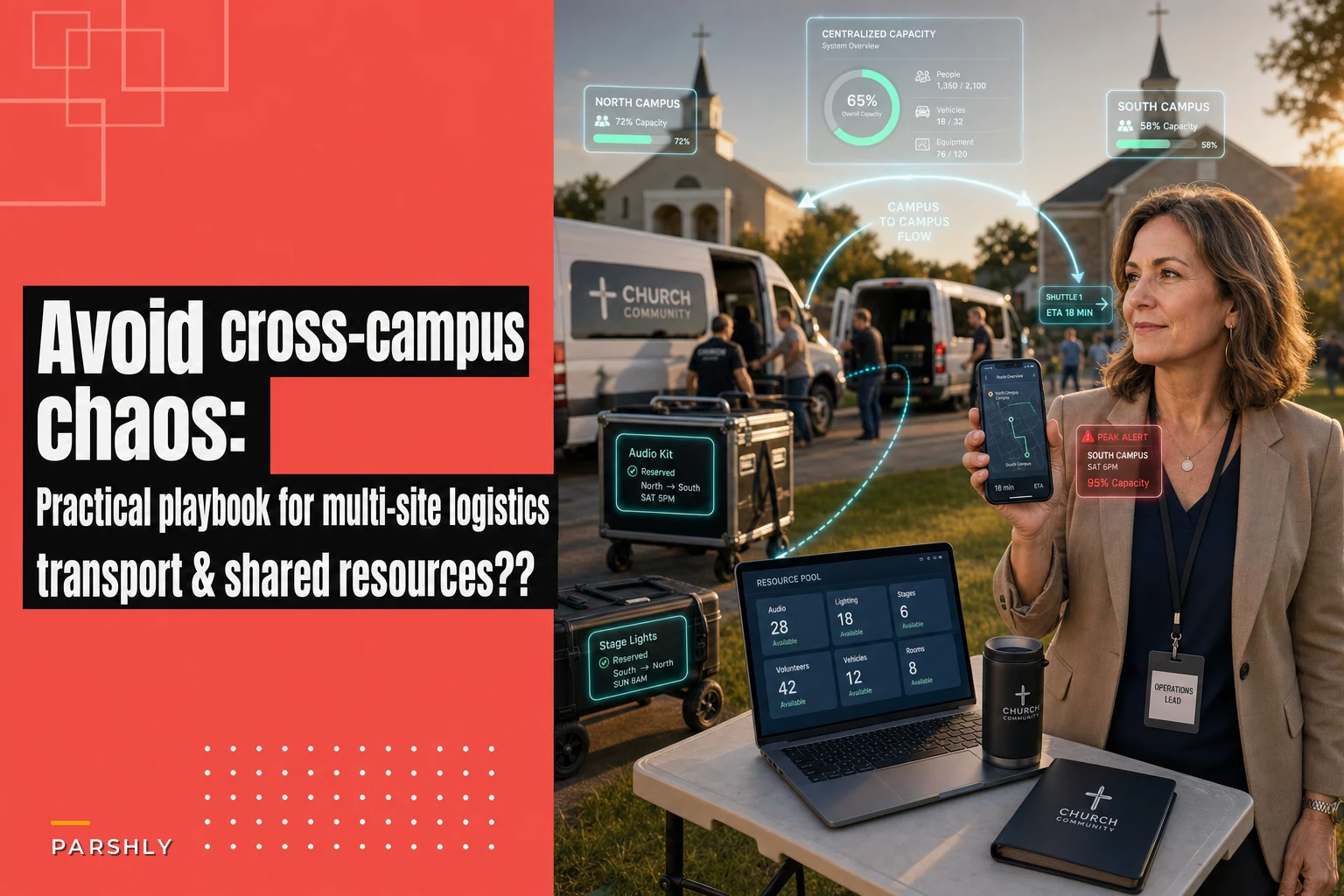

Most multi-site churches don't fail at events because they lack volunteers or money. They fail because nobody knows who owns what across campuses, and the same 40 folding chairs somehow got promised to three different rooms on the same Saturday.
If you run a church with two or more locations, you already know this specific flavor of pain. A combined baptism weekend, a shared youth conference, a citywide Christmas Eve rotation—these events cross campus lines, and the moment they do, the informal "we'll figure it out" system that works fine for a single site completely falls apart.
This playbook is about one thing: keeping multi-site event logistics from turning into a Saturday-morning phone-tree disaster. Not event planning in general. Specifically the coordination problem that shows up when resources, people, and responsibility have to move between campuses.
Where multi-site coordination actually breaks
The failure almost never happens at the planning meeting. It happens in the gap between planning and execution—usually around 72 hours out.
The pattern repeats itself constantly. A regional event gets planned in a big meeting with campus pastors and the central events person. Everyone leaves feeling aligned. Then each campus goes back to its own world and starts making local decisions based on assumptions nobody wrote down. The North campus assumes Central is bringing the sound gear. Central assumes North is handling parking volunteers because "they always do." Nobody's lying or lazy. The information just never lived in one place.
-
Shared equipment double-booked. The projector, the portable baptistry, the good wireless mics, the trailer. High-value items that only exist in one or two copies get promised to multiple sites.
-
Volunteer roles duplicated or dropped. Two campuses both staff a greeter team for the same shared entrance, while nobody handles overflow parking.
-
Transport gaps. Gear that lives at Campus A needs to be at Campus B by 6 a.m., and the person who owns the van key wasn't in the planning meeting.
-
No single capacity number. Nobody can answer "how many total seats, volunteers, and parking spots do we actually have across all sites right now?"
The root cause is almost always the same: responsibility is shared verbally but not divided formally. When everyone is a little bit responsible, no one is actually accountable.
Divide responsibility by campus—with one clear owner per function
The fix starts by killing the idea that a multi-site event is "a team effort" in the vague sense. It's a team effort in the specific sense: every function has exactly one owner, and that owner sits at a known campus.
Simplify your church’s day-to-day operations.
Parshly helps you organize events, track donations, and engage your congregation—all in one place.
- Centralized member management
- Donation tracking & reporting
- Volunteer scheduling & notifications
No credit card required
The mistake churches make is dividing work by task instead of by campus function. They'll say "Sarah's handling volunteers" without specifying she's handling volunteers for the East campus check-in area only. Then when something breaks at West campus, three people think it's someone else's job.
A cleaner model: each campus owns its local execution. A central coordinator owns anything that crosses campus lines. That boundary is the whole game.
| Function | Campus-level owner | Cross-campus owner |
|---|---|---|
| Local check-in & registration | Each campus lead | Central sets the shared system |
| Volunteers on-site | Each campus volunteer coordinator | Central handles floaters who move between sites |
| Shared equipment | Whoever the item physically lives with | Central approves any inter-campus move |
| Transport / logistics | — | Central logistics owner |
| Parking & overflow | Each campus | Central decides overflow routing |
| Signage & wayfinding | Each campus | Central for consistent branding |
The point isn't the exact grid—yours will look different. The point is that every row has a name, and the "cross-campus" column has a single throat to choke when something moves between locations.
One church running four campuses said their turning point was a simple rule: nothing moves between campuses without going through one person. Before that, campus leads were texting each other directly to borrow gear, and there was no record of what left, when, or whether it came back. After the rule, borrow requests dropped by more than half—because a lot of "we need to borrow X" was actually "we forgot we already have X in the back closet."
Build shared resource pools you can actually see
Honest truth: you probably own more equipment than you think, and less of it is usable than you assume.
Shared resource pools only work when three things are true—there's a master list, the list reflects reality, and everyone requests from the same place. Miss any one of those and you're back to closet-diving on Friday night.
Start by inventorying what crosses campus lines. You don't need to catalog every hymnal. You need the high-demand, low-quantity, movable items—the ones that cause fights:
-
Portable sound gear and mics
-
Projectors and screens
-
The baptistry, if it's portable
-
Coffee/hospitality equipment (urns, dispensers)
-
Folding tables and chairs beyond each site's baseline
-
Kids' ministry supplies and check-in tablets
-
Vehicles and trailers
-
Generators, extension cords, staging
For each item, you want four data points: what it is, where it normally lives, how many exist, and its current status (available, reserved, in transit, broken). That last one matters more than people expect. A projector that's been "borrowed and never returned" for six weeks is functionally not in your pool, and pretending otherwise sets up a Sunday-morning surprise.
The operational pattern that works: one shared list, one request queue, one person or small central team approving moves. When a campus needs the portable baptistry, they request it against the pool instead of texting whoever they think has it. The request gets logged, the item gets reserved, and now there's a record.
This is exactly the kind of tracking where a shared dashboard earns its keep. When capacity and equipment status live in one place instead of scattered across texts and spreadsheets, the double-booking problem mostly disappears on its own—because you can't accidentally promise the trailer to two campuses when the system shows it's already reserved. AI-assisted operational platforms can go a step further and flag conflicts automatically, so a request for a mic set that's already booked gets caught the moment it's entered rather than at 6 a.m. on event day.
Cross-train volunteers so one no-show doesn't sink a site
A single-campus event can absorb a volunteer flaking. A multi-site event often can't, because your volunteer pool is already spread thin across locations with no slack.
The specific failure looks like this: the West campus check-in lead gets sick Saturday morning. She's the only person who knows how the check-in flow works there. The event doesn't stop, but the line backs up to 25 minutes, families with kids get frustrated, and a few just leave. That's not a staffing shortage—it's a knowledge concentration problem.
A practical cross-training sequence:
-
Identify single points of failure. For each campus, list the roles where only one person knows the job. Those are your priorities.
-
Pair primary and backup by function, not friendship. Every critical role gets a named backup who has actually done the task at least once.
-
Train backups on the shared system, not the campus quirks. If check-in works the same way everywhere, a West volunteer can cover at East with minimal ramp-up. Standardization is what makes cross-training cheap.
-
Create a small "floater" corps. A handful of experienced volunteers who aren't assigned to one campus and can be deployed wherever the gap opens Saturday morning. Central owns these people.
-
Run one dry-run per quarter. Not the whole event—just the handoff points. Have a backup actually run check-in for 20 minutes while the primary watches.
The floater corps is the underrated piece. Even four or five people who genuinely know how things run across all sites will save you more Saturday-morning panic than 30 new volunteers who only know their one station.
One thing worth stating plainly: cross-training only works if the underlying processes are the same across campuses. If every site checks people in differently, "cross-training" just means teaching someone three separate systems. Standardize first, then cross-train.
Use one dashboard for capacity—because scattered numbers lie
The single most valuable thing in multi-site coordination is being able to answer one question at any moment: what is our total and per-campus capacity right now?
Seats, volunteers, parking, check-in stations, key equipment. When those numbers live in separate spreadsheets owned by separate people, they drift within hours. Central thinks North has 40 open volunteer slots; North filled 30 of them yesterday and didn't update the master sheet. Decisions get made on stale data, and stale data is worse than no data because it feels reliable.
A centralized capacity dashboard fixes the drift by making one number the source of truth. The pattern that works:
Here's a simple visual of that workflow.
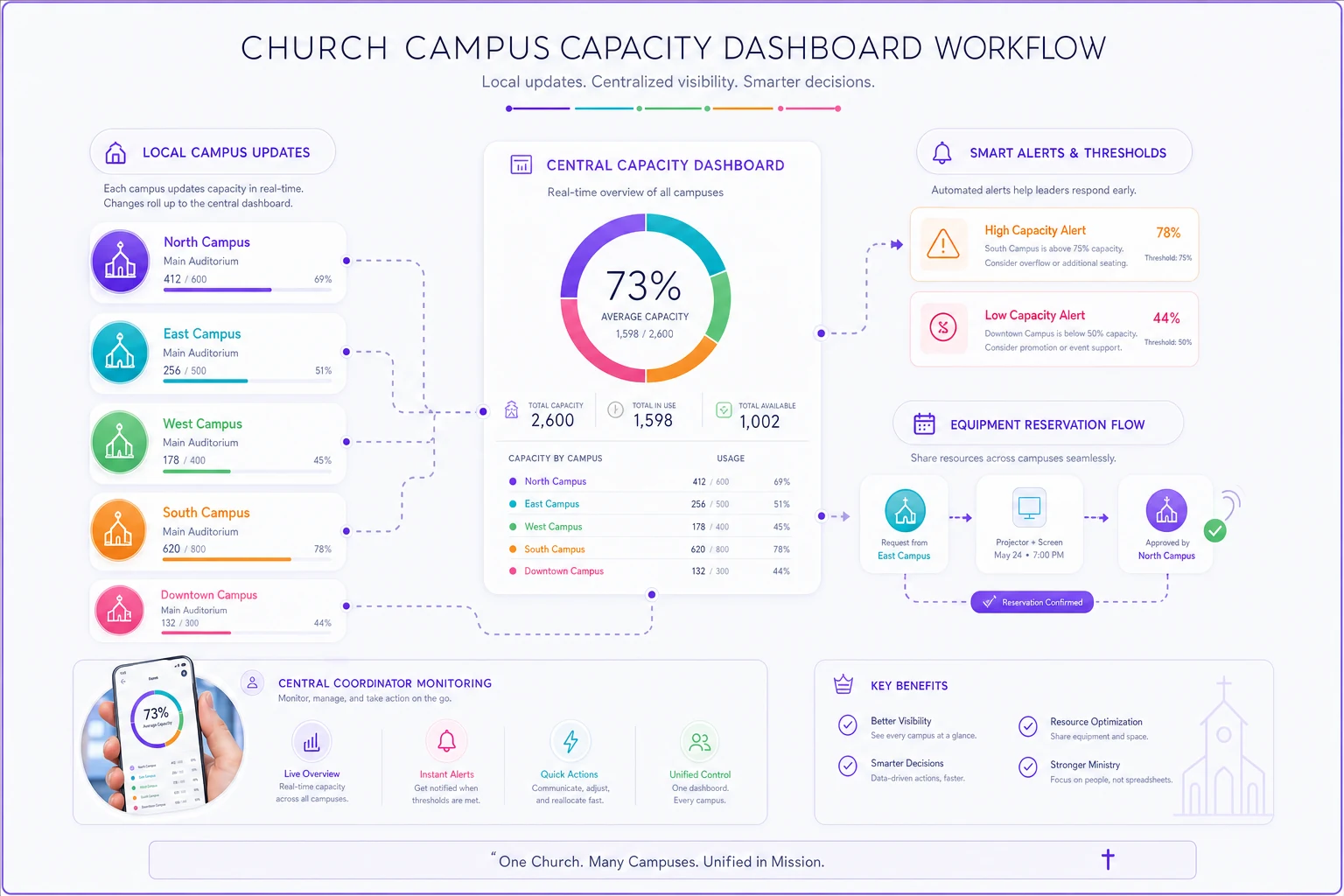
That's where operational software with AI automation quietly does a lot of work. Instead of a coordinator manually refreshing five spreadsheets and doing mental math, the system tracks capacity across every site, catches conflicts like double-booked gear, and surfaces the one campus that's about to run short on parking while the others have room. The value isn't the technology—it's that the central coordinator stops flying blind three days before a 600-person combined service.
The dashboard should answer, at a glance:
-
Total registered vs. total capacity, per campus and combined
-
Confirmed volunteers vs. minimum needed, per role, per site
-
Equipment status and any pending inter-campus moves
-
Parking/overflow status per campus
-
Any threshold currently breached
If your leadership can't pull that up on a phone Saturday at 7 a.m., you're managing a multi-site event on hope.
A quick real scenario
A three-campus church—roughly 1,400 in combined weekend attendance—ran a shared Good Friday service that rotated gear and volunteers between two of its sites. The first year was rough. The portable sound system got double-booked, the check-in line at the host campus stretched close to 30 minutes, and somewhere between 15 and 20 families reportedly left before the service started. Post-event, the events team said they'd spent more time untangling logistics than planning the actual service.
The next year they changed three things: one central owner for anything crossing campuses, a shared equipment list with a real reservation queue, and a simple capacity view that all three campus leads updated. They also put together a five-person floater team.
The result wasn't dramatic in a headline way—it was just calm. No double-booked gear. Check-in stayed under 10 minutes because a floater jumped in when one campus lead got pulled away. The central coordinator later said the biggest change was that on event morning, she wasn't fielding a single "wait, who has the mics?" text. That question had already been answered on Wednesday.
When this playbook makes sense—and when it's overkill
When it makes sense:
-
You run two or more campuses that share equipment, volunteers, or events
-
You've had at least one event where cross-campus coordination broke down
-
Combined or rotating services are part of your regular calendar
-
You're growing and the informal "text whoever has it" system is starting to crack
When it's overkill:
-
You're a single-site church. Most of this collapses into one clear owner and you don't need the cross-campus layer.
-
Your campuses genuinely operate independently and never share resources. If nothing crosses campus lines, don't build machinery to manage crossings that don't happen.
-
You have a small combined event once a year with plenty of slack. A shared checklist beats a full system.
Who should not do this: Don't build a heavy centralized system if your bottleneck is actually that your campuses run completely different processes. Fix the standardization first. Layering coordination tooling on top of three incompatible workflows just makes the incompatibility more visible, not less painful.
The through-line
Multi-site coordination doesn't break because people are careless. It breaks because responsibility gets shared without being divided, resources get promised without being tracked, knowledge sits in one person's head, and nobody holds the single number that tells you where you actually stand.
Fix those four things—clear campus ownership, a visible shared resource pool, targeted cross-training with floaters, and one capacity view everyone trusts—and the Saturday-morning phone tree mostly goes quiet. Not because the events got smaller, but because the guessing got removed. And in multi-site logistics, the guessing is what kills you.
Fix those four things—clear campus ownership, a visible shared resource pool, targeted cross-training with floaters, and one capacity view everyone trusts—and the Saturday-morning phone tree mostly goes quiet. Not because the events got smaller, but because the guessing got removed. And in multi-site logistics, the guessing is what kills you.
Ready to transform your church management?
Join 500+ churches using Parshly to enhance community engagement, streamline administration, and grow their ministries.