
Your youth retreat fills in 37 minutes. The women's conference has 84 people on the waitlist. Meanwhile, the marriage workshop is struggling to hit 12 couples when you need at least 20 to break even.
Church event registration isn't just about collecting names anymore. It's about managing expectations, maintaining fairness, and avoiding the awkward conversations that happen when longtime members discover they're number 47 on a waitlist while someone who joined last month already got a spot.
You're essentially running a ticketing operation without ticketing infrastructure: balancing member expectations against capacity limits while preserving the sense of community that makes church events different from a commercial venue.
Why first-come registration creates more problems than it solves
The standard open-until-full approach looks simple but creates a cascade of headaches: staff field special requests, ministry leaders make side deals, and admins maintain multiple inconsistent lists of attendees.
A church in Austin ran family camp this way for years. Registration opened at noon and 180 people signed up for 150 spots within 14 minutes. By the next morning they had dozens of exception requests, voicemails, and a very stressed communications director.
The root problem was a mismatch between the registration process and how the community actually functions. Different member segments require different handling; treating everyone identically just rewards whoever happens to be online when registration opens.
When tiered access actually makes sense (and when it doesn't)
Tiered access gives groups different registration windows—similar to airline boarding groups—so it works best where demand predictably exceeds capacity or where prioritization supports event viability.
Simplify your church’s day-to-day operations.
Parshly helps you organize events, track donations, and engage your congregation—all in one place.
- Centralized member management
- Donation tracking & reporting
- Volunteer scheduling & notifications
No credit card required
-
High-demand events with clear member categories (annual retreats, planned youth camps).
-
Events with cost-recovery requirements where historical follow-through predicts payment and attendance.
-
Multi-church or partnership events that need fair allocation across organizations.
Tiering becomes counterproductive for small gatherings, community-building events, or outreach-focused activities where complexity creates barriers.
-
Small events under ~50 people where manual coordination suffices.
-
Community-building events where exclusivity undermines the goal.
-
Events aimed at reaching new people, where a simple process reduces friction.
The practical rule: will managing tiers save more headaches than it creates? For most churches, only a few events per year genuinely benefit from tiered access.
Building access rules that feel fair without becoming bureaucratic
Successful tiered systems stay simple and transparent. If your rules require a flowchart, you've already overcomplicated things.
-
Tier 1 — Members and regular attenders (e.g., monthly attendance for 6+ months)
48–72 hour window.
-
Tier 2 — Occasional attenders and previous participants
next 48-hour window.
-
Tier 3 — General registration open to the public.
A Charlotte church once used five complex tiers tied to giving and volunteer status; staff spent more time explaining rules than planning events. They simplified to three tiers based on attendance data they already tracked, which proved clean and explainable.
Announce all tier opening dates upfront to reduce confusion.
-
Members
Registration opens March 1 at 9am
-
Regular attenders
Registration opens March 3 at 9am
-
General public
Registration opens March 5 at 9am
The waitlist workflow that actually converts to attendance
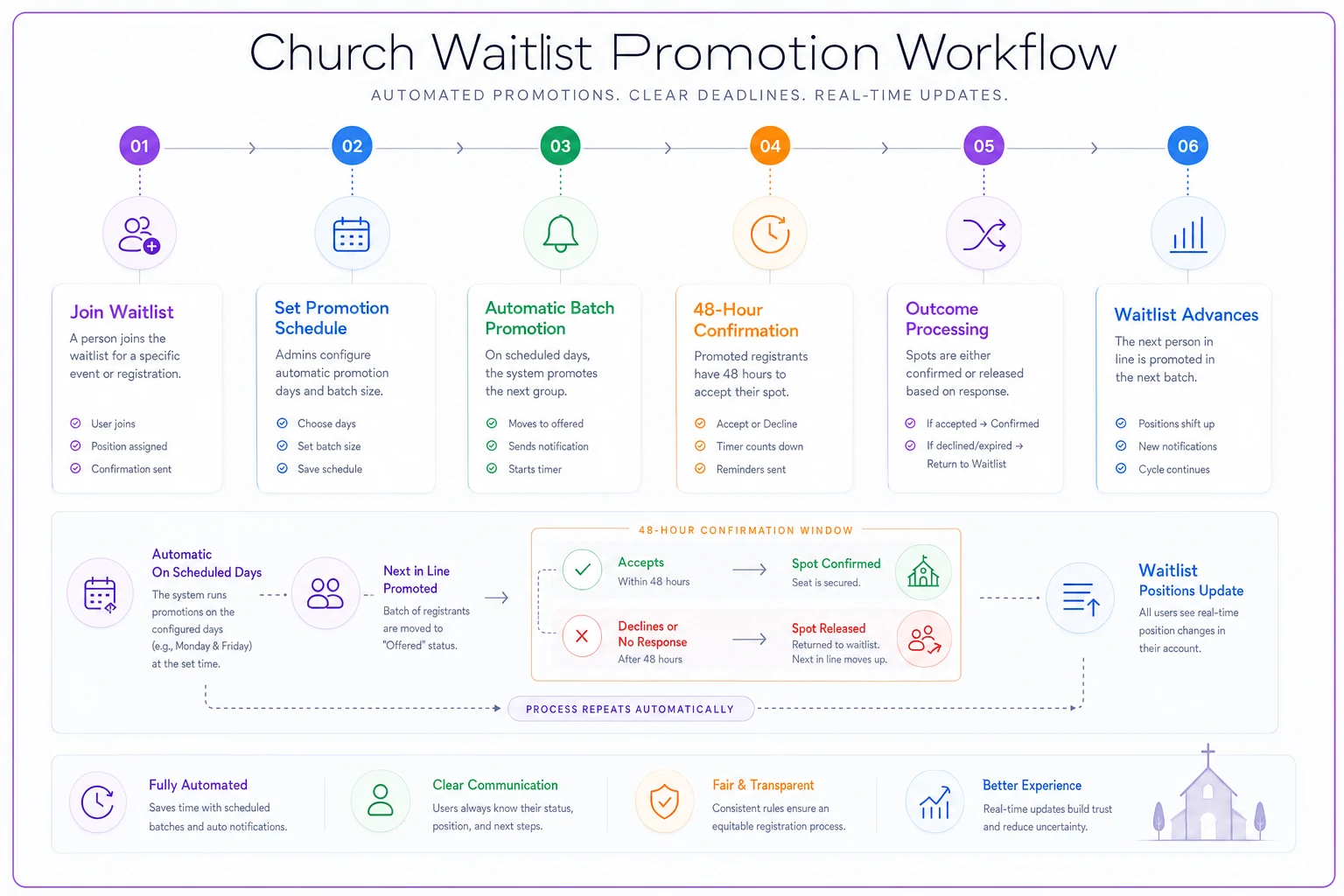
Passive spreadsheets let interest cool and spots go unfilled. An effective waitlist pairs clear rules with automated actions to keep momentum.
-
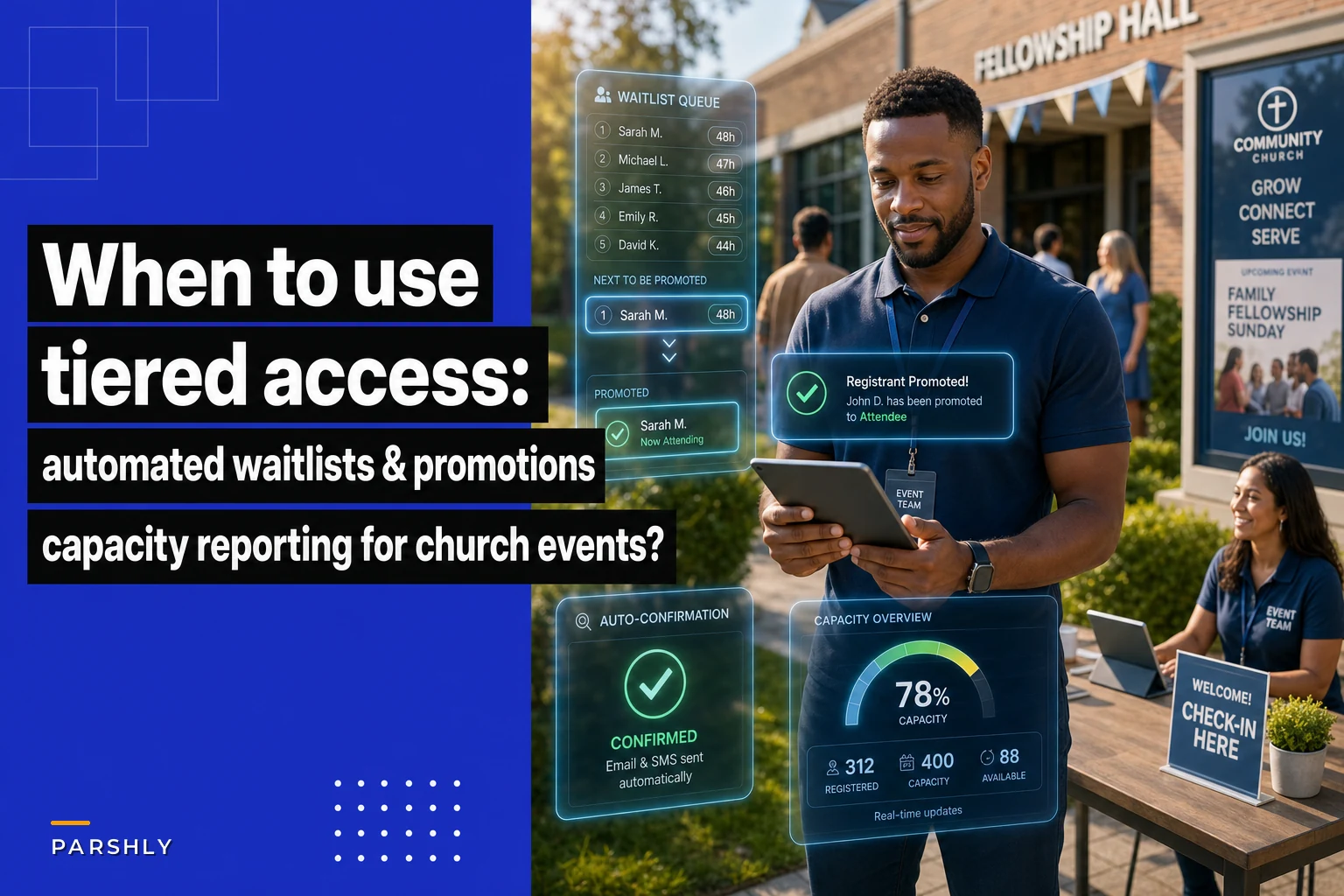
Automatic confirmation deadlines — promoted people have 48 hours to respond before the spot moves on.
-
Clear position visibility — show each person's waitlist rank so they can self-triage.
-
Batch promotion timing — promote in predictable batches (for example, Tuesdays and Fridays at noon).
Example: a marriage retreat with 40-couple capacity filled quickly and had a 22-couple waitlist. Six cancellations two weeks before the event triggered an automatic promotion of the first six couples; confirmed couples had 48 hours to accept. Nonresponders were skipped and the next batch promoted on schedule.
Waitlist management prioritizes momentum: promote in batches, communicate deadlines, and accept that not everyone will convert.
Capacity reporting that prevents both empty seats and overcrowding
Churches often watch the wrong numbers. Counting registrations instead of confirmed attendance and ignoring dropout patterns leads to empty seats or surprise crowds.
Effective capacity reporting focuses on three metrics you can act on.
| Metric | What It Tells You | How to Use It |
|---|---|---|
| Registered vs. Confirmed | How many signed up vs. how many are actually coming | Require confirmation 1–2 weeks before multi-day events |
| Historical no-show rate | Expected dropout percentage by event type | Use rolling 12-month averages, not all-time data |
| Waitlist conversion probability | What share of promotions actually convert | Helps determine whether slight overbooking is safe |
A Denver church used historical no-show and conversion rates for their 100-bed youth retreat. With a 12% no-show rate and known conversion probabilities, they registered slightly over capacity and promoted from a 20-person waitlist in batches, ending up with 98 attendees and no one turned away.
The communication sequence that keeps everyone informed without burying your team
Automation fixes most communication gaps: missing confirmations, payment deadlines, and people who think they registered but didn't submit the form.
-
Immediate confirmation with event details and next steps when someone registers.
-
Weekly waitlist position updates so people can plan.
-
Promotion notifications by email and text with an explicit 48-hour confirmation window.
-
Pre-event reminders
two weeks, one week, and 24 hours with logistics and check-in info.
-
Post-waitlist closure notice so remaining waitlisters can make other plans.
This sequence looks like a lot, but when automated it requires almost no staff time while avoiding dozens of phone calls and confused arrivals.
Software solutions that handle the complexity without killing the personal touch
Many platforms offer tiered access and waitlists. The key is integration with your existing operations so the software reduces work rather than shifting it.
Your software should pull from your existing member database to determine tier eligibility automatically (guided by clear church data governance & consent rules for automated tier assignment), support automated waitlist promotion with pastoral overrides, and provide live capacity reporting.
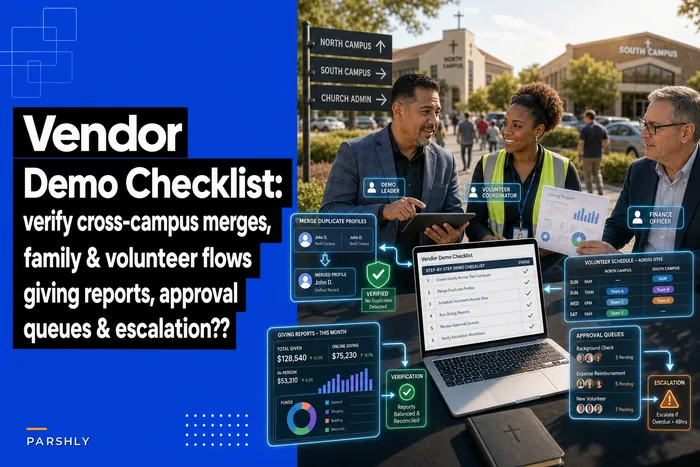
See buyer resources such as https://gitnux.org/best/church-event-registration-software/ and a vendor shortlist & demo checklist for tiered access and waitlist features when evaluating options.
-
Automatically determine tier eligibility from your member database to avoid manual sorting.
-
Support automated waitlist promotion with scheduled batches and manual override capability.
-
Provide live capacity reporting that uses confirmed attendance and historical no-show data.
Churches that implement this well start with one high-impact event, keep rules simple, and maintain pastoral override for exceptions.
A Phoenix church automated VBS registration first, refined rules over a year, then expanded to youth camps and adult education—moving gradually avoided staff overwhelm.
The bottom line on tiered church event registration
Tiered access and automated waitlists solve real problems when used with restraint. The goal is fair capacity management and reduced administrative burden—not airline-style priority boarding.
Start by identifying the actual pain point: fast-selling events, last-minute dropouts, or general confusion. Match the solution—tiering, waitlist automation, or better communications—to that problem.
Every rule needs explanation and enforcement. The sweet spot is enough structure to prevent chaos without creating bureaucracy: typically two or three tiers, a simple automated waitlist, and a five-message communication sequence.
The churches doing this well match their technical solution to operational needs and allow staff to override the system when pastoral care requires it. Your registration process should serve your mission, not complicate it.
When done right, tiered access and automated waitlists remove barriers and help the people who need to be at your events actually get there.
Ready to transform your church management?
Join 500+ churches using Parshly to enhance community engagement, streamline administration, and grow their ministries.