

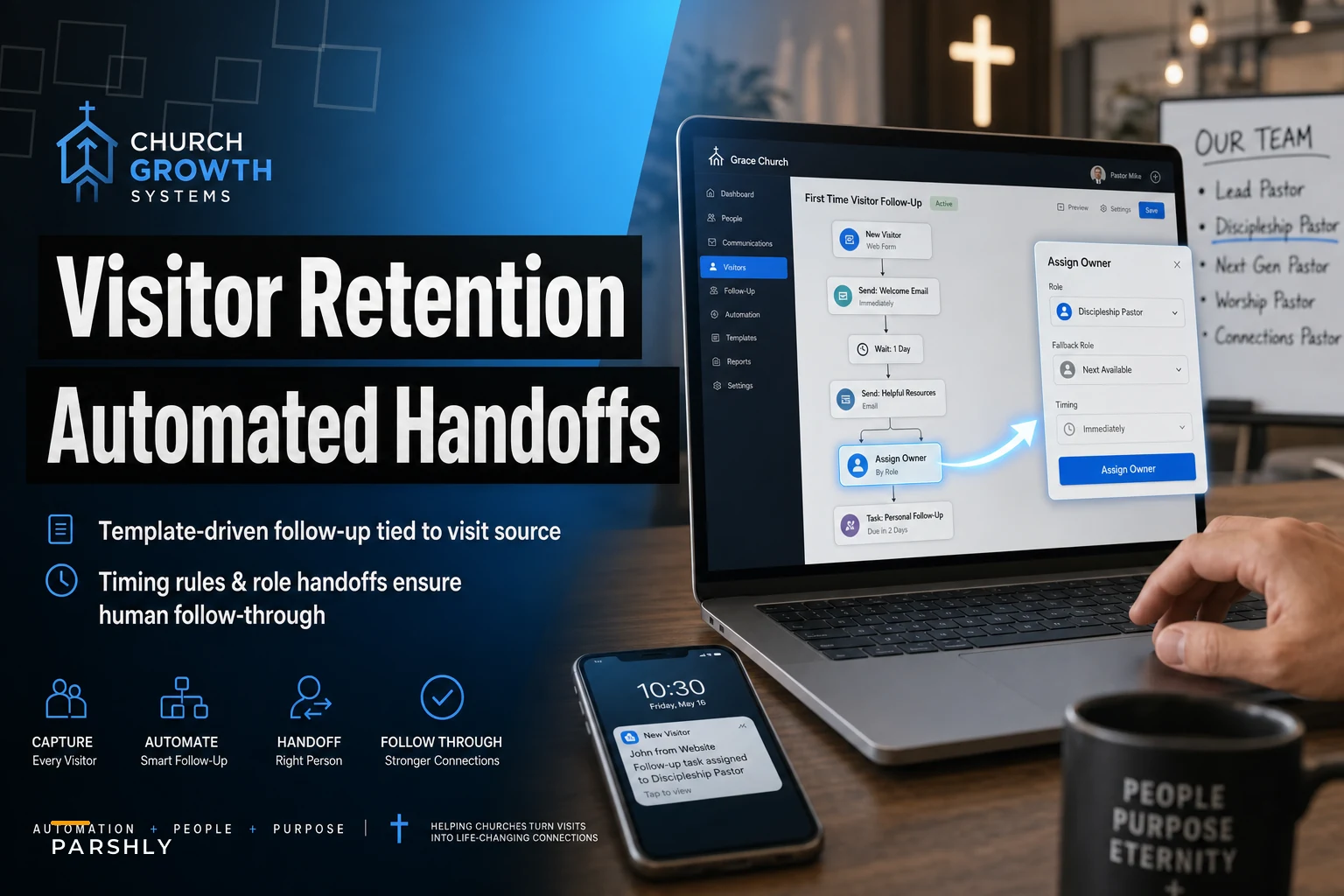

Most churches actually do okay with the first touch. A visitor drops their info at the connect card, and within a day or two they get a "Great to have you!" email. That part's easy to automate and easy to remember, so it usually gets done.
The breakdown happens on touch two, three, and four — the ones that require an actual human to do something. The email goes out, the visitor maybe replies, and then the message sits in a shared inbox that four people half-monitor and nobody owns. By the time someone notices, it's been eleven days, the warmth is gone, and the visitor has quietly decided you're not that interested.
That's the real problem with automated visitor follow-up church systems: they automate the parts that were already fine and leave the fragile human parts to memory and goodwill. What actually keeps people from slipping through is a sequence that knows where the visitor came from, fires at the right intervals, and — this is the piece everyone skips — explicitly hands the visitor off to a named person with a deadline attached.
Why source matters more than most churches think
A visitor who came to a Sunday service should not get the same follow-up as someone who showed up to a grief support group, a men's breakfast, or a "we're new to town" table at a community event. The intent is different, the emotional state is different, and the next reasonable step is different.
The pattern that keeps showing up: churches build one generic "new person" sequence and run every visitor through it regardless of how they arrived. So the grieving widow who came to a Wednesday support group gets a cheerful "Join us for our next newcomer lunch!" email three days later. It's not wrong exactly, but it's tone-deaf, and it signals that nobody actually read the situation.
| Visit source | Reasonable timing for touch 2 | Best human owner | What the handoff message should say |
|---|---|---|---|
| Sunday worship (first-time) | 2–3 days | Connections team lead | "Personal note, invite to newcomer coffee" |
| Kids/family check-in | 3–4 days | Family ministry coordinator | "Was your child comfortable? Anything we can do?" |
| Grief/recovery group | 5–7 days, softer | Care pastor | "Just checking in, no pressure to return" |
| Community event / outreach | 4–5 days | Outreach volunteer | "Loved meeting you, here's what we're about" |
| Online service / stream | 3–4 days | Digital ministry contact | "Would love to connect you locally" |
Notice the grief group gets a longer gap and a pastor, not a volunteer. That's not a small detail — that's the difference between a system that respects context and one that treats every human like a lead in a funnel.
Where the automation actually stops and a person has to start
The mistake churches make is thinking automation replaces the follow-up. It doesn't. It stages it. The software's job is to send the low-stakes touches reliably and then, at the exact right moment, tap a specific human on the shoulder and say "this one's yours now."
Simplify your church’s day-to-day operations.
Parshly helps you organize events, track donations, and engage your congregation—all in one place.
- Centralized member management
- Donation tracking & reporting
- Volunteer scheduling & notifications
No credit card required
Think of it as a relay. The automated system runs the first leg — the welcome email, the resource link, maybe a text with service times. But there's a defined point where the baton has to pass to a real person, because no visitor wants to feel like they're being processed by a machine indefinitely.
-
Visitor is captured at the source with a source tag applied automatically (connect card, check-in kiosk, event signup, stream signup).
-
Touch 1 fires automatically within 24 hours — a warm, source-appropriate welcome. No human needed.
-
Touch 2 fires on a source-based delay — still automated, but now carrying a lighter, more personal tone.
-
Handoff triggers. The system assigns the visitor to a named owner based on source and creates a task with a due date, not just a suggestion.
-
The owner completes a personal touch — a call, a text, or a handwritten note — and marks it done. If it's not done by the deadline, it escalates.
-
Escalation fires if the task goes stale, notifying the ministry lead so it doesn't die silently.
Include the preferred contact method and any quick context in the handoff task so owners can act immediately.
Steps 5 and 6 are where nearly every DIY system falls apart. Sending the automated touches is easy. Guaranteeing a human actually follows through — and knowing when they didn't — is the hard operational muscle.
The escalation rule nobody wants to build (but everyone needs)
Explicit handoffs only work if there's a consequence for silence. A task assigned with no deadline and no escalation path is just a polite suggestion, and polite suggestions get buried under Sunday morning chaos.
Every church should have this rule in place: if a handoff task isn't marked complete within its window, it automatically re-routes to a backup owner or the ministry lead. Not as punishment — as a safety net. Volunteers get sick, coordinators go on vacation, and a visitor's experience shouldn't depend on one person having a good week.
-
Owner has 48 hours to complete their assigned touch after handoff.
-
At 48 hours with no action, a reminder pings the owner.
-
At 72 hours, the task re-routes to the ministry lead automatically.
-
The lead sees a short weekly list of any visitor who fell through, so patterns get noticed instead of quietly repeating.
That last point matters more than it looks. When the same volunteer misses handoffs three weeks running, that's not a visitor problem — it's a staffing or training problem, and you can only fix it if the system surfaces it.
A realistic before-and-after
Consider a mid-sized church — around 400 in weekend attendance, mostly volunteer-run administration. Before, they had one shared "welcome@" inbox and a single generic email sequence. Roughly 30–40 first-time visitors filled out cards each month. Their honest estimate was that maybe 6 or 7 got any kind of personal follow-up, and those were the ones a staff member happened to remember.
They weren't lazy. The information was just scattered — some cards physical, some digital, replies landing in an inbox three people ignored because they assumed someone else had it.
After moving to source-based sequences with named handoffs and a 72-hour escalation rule, the change wasn't dramatic on the automation side — the emails looked similar. What changed was accountability. Personal follow-through jumped to somewhere in the low-to-mid twenties per month out of that same 30–40. Return visits over the following weeks improved noticeably, and the care pastor caught two grief-group visitors who would've otherwise gone through a generic sequence entirely.
No revenue miracle, no perfect numbers. Just far fewer people quietly falling through because a message sat unowned.
How the full workflow fits together
Building this out for the first time, it helps to see the whole thing mapped before you start assigning owners or writing email copy. The sequence isn't complicated, but there are more decision points than people expect — especially around what triggers a handoff versus what keeps running automatically.
Visualizing the flow from capture through escalation can make the decision points obvious.
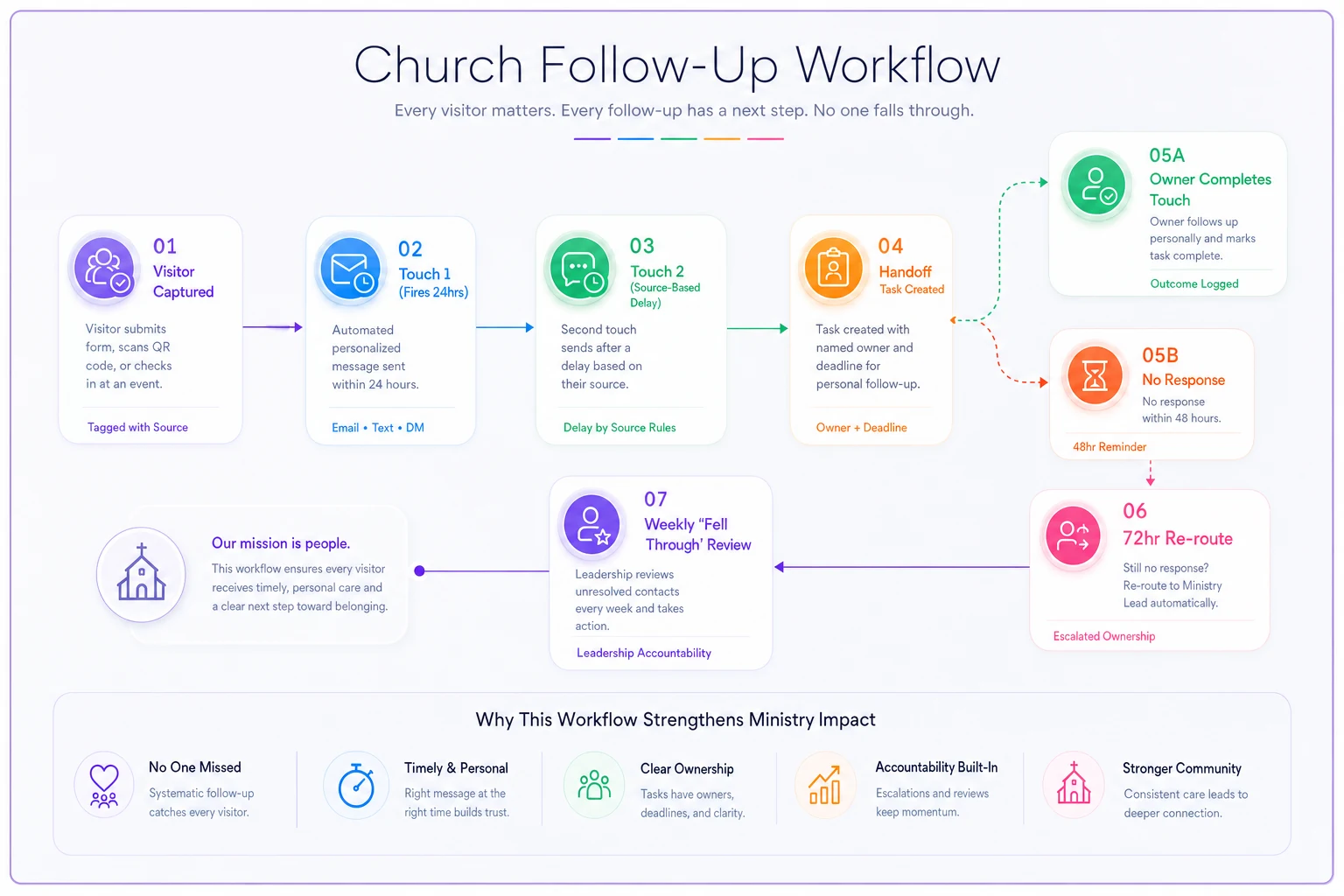
Once you see it laid out, the gaps in most church systems become obvious fast. Most stop at touch 2. The handoff either doesn't exist or it's an informal "hey, can you reach out to this person?" message that disappears into a group chat.
Getting the handoff stage right — named owner, hard deadline, escalation path — is where the actual work is. The automated parts are almost secondary.
When this makes sense — and when it doesn't
This is worth building if:
-
You're getting more than 15–20 first-time visitors a month and can't reliably follow up on all of them by hand.
-
Your visitors arrive through genuinely different doors (services, groups, events, online) that deserve different responses.
-
You have at least a few reliable volunteers or staff who can own handoffs.
This is probably overkill if:
-
You're a small congregation where a single person already personally knows and follows up with every new face. Don't automate a relationship that's already working.
-
You can't yet identify who would own each handoff. Without named owners, source-based sequences just generate tasks that pile up unassigned.
Who should NOT do this:
-
any church that hasn't cleaned up its visit-source tagging first. If you can't reliably tell where someone came from, source-based branching just sends the wrong message to the wrong person faster. Fix the capture point before you fix the sequence.
Run through this before touching any software. Most churches that try to build this and fail skip two or three of these items and wonder why the system still leaks.
A short checklist before you build anything
Run through this before touching any software.
-
Every entry point (card, kiosk, event, stream) applies a source tag automatically — no manual sorting.
-
Each source has a named human owner for the handoff, plus a backup.
-
Timing rules per source are written down and defensible (why 3 days here, 7 days there).
-
Every handoff task has a deadline, not just an assignment.
-
An escalation rule re-routes stale tasks before the visitor goes cold.
-
Someone reviews a weekly "who fell through" list to catch repeating gaps.
-
Grief, recovery, and care-related sources route to a pastor, never a general volunteer.
Most churches that try to build this and fail skip two or three of these items and wonder why the system still leaks.
The point of all of it
First-time visitors slip through not because churches don't care — it's that caring was left to memory instead of built into a process. Automated touches handle the easy 80%. The 20% that actually determines whether someone comes back is a real person following through, on time, with context.
Source-aware timing tells you how to reach out. Explicit role handoffs with deadlines make sure someone actually does. And an escalation rule makes sure that when a human misses — because humans do — the visitor still gets caught. Get those three things working together and you stop losing people in the gap between the automated hello and the human who was supposed to say more.
Ready to transform your church management?
Join 500+ churches using Parshly to enhance community engagement, streamline administration, and grow their ministries.