

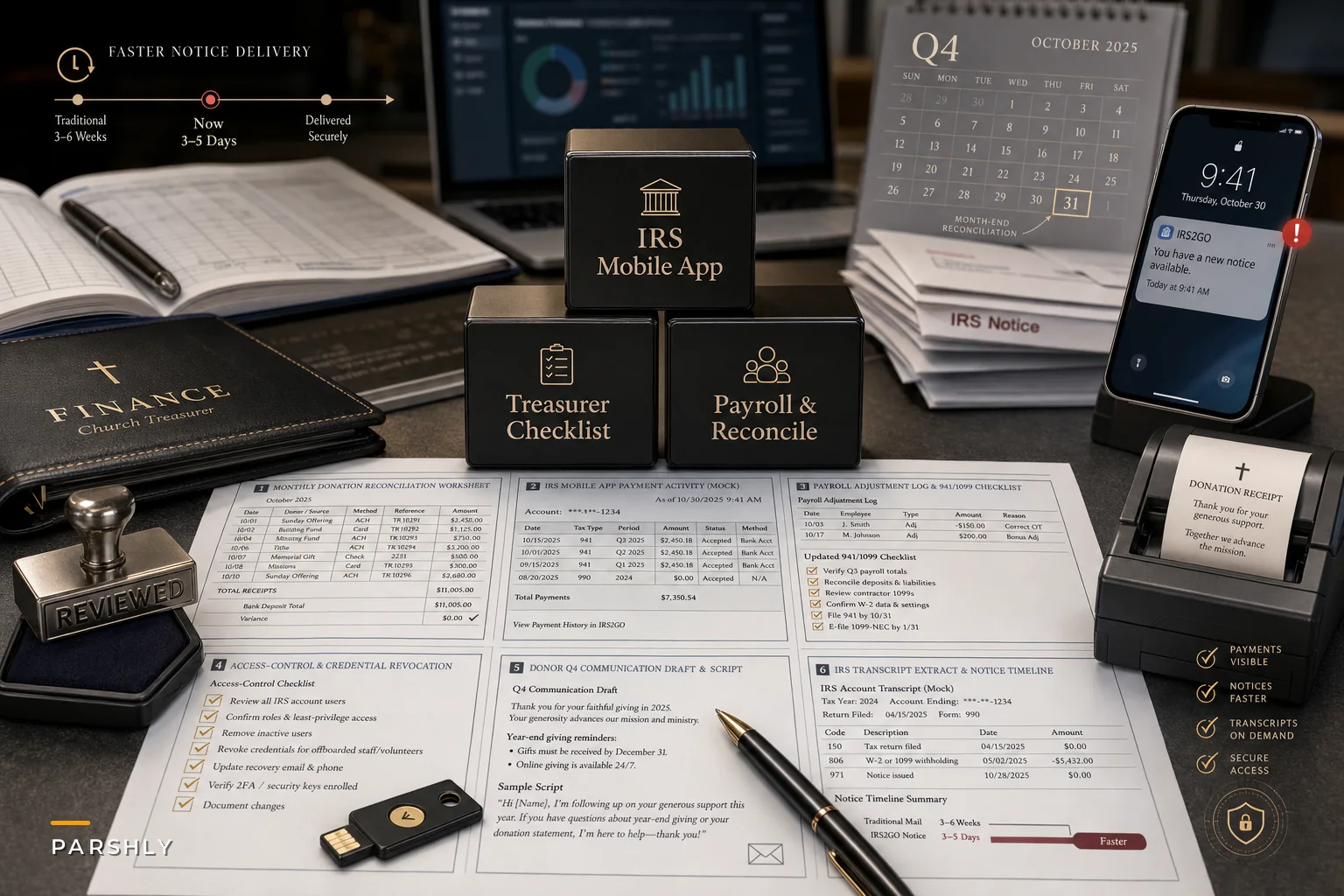

The IRS retired IRS2Go and rolled out a new official mobile app on September 25, 2026, and most of the coverage treated it as a consumer convenience story. Faster refund checks, mobile payments, transcript viewing, Identity Protection PIN access — the stuff an individual filer cares about. According to the IRS's own announcement, the app extends Individual Online Account features to a phone: balances, payment activity, select notices, amended-return status.
What nobody writing about it mentioned: for a church treasurer, this quietly changes how you verify payments, respond to notices, and close your books — and it lands right before the Q4 giving crunch and year-end reporting season. Not because the app itself is complicated, but because it shifts who sees tax information, how fast, and through what channel. That exposes workflow gaps that were already there, and for most churches, those gaps are real.
The app is the entry point, not the story.
Start with the gap it exposes: most church finance roles are split across people who don't talk to each other
Before touching the app, understand the environment it's dropping into. In a typical small church, tax-related information is scattered across at least three hands:
-
The payroll admin (sometimes a part-time bookkeeper, sometimes a volunteer) who handles 941 deposits and W-2s
-
The treasurer or finance chair who reconciles bank and donation activity
-
The senior pastor or office manager whose name or SSN may sit on IRS correspondence as a responsible party
The new app assumes a single taxpayer logging into a single account. Churches don't work that way. A 941 payment confirmation might now be viewable in a phone app by whoever holds the login credentials — but the person reconciling the books may never see it unless someone screenshots it and emails it over. That's the core problem the app surfaces: access to tax data and the workflow that uses tax data are two different things, and in most churches they've never been connected.
In church finance operations, the payment happens, and then confirmation of the payment lives in someone's inbox, someone's memory, or now, someone's phone app. Three months later at year-end, nobody can quickly produce proof that the Q2 payroll deposit cleared, and the treasurer spends an afternoon rebuilding a timeline from scratch.
What the app actually changes for your reconciliation workflow
The genuinely useful part for treasurers isn't the app's existence — it's that payment activity and transcript data are now easier to pull on demand. That's a reconciliation upgrade, but only if you build a process around it.
Simplify your church’s day-to-day operations.
Parshly helps you organize events, track donations, and engage your congregation—all in one place.
- Centralized member management
- Donation tracking & reporting
- Volunteer scheduling & notifications
No credit card required
| Old workflow | What changes with mobile IRS access |
|---|---|
| Wait for mailed notice to confirm a deposit posted | Check payment activity directly, same week |
| Call the IRS and sit on hold to verify a balance | View current balance on the account |
| Reconstruct deposit history at year-end from bank records only | Cross-check bank records against IRS-visible payment activity |
| Discover a missed deposit when a penalty notice arrives | Catch a missing payment during month-end review |
The last row is the one that matters most. A church that deposits payroll taxes monthly can now verify, during the same month, that each deposit actually landed — instead of finding out in February that one got misapplied or never cleared.
Misapplied payments usually happen when a deposit gets keyed to the wrong quarter or the wrong form. Faster visibility means you catch it in weeks, not quarters.
The security problem you now have to solve
Faster access cuts both ways. The moment tax information is one tap away on a phone, you've got a custody question most churches have never formally answered: who is allowed to view the church's IRS interactions, and what happens when they leave?
This isn't theoretical. Consider the common setup where a volunteer bookkeeper has the login to the IRS account tied to the church's EIN, or where a responsible party's personal credentials overlap with church filings. When that person rotates off the finance team — and church volunteers rotate constantly — the credentials often walk out the door with them. Nobody revokes access because nobody wrote down that the access existed.
-
The IRS does not initiate contact by text, email, or social media demanding payment
-
Legitimate notices appear inside your actual account, not via a link someone sends you
-
Anyone receiving an "urgent IRS" message about the church forwards it to the treasurer before acting — no exceptions, no payments
Add the 'forward urgent IRS messages to the treasurer' rule to volunteer onboarding materials.
Build that into your onboarding for anyone touching finances. It takes ten minutes and prevents the kind of mistake that costs thousands.
A concrete response plan for this quarter
Rather than treating the app as something to "look into eventually," fold it into your year-end close. Here's a sequence that works for a staff-light church:
-
Identify who holds IRS account access today. Write down every login, who has it, and what it's tied to (EIN vs. individual). Most churches can't answer this in under an hour — which is the point.
-
Designate a single reconciliation owner. One person pulls IRS payment activity and matches it against the general ledger. Viewing can be shared; ownership of the reconciliation cannot.
-
Add an IRS payment-verification step to month-end. For every payroll tax deposit, confirm it posted before closing the month. Document the confirmation date.
-
Rewrite your donor and vendor payment instructions if any reference the old IRS2Go app or outdated payment visibility. Small thing, but outdated instructions create support headaches in December.
-
Run a 15-minute scam-awareness refresh with every finance volunteer before year-end.
-
Set a credential-offboarding rule so IRS access is revoked the same week a finance volunteer steps down.
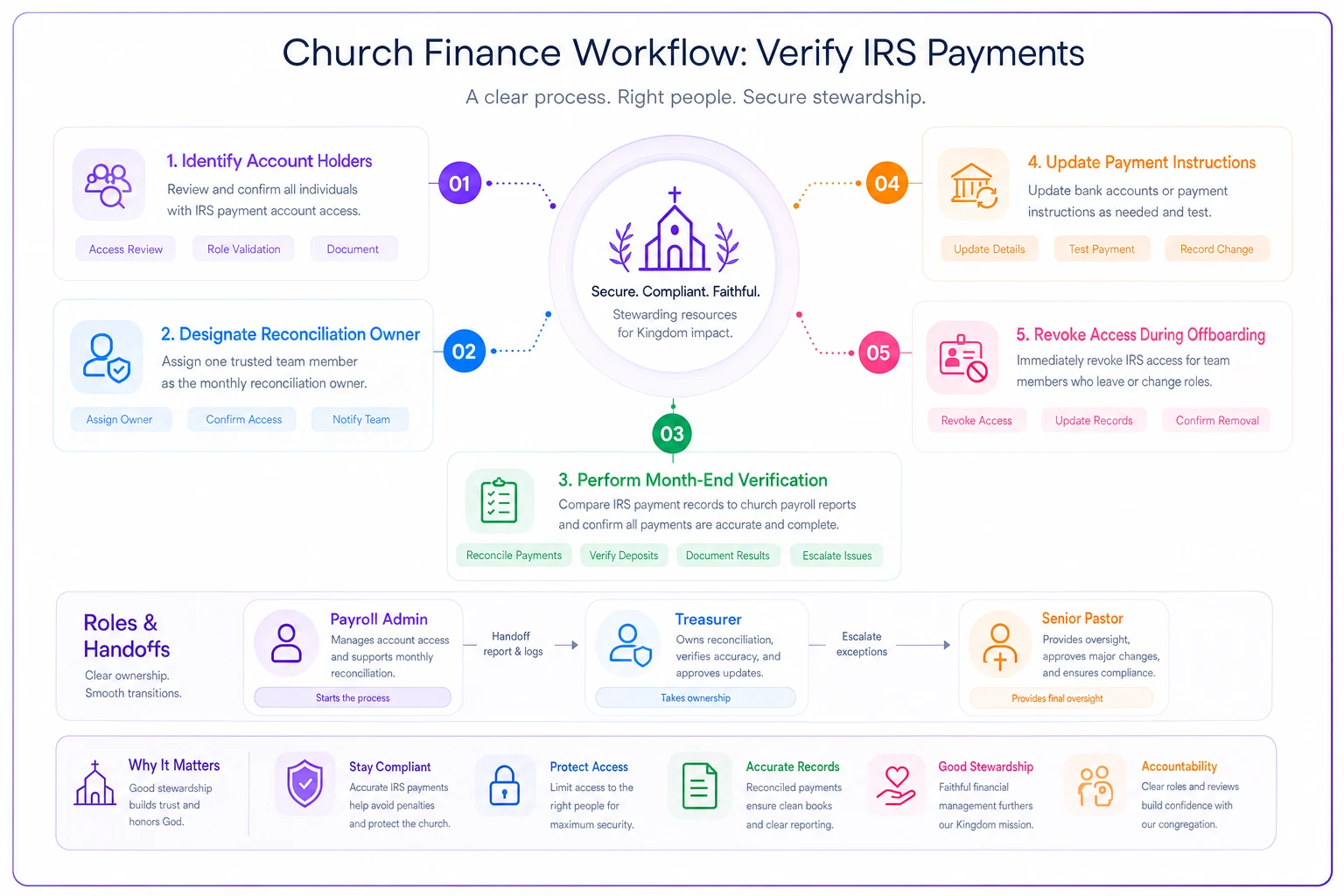
A simple workflow diagram makes the sequence clear for volunteers.
Only two of those steps have anything to do with the app itself. The rest are governance gaps the app just made visible.
A quick checklist before year-end close
Every IRS login documented with an owner and an EIN/individual tag
-
Every IRS login documented with an owner and an EIN/individual tag
-
One named reconciliation owner for tax payment matching
-
Payroll tax deposits verified as posted, each month, with dates logged
-
Payment instructions updated to remove IRS2Go references
-
Finance volunteers briefed on IRS impersonation red flags
-
Credential revocation triggered by any finance-team departure
-
W-2 / 1099 prep timeline cross-checked against verified deposit history
W-2 / 1099 prep timeline cross-checked against verified deposit history
A realistic scenario
Take a congregation of around 220 attenders with two paid staff and a volunteer bookkeeper handling payroll taxes on a monthly deposit schedule. For a couple of years their process was simple: make the deposit, trust it cleared, move on. One year a Q3 deposit got applied to the wrong quarter. Nobody noticed until a notice arrived the following March — by which point a penalty and interest had accrued somewhere in the $400–$600 range, plus roughly a full day of the treasurer's time untangling it with the IRS.
With mobile payment visibility built into month-end, that same church now confirms each deposit posted within a week or two of making it. The misapplied-payment problem doesn't vanish entirely, but it gets caught while it's still fixable without penalties. The real win isn't the app — it's that verification finally became a step in the process instead of an assumption.
When leaning into this makes sense (and when it doesn't)
It makes sense when you have recurring payroll tax obligations, more than one person touching church finances, or a history of year-end scrambling to prove payments cleared. The faster verification genuinely tightens your close.
It's less urgent when you're a very small congregation with no payroll, no employees, and donation activity only. In that case, the app changes little — don't over-engineer a process you don't need. Adding reconciliation ceremony to a church that cuts two checks a month is just friction.
Who should be cautious: churches where a single volunteer holds all the credentials and institutional knowledge. For you, the priority isn't adopting the app faster — it's distributing access and documentation so you're not one resignation away from locked-out tax accounts.
Where this connects to the bigger picture
None of this works as a one-off. Faster taxpayer access is just one more input into the finance rhythm a church should already be running — who owns what, which approvals are required, and what the year-end calendar looks like. If that foundation isn't built yet, the app sits on sand. It's worth pairing these changes with a broader structure like the one in our non-accountant finance governance playbook for small churches, which lays out owners, approval thresholds, and the year-end calendar this verification step should plug into.
Churches that handle this well tend to centralize their record-keeping so payment confirmations, reconciliation notes, and access logs live in one place instead of scattered across phones and inboxes. Whether that's a shared finance system or a disciplined shared drive matters less than the principle: tax information a treasurer can verify fast is only useful if the workflow around it is built to catch problems before the penalty notice arrives.
The app made access faster. Your job is to make sure your process is ready to use it — before December turns into a scramble.
Ready to transform your church management?
Join 500+ churches using Parshly to enhance community engagement, streamline administration, and grow their ministries.